
александрк38734054
Participant
April 15, 2020
Answered

Help! Refusal to accept raster illustration.

  • April 15, 2020
  • 2 replies
  • 782 views

Hello, please help. I can not understand the reasons for the refusal. Failure on a technical issue. Raster illustration. Thank you in advance!

This topic has been closed for replies.
Correct answer Abambo

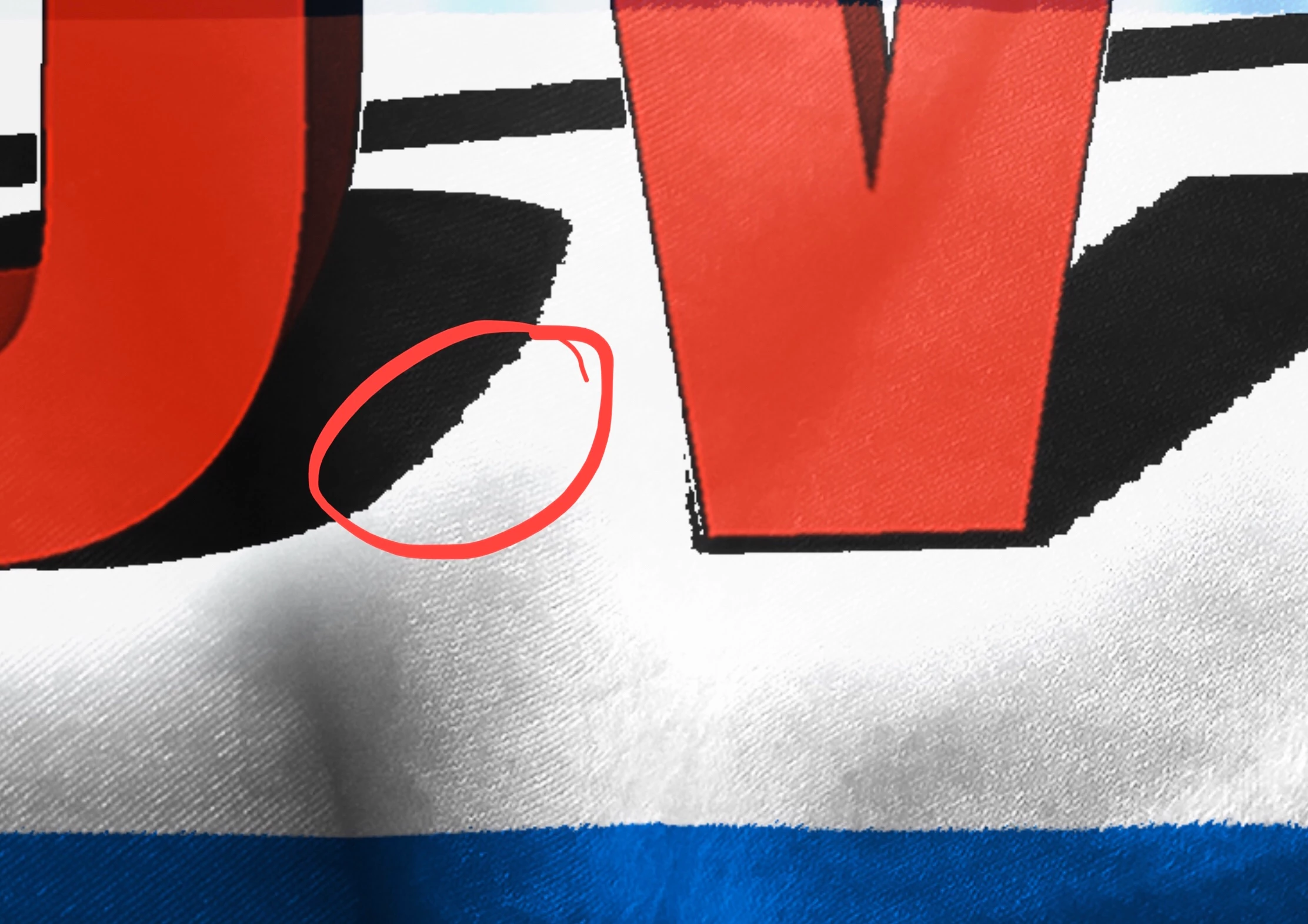
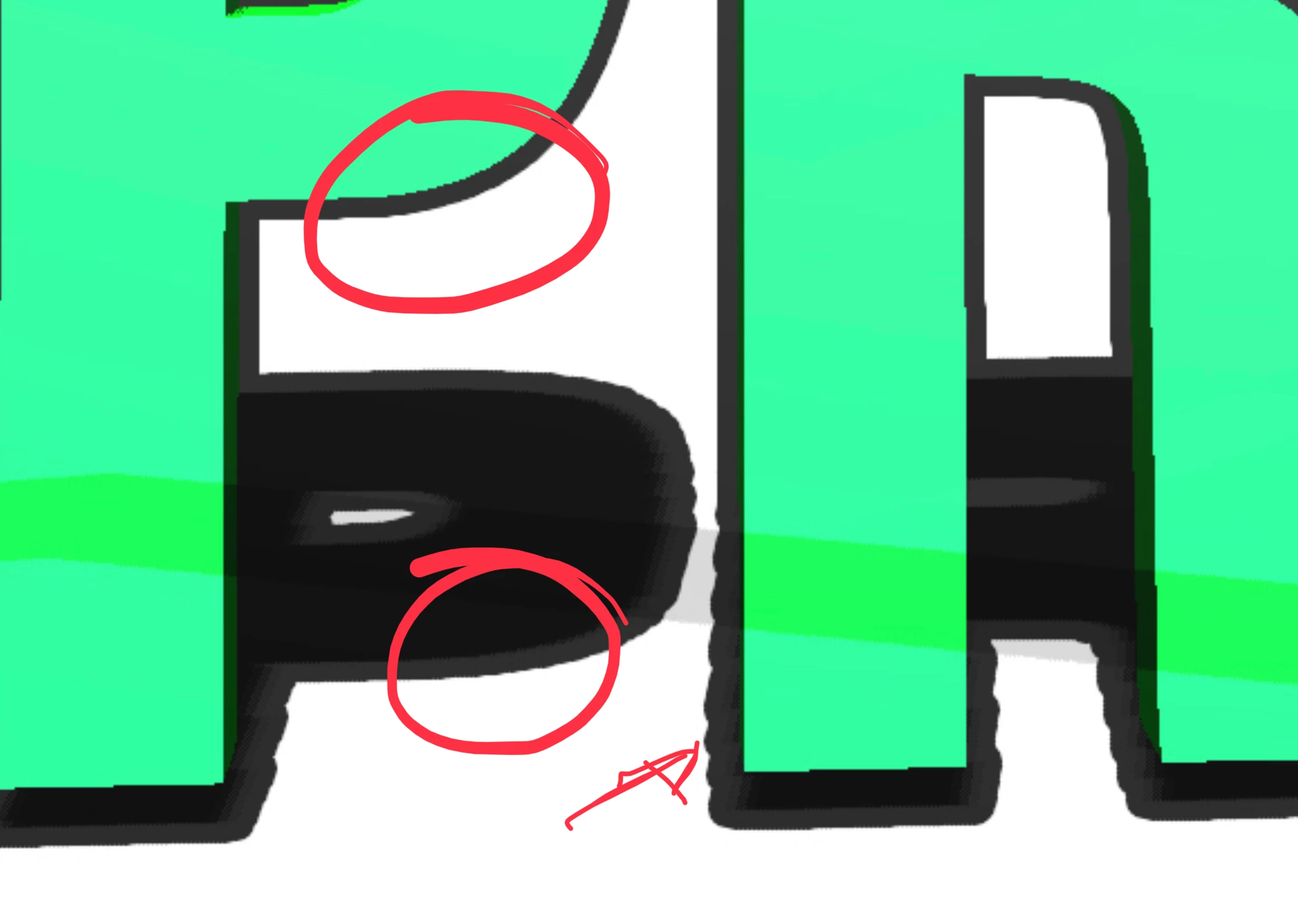
The first buyer of these illustrations would complain about the bad quality of the files. There are some graphic errors: shadows do not make objects brighter. 

 

And than there are quality issues with the graphics in general. I would expect a picture like these clean and usable:
 

2 replies

Abambo
Community Expert
AbamboCommunity ExpertCorrect answer
Community Expert
April 16, 2020

The first buyer of these illustrations would complain about the bad quality of the files. There are some graphic errors: shadows do not make objects brighter. 


And than there are quality issues with the graphics in general. I would expect a picture like these clean and usable:


ABAMBO | Hard- and Software Engineer | Photographer
Ricky336
Community Expert
Community Expert
April 16, 2020

Do any of these situations apply to you?

From Adobe help files:


https://helpx.adobe.com/stock/contributor/help/quality-and-technical-issues.html

Vector technical issues include

Open paths: all filled shape paths must be closed.

Raster images: do not embed pixel-based images (JPEGs) into your vectors files—because they are not vectors.

Autotrace: Do not use autotrace on complex images like photos. The resulting vectors are too difficult for a customer to edit.

Artboard size: Your artboard must be a minimum of 15 megapixels or it cannot upload through the Contributor portal.


The lines in the arrow seem to be jagged.

александрк38734054
Participant
April 16, 2020

Thank you for your reply!
But I have a bitmap, and you specified the requirements for vectors?

Ricky336
Community Expert
Community Expert
April 17, 2020

You will need to check the requirements of this type of asset, the above link is Adobe's guidelines.

However, in your image, as pointed out, you do have problems with the graphics. The edges are jagged.

They should be clean. So, in this case, there are technical issues.