



DanYanko
Participating Frequently
April 14, 2023
Question

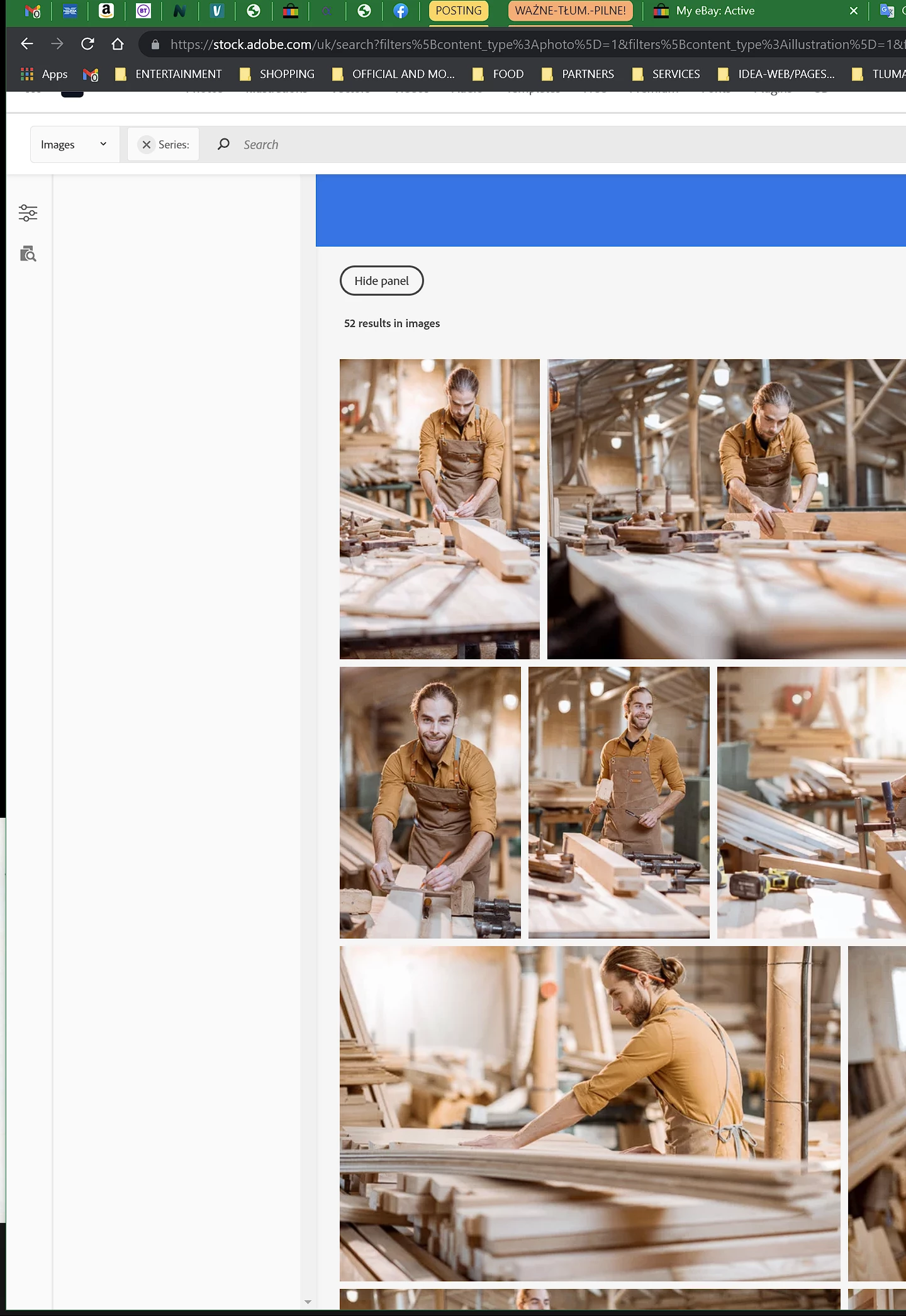
Hi Everyone. I have a persisting problem with display the Stock website. Please, help!

  • April 14, 2023
  • 2 replies
  • 450 views

Even if I manage to open this site, using ways around from levels of PS or Illustrator, it still doesn`t display the whole page correctly without the filters panel. I did remove recent cookies, no effect. Please, help.


[Moderator moved the thread to the correct forum]


This topic has been closed for replies.

2 replies

Nancy OShea
Community Expert
Community Expert
April 14, 2023

Use a modern desktop browser like Firefox or Chrome that doesn't have script blockers or VPN enabled. 

Refresh with Ctrl + F5 or Ctrl + R.

Press F11 to maximize your viewing space & remove toolbars.


Hope that helps.


Nancy O'Shea— Product User & Community Expert
DanYanko
DanYankoAuthor
Participating Frequently
April 15, 2023

Hi Nancy.

Thank you for your suggestions.

Can you please explain which toolbars you are referring to?

I`m using Chrome, which seems to be always up to date.

I never use Firefox, so I give it to go.

I have a bunch of extensions connected to Chrome and have used it for many years.

Also, as the default browser, it will always take over the other browsers.

I  will let you know what happens.

Kindest Regards.

Dan.

Nancy OShea
Community Expert
Community Expert
April 15, 2023
quote

Hi Nancy.

Can you please explain which toolbars you are referring to?


By @DanYanko

=========

I mean the toolbars & menus across the top of your browser's application frame.


Before:


After F11:


Nancy O'Shea— Product User & Community Expert
Legend
April 14, 2023

Hi, are you a stock contributor (making images) or a stock customer (buying images)?

DanYanko
DanYankoAuthor
Participating Frequently
April 14, 2023

Hi.

I do both: more buying and less contributing.