


vadjok88
Participant
Mar 20, 2021 7:17 PM UTC
Answered

How do I change file format download from .AI to .JPEG?

My Illustrator is not working at the moment. I have licenced the files that are both avaialable in JPEG and AI formats, but when I press on download - it automatically downlads .AI only...

How do I get JPEG?

Please help!
 

This topic is closed to new replies. Start a new post to keep the conversation going.
Vani_100Correct answer
Participating Frequently
Jul 28, 2021 10:33 PM UTC

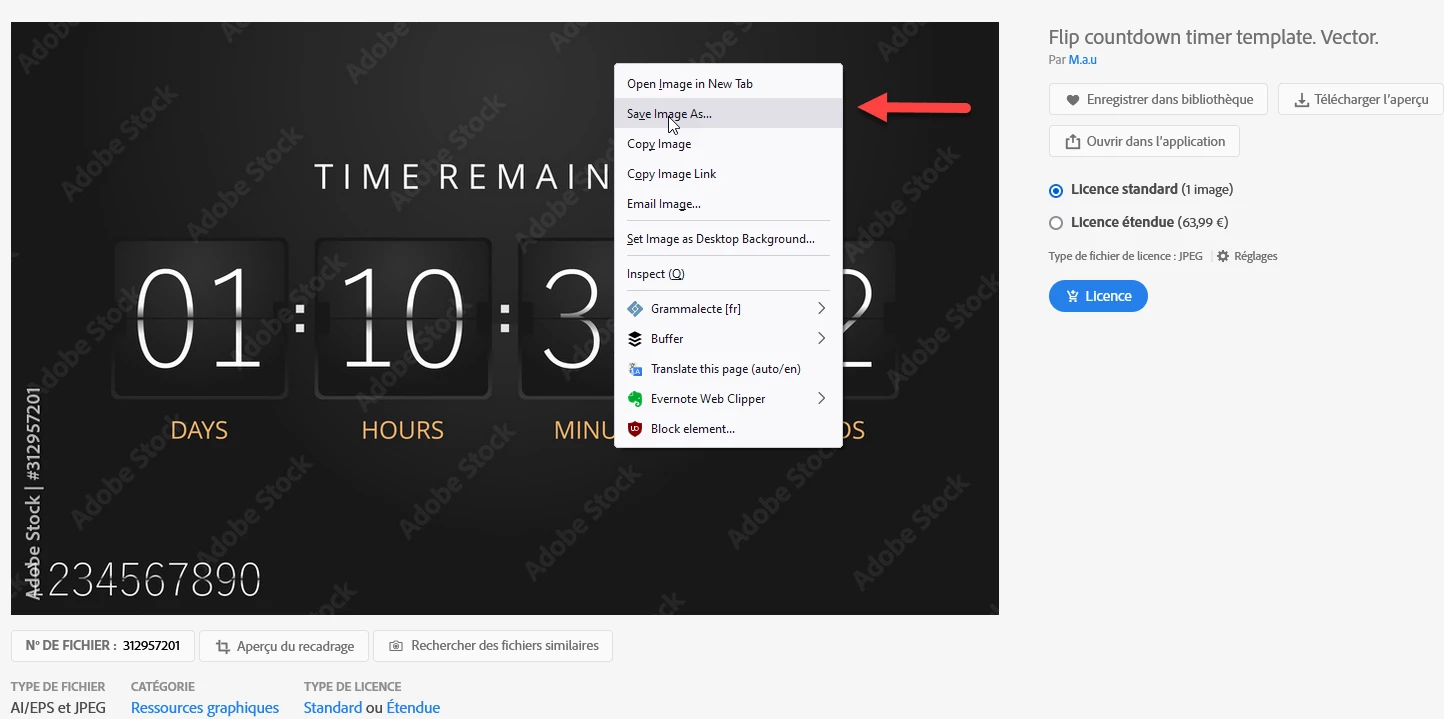
I can confirm this, and I suspect this to be a bug. @WendellaBee may have more insight on this. Meanwhile, I suggest you use the right button on the stock website to download a JPEG preview.


This is working as designed. preview jpegs for download is not available. You can download vector assets as jpeg files only after licensing. In Vector setttings, you can see text mentioned as "Licensed file type" 

/”Vector and JPEG files included with both licenses” for download.

7 replies

Abambo
Community Expert
Community Expert
Mar 23, 2021 12:24 AM UTC

Hi@vadjok88 ,


Sorry for the trouble. Just follow my instructions:

  1. On stock.adobe.com Select the asset you want to download.
  2. You will see a small gear "Settings" at the right of the asset preview.
  3. Click that and on the following dialogue select your preferred option.
  4. Push save.


You should be done now. Please note that JPEG files do not hold transparency information so any asset where transparency is essential like fireworks-isolated-on-dark-transparent-background do not work as a JPEG file.

Translate
ABAMBO | Hard- and Software Engineer | Photographer
vadjok88
vadjok88Author
Participant
Mar 28, 2021 9:30 AM UTC

Thank you! SOLVED!

Translate
Abambo
Community Expert
Community Expert
Mar 29, 2021 1:07 PM UTC

You're welcome.

Translate
ABAMBO | Hard- and Software Engineer | Photographer