
Participant
November 27, 2018
Answered

How do stop a file from opening in its native program after I download it?

  • November 27, 2018
  • 1 reply
  • 3329 views

Many of the files I download were made in Illustrator, but I want to use them in Photoshop. Adobe Stock automatically opens my downloaded files in Illustrator, causing me to have to close the file, quit program, and reopen the file in Photoshop. I can't find anything in preferences to change this.
This topic has been closed for replies.
Correct answer nancyf18149233

Hi N.F.,

If you download the files and they automatically open in an application it may be a setting on your machine. If you are using Windows you can set the behavior for files that are downloaded. Open your Control panel and search for file associations and you should be able to edit your settings.

EBQ


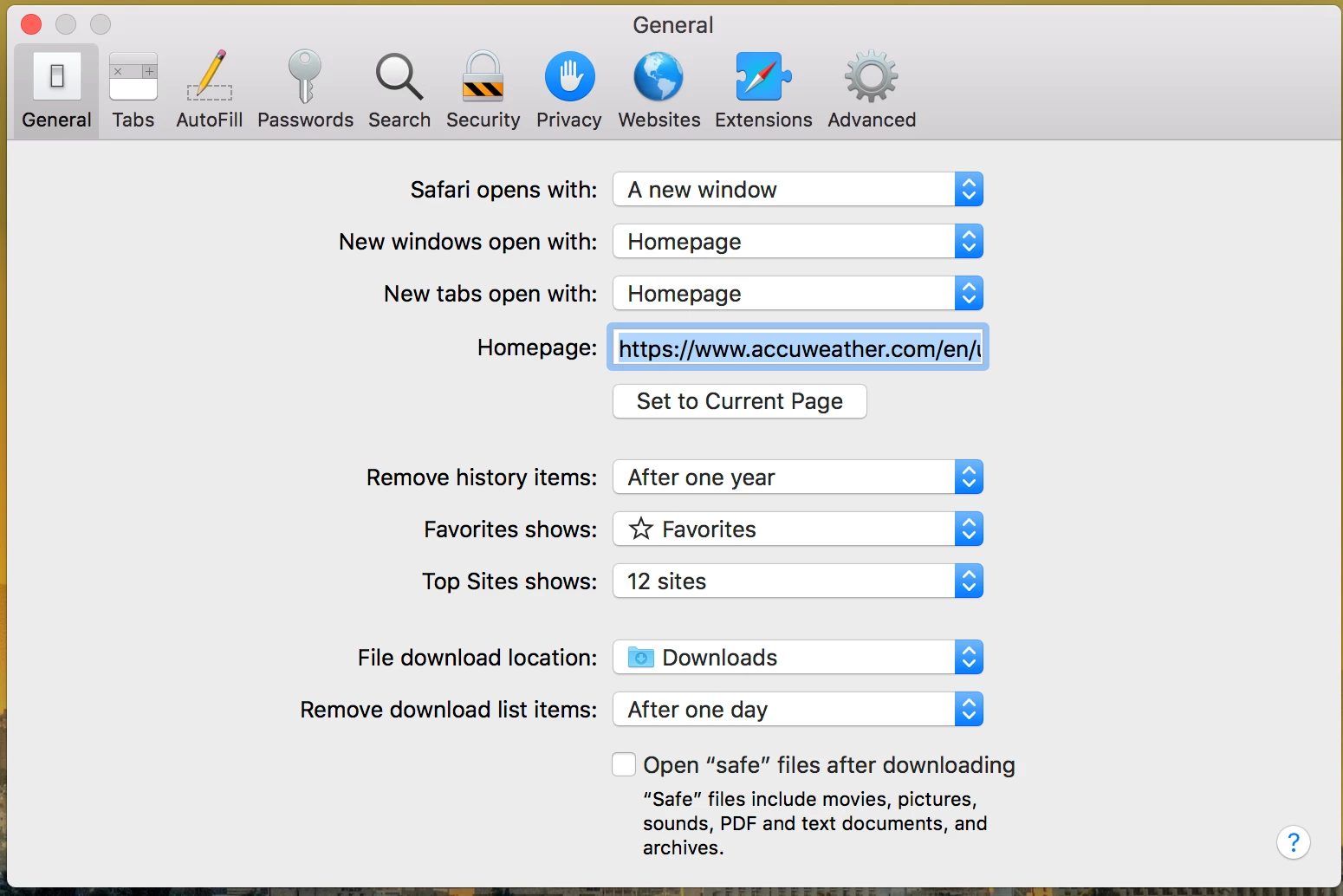
Thanks, that did help! I am on Mac, and I found that there's an "Open safe files" setting under Preferences. I disabled that, and the files no longer open after downloading. I appreciate everyone's help with this.

1 reply

twaritar3263062
Participating Frequently
November 27, 2018

Hi Nancy,

Sorry to hear that you are facing issues with Adobe Stock services.

When you license any asset from Adobe Stock you can either "save it to your desktop" or you can open the file with any of the Adobe application as shown in the screenshot below. Please choose the application with which you want to open the file.

Feel free to update this thread in case of any additional questions.

Regards,

Twarita

Participant
November 27, 2018

Thanks so much for your response, Twarita. From what I understand about "Save to Computer," I should be able to click the top "download" button and have it go into my Downloads folder only. When I do so, it still also opens in the native program. When I click on the "Open in Photoshop" button, it always tells me I can't do that because I'm not logged in (but I am), and that if the problem persists to contact Adobe.

I can click on Save to Library, but it works best for me to have the file easily accessible to move from project folder to project folder, rather than have it within Photoshop's library. I just want the file downloaded to my desktop, period, with nothing else happening. Is there a way to do that?

twaritar3263062
Participating Frequently
November 29, 2018

Looping in EvilBugQueen1​ to help you with the issue.