
Participant
October 29, 2018
Answered

How I buy an unique image on adobe stock with enterprise license?

  • October 29, 2018
  • 2 replies
  • 385 views

Hello!

I would like to know how I could buy an unique image on adobe stock with the proper license for enterprises.

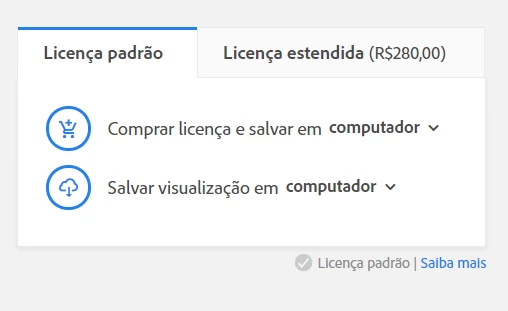
My account already is for enterprises, however, if I click on "buy license and save...", it automatically comes with the correct license?

I've read the terms, but I didn't understand where I should click to buy the image with the enterprise license.

Thank you,

Jéssica.
    This topic has been closed for replies.
    Correct answer twaritar3263062

    Hi Jessica,

    Sorry for the delay in response.

    In order to license an image/asset from Adobe Stock under your Enterprise account, please sign in to Adobe Stock with your Enterprise ID and password. Make sure that you are in enterprise view, not your personal account. In the user menu in the top right, click to see that the correct account name is selected. Then search for your desired asset and click on "buy and save.." option to license it correctly.

    Before licensing the asset, you can view the license type and their associated usage, below each asset.

    Hope this information helps!

    Feel free to update this thread in case of any additional questions.

    Regards,

    Twarita

    2 replies

    twaritar3263062
    twaritar3263062Correct answer
    Participating Frequently
    November 13, 2018

    Hi Jessica,

    Sorry for the delay in response.

    In order to license an image/asset from Adobe Stock under your Enterprise account, please sign in to Adobe Stock with your Enterprise ID and password. Make sure that you are in enterprise view, not your personal account. In the user menu in the top right, click to see that the correct account name is selected. Then search for your desired asset and click on "buy and save.." option to license it correctly.

    Before licensing the asset, you can view the license type and their associated usage, below each asset.

    Hope this information helps!

    Feel free to update this thread in case of any additional questions.

    Regards,

    Twarita

    alisterblack
    Inspiring
    October 30, 2018