


Participant
October 17, 2025
Answered

How to separate images

  • October 17, 2025
  • 1 reply
  • 109 views

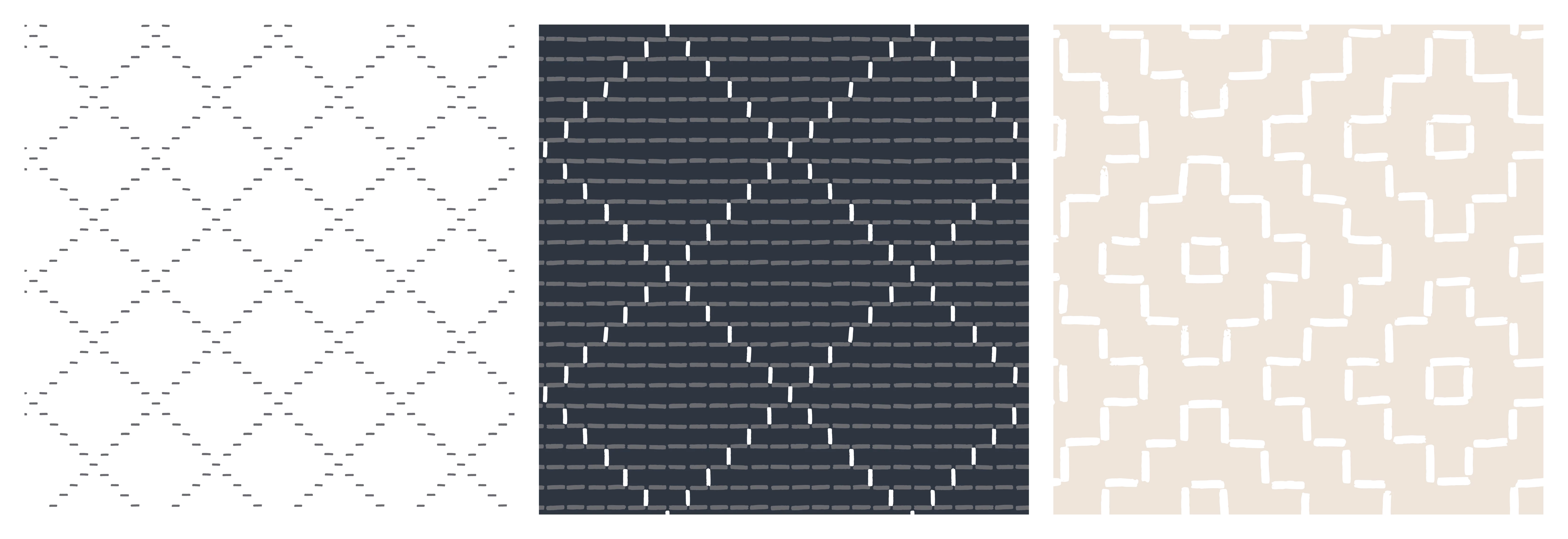
I don't know if I'm saying this correctly.  When you purchase stock images (backgrounds) that have multiple images (backgrounds).  How do you separate them so that you can use 1 of the 3 images that you really like.  I am trying to make a book cover but I licensed a collection of 3 but I only want to use one of the backgrounds.  How do I separate it from the collection to use the one I want.  Please explain the steps or process.  I am a beginner with adobe illustrator, indesign and photoshop.  Any help will greatly appreciated. I have attached an example
Correct answer daniellei4510

Are these Illustrator files or Photoshop? If the latter, simply selected the pattern you want with the square selection tool, copy it, and either crop it or paste it into a new file. If they are Illustrator files, then they can be opened in Photoshop with the Open as... command. Then follow the steps mentioned.

1 reply

daniellei4510
Community Expert
daniellei4510Community ExpertCorrect answer
Community Expert
October 17, 2025

Are these Illustrator files or Photoshop? If the latter, simply selected the pattern you want with the square selection tool, copy it, and either crop it or paste it into a new file. If they are Illustrator files, then they can be opened in Photoshop with the Open as... command. Then follow the steps mentioned.

Adobe Community Expert | If you can't fix it, hide it; if you can't hide it, delete it.
Participant
October 18, 2025

Thank you so much for responding.  I believe they are illustrator files.  I will give it a try.
