


Participant
March 18, 2025
Answered

How to use libraries in Adobe Stock

  • March 18, 2025
  • 1 reply
  • 466 views

When I create a library to save images to, the images save to the previous one I was using. Then the only way to move them is to open the library tray and painstakingly move them one by one to the new library. This happens every time I want to create. new library. Can someone explain how to use the library feature please?

Correct answer Abambo

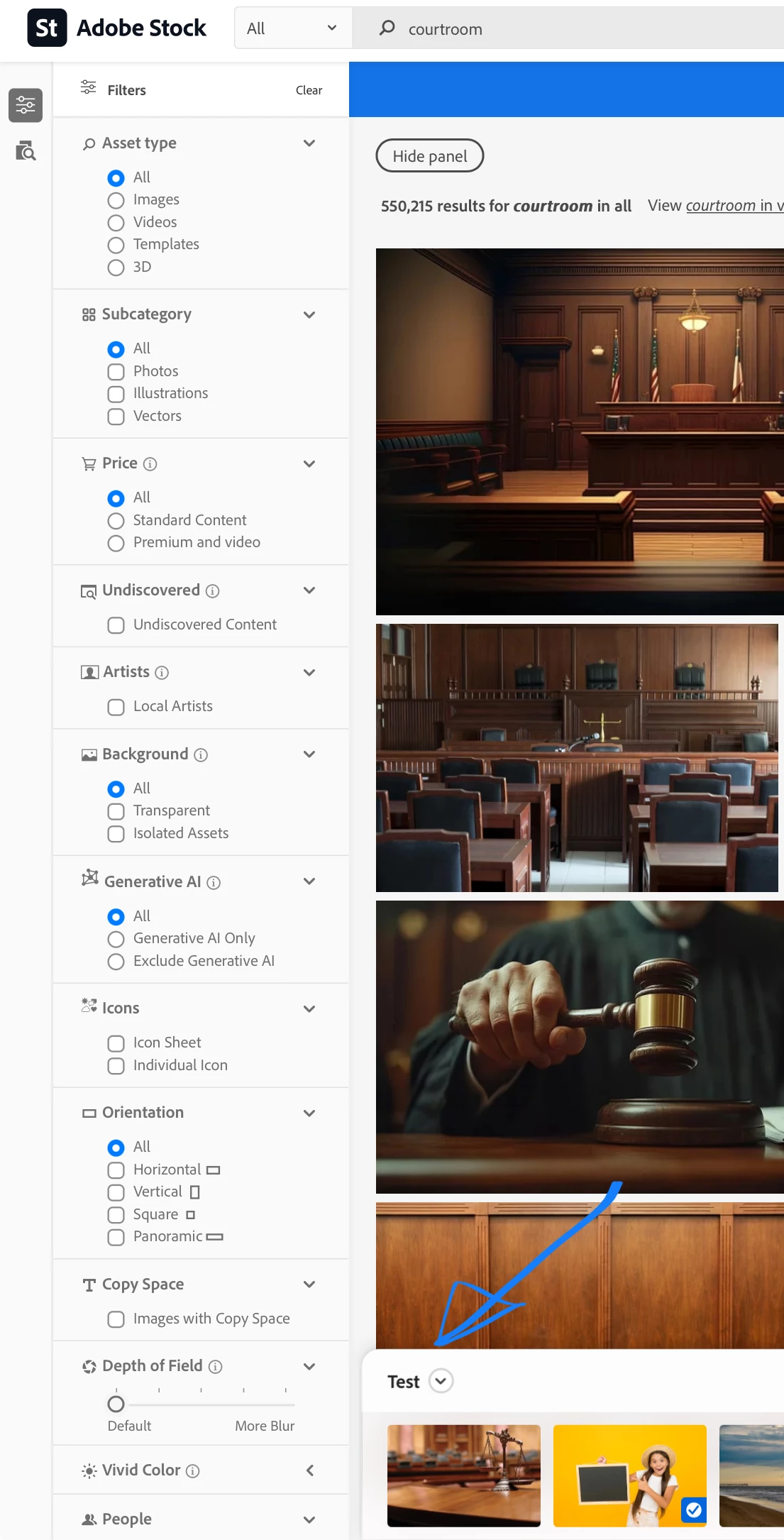
In addition, there is this new "library bar" at the bottom of the screen, where you can change the default library too:

1 reply

Abambo
Community Expert
Community Expert
March 19, 2025

When you licence an asset from the stock site, you can change the default library that stock uses. That option, however, is not very long visible, and some users reported that the dialogue is obstructed by something else. It looks that this is in relation of the screen size. 

ABAMBO | Hard- and Software Engineer | Photographer
Abambo
Community Expert
AbamboCommunity ExpertCorrect answer
Community Expert
March 19, 2025

In addition, there is this new "library bar" at the bottom of the screen, where you can change the default library too:

ABAMBO | Hard- and Software Engineer | Photographer
Participant
March 19, 2025

Thank you so much! That worked 🙂 This has been driving me mad over the past few weeks.