

Participant
September 23, 2025
Question

How to use my downloaded stock

  • September 23, 2025
  • 2 replies
  • 86 views


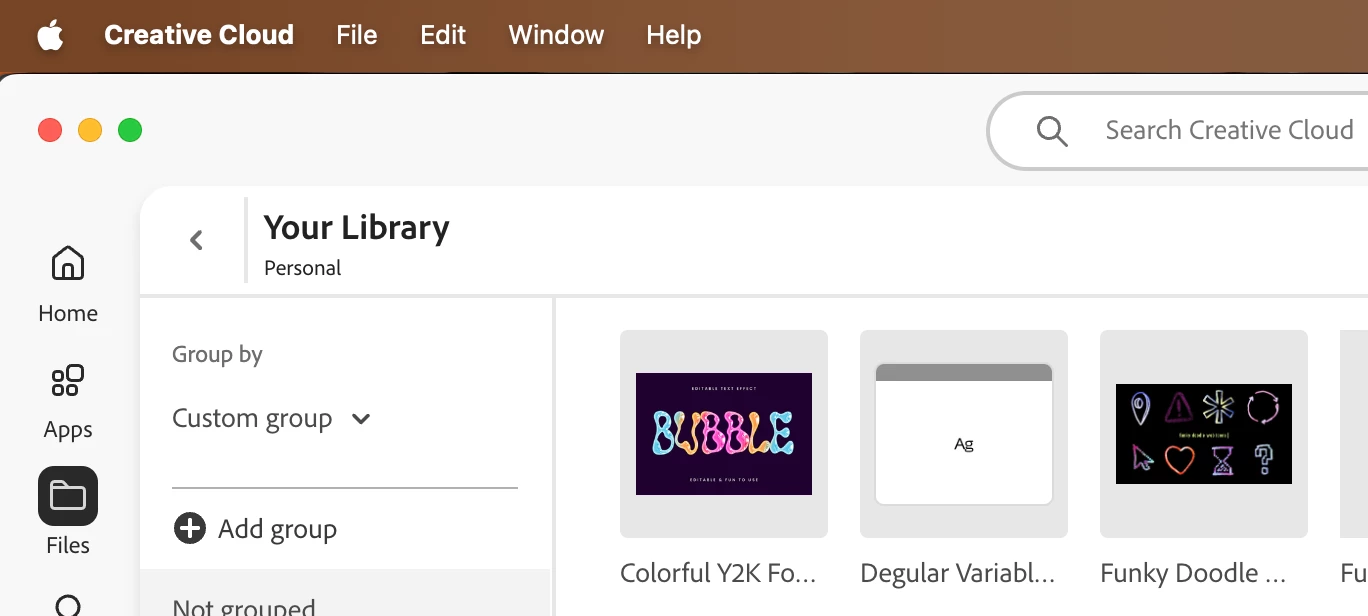
I downloaded the funky doodles to use and I cant find them in my computer downloaded anywhere and when I click on the file in my library nothing happens. 

I am very new to adobe! 


2 replies

John Kerry
Participant
September 30, 2025

Don’t worry, this happens a lot when you’re new to Adobe. Assets like Funky Doodles don’t always download as regular files, they usually sync into your Creative Cloud Libraries. To use them, open the program you want (like Photoshop or Illustrator), go to the Libraries panel, and you should see them there ready to drag into your project.

If nothing shows up, make sure your Creative Cloud desktop app is running and you’re signed in, since that’s what handles syncing.

PaintedKitty
Community Expert
Community Expert
September 25, 2025

I presume that this is a Windows PC? if so maybe some of your files got saved in the "Downloads" file? 

You can also check "recently downloaded" or just do a search on the computer. It might take a few seconds or mins but at least the search won't drive you bonkers. 

Worth a try.
