TGM15730706
Participant
March 16, 2021
Answered

I cant seem to change my default library for adobe stock.
  • March 16, 2021
  • 2 replies
  • 2281 views

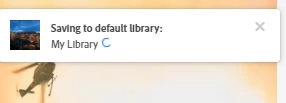
I can't change my library. The pop-up that usually gives me the option to change libraries doesn't have that option. Why isn't there a simpler way to change default libraries for Adobe Stock? There really should be a much easier way than to click on a pop-up. Like maybe a dropdown or a check box in each library, when browsing through the library? Please advise.


Correct answer Abambo

This is not true. You can choose the default, but it's a bit complicated, as you need to put something in the library before getting to the menu…


As you see, neither of the above is alphabetically first!


2 replies

Participant
April 20, 2022

From my experience, the Library that is at the top of the list Alphabetically is your Default Library. This is kind of a weird oversight on Adobe's behalf but what are you gonna do.

Abambo
Community Expert
AbamboCommunity ExpertCorrect answer
Community Expert
April 21, 2022

This is not true. You can choose the default, but it's a bit complicated, as you need to put something in the library before getting to the menu…


As you see, neither of the above is alphabetically first!


ABAMBO | Hard- and Software Engineer | Photographer
Participating Frequently
November 7, 2023

This doesn't fix the problem for me. 

Following your instructions, I click on the library I want to change it to and then next time I download something, it does the same thing again and the assets are downloaded to the wrong library.  I suggest just completely turning off the feature - which is at the bottom of the popup window when you download something. 

It's broken.


WendellaBee
Adobe Employee
Adobe Employee
March 17, 2021

Hi @dennisp1573070

There is a delay but after a few seconds you should see "Manage". Also, when you view all of your libraries, https://stock.adobe.com/Libraries, any newly created library becomes your default library. 

TGM15730706
Participant
March 17, 2021

The manage button never pops up, and I just get a red bar that states cannot save into library. There should be a manage button on that red bar also to make it easier to find, because whwne the library is full that Manage clickable never appears.

WendellaBee
Adobe Employee
Adobe Employee
March 17, 2021

You are getting that red bar today? Could you clear your browser history, sign in and try again and let me know if this is still occurring. There was an issue on the site recently but a change was made to prevent this.