
Participant
May 2, 2017
Answered

Image distortion when selecting "Open in Photoshop" option

  • May 2, 2017
  • 2 replies
  • 355 views

I purchased Image #110697179.  The image details say AI/EPS format.  I selected the option to license and open in Photoshop, however, when the image opens in Photoshop it is very distorted and totally unusable.
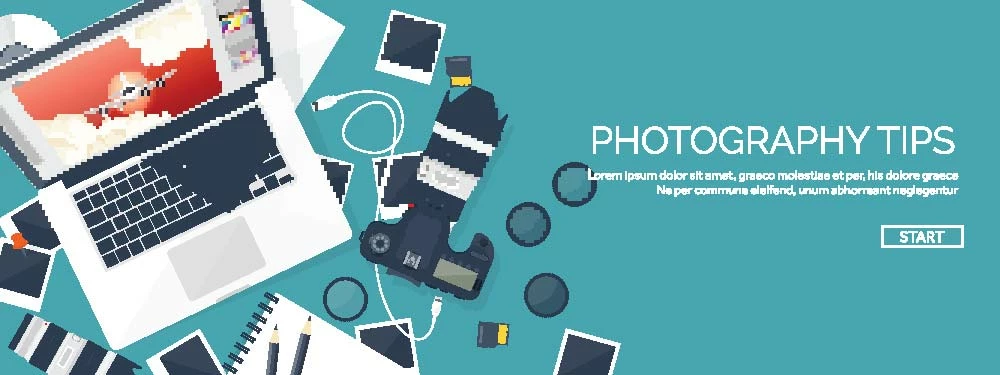
As you can see the laptop is missing a section, the pictures, camera, cd, and usb cable are blocky and grainy, and the overall image does not appear nearly as crisp as in the image preview.

Thanks,

Ryan

    This topic has been closed for replies.
    Correct answer Kanikas

    Hi Kristina,

    I see you have an Adobe account under the same Adobe ID as with forums. As you mentioned about the distorted image, I tried to replicate the same at my end and the image seems distorted when opened in Photoshop.

    I have added an image credit to your account so that you can license a different image instead.

    Hope that helps.

    Feel free to update the thread for any other query.

    Regards

    Kanika

    2 replies

    Kanikas
    Community Manager
    KanikasCommunity ManagerCorrect answer
    Community Manager
    May 2, 2017

    Hi Kristina,

    I see you have an Adobe account under the same Adobe ID as with forums. As you mentioned about the distorted image, I tried to replicate the same at my end and the image seems distorted when opened in Photoshop.

    I have added an image credit to your account so that you can license a different image instead.

    Hope that helps.

    Feel free to update the thread for any other query.

    Regards

    Kanika

    Participant
    May 2, 2017

    Thank you!

    Kanikas
    Community Manager
    Community Manager
    May 2, 2017

    You're welcome!

    Brad Lawryk
    Legend
    May 2, 2017

    .ai files are Adobe Illustrator files. You will need to open and edit them in Illustrator to the size and other edits before bringing it into Photoshop.