Participant
June 12, 2018
Answered

Image Sold as Transparent Background - Transparency Grid Still Visible in all Apps

  • June 12, 2018
  • 1 reply
  • 1212 views

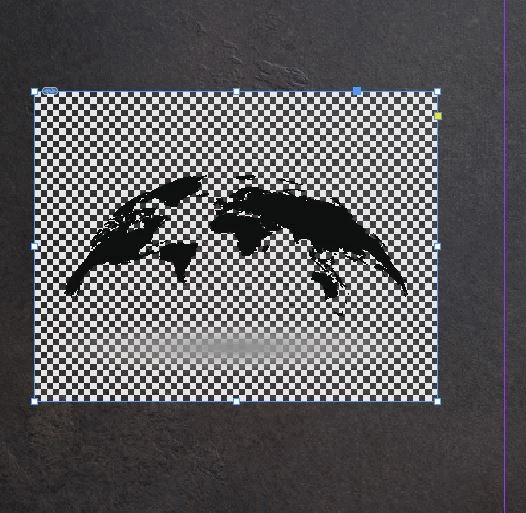
Image FIle (AI/EPS): 147450484.  I'm trying to use in InDesign.  Placement box has "Transparent Box" checked.  Shows up the same way in all Adobe apps.  Here's a big clue.  When I open in Photoshop and use the hue/satuation adjustments to reduce the lightness all the way down, I see the grid that you see in the image, but behind that, I can see what looks like the real Transparency Grid.  I'm on the 3 images per month plan which means no customer support.  If there's no solution for what appears to be a bad image, is there anyway to return the license and get a image credit back? 
    This topic has been closed for replies.
    Correct answer twaritar3263062

    Hi Brian,

    Sorry to hear that you are facing troubles with a Stock file.

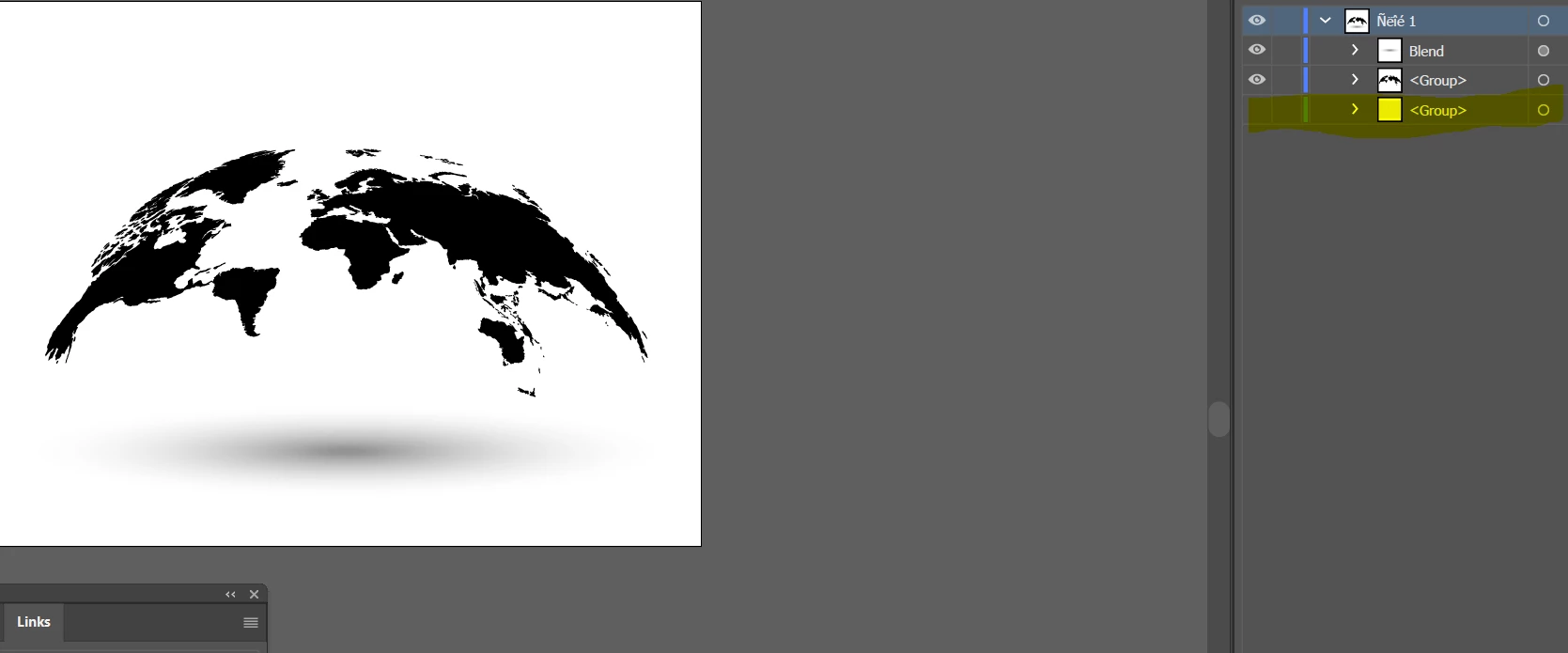
    I see that the file which you have downloaded( 147450484) is a vector file. The vector images are best to be downloaded in Illustrator.

    If you wish to remove the transparency grid from the file, please follow the steps below:

    • Open the file in Illustrator CC
    • Delete the layer of Transparency grid
    • Save the changes made

    Also, I would like to let you know that it is not possible to edit an Ai file in Adobe Indesign.

    Let me know if this helps!

    Feel free to update this thread in case of any additional questions.

    Regards,

    Twarita

    1 reply

    twaritar3263062
    Community Manager
    twaritar3263062Community ManagerCorrect answer
    Community Manager
    June 12, 2018

    Hi Brian,

    Sorry to hear that you are facing troubles with a Stock file.

    I see that the file which you have downloaded( 147450484) is a vector file. The vector images are best to be downloaded in Illustrator.

    If you wish to remove the transparency grid from the file, please follow the steps below:

    • Open the file in Illustrator CC
    • Delete the layer of Transparency grid
    • Save the changes made

    Also, I would like to let you know that it is not possible to edit an Ai file in Adobe Indesign.

    Let me know if this helps!

    Feel free to update this thread in case of any additional questions.

    Regards,

    Twarita