Participant
October 18, 2020
Answered

MADDENING "Editable" Stock won't allow me to edit!

  • October 18, 2020
  • 3 replies
  • 1013 views

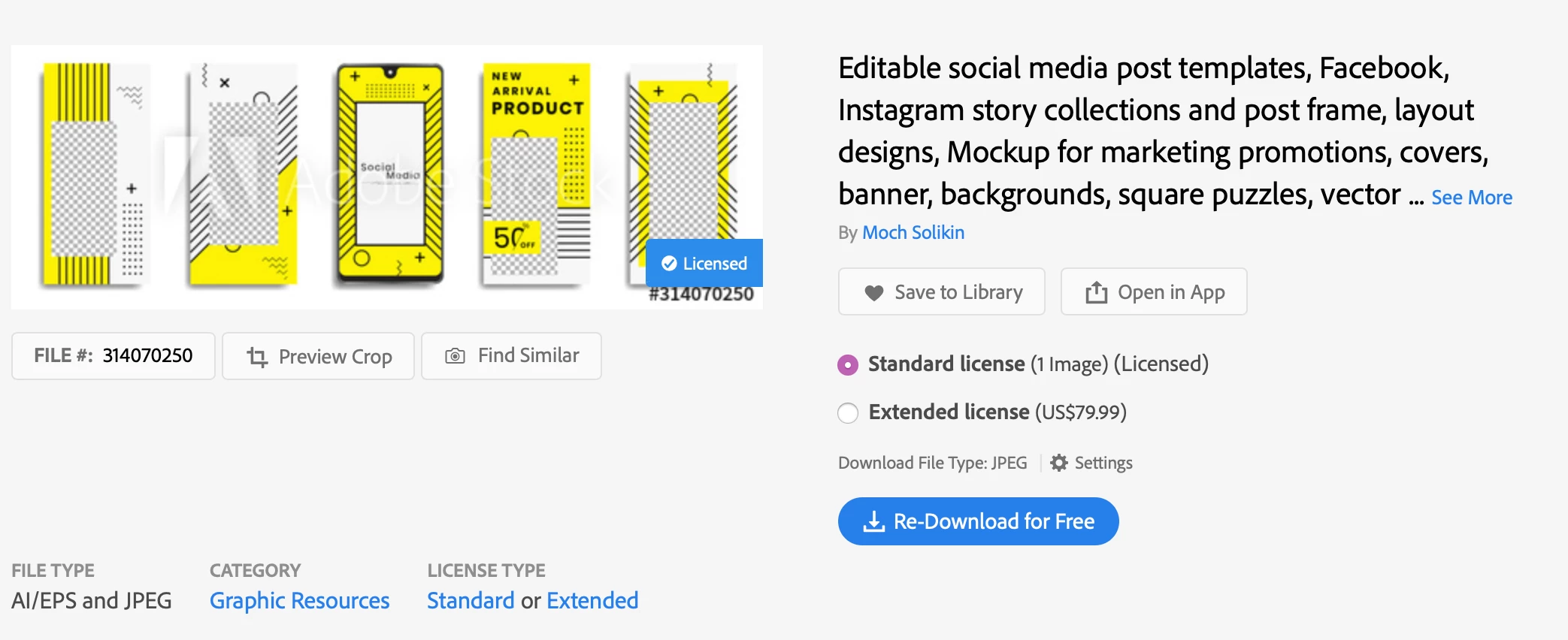
Spent a ton of money downloading "Edititable" instagram stock footage and all that downloads is a flat .jpeg or .ai - Neither editable. WHAT AM I MISSING? I can't even magic erase the "transparent" layers because the grid image is baked in. 


Here's an image for reference. Yes I've paid for and downloaded the liscenced versions 


This topic has been closed for replies.
Correct answer JJMack

Jpeg file are flat and jpeg file format does not support transparency. Photoshop does not have support for.ai files they can be imported as a single pixels layer that may certain transparency.  .Ai file can also be placed into Photoshop document as vector smart object layers.  For a Photoshop template you need a layered file like PSD or PSDT.   See if there are layered versions of the image you have paid to licence.


If you install Illustrator .ai files are vector  files the most likely contain layers. Photoshop does not support .ai file format.  Photoshop is a Pixels editor. AI is a vector editor. So your .ai files mat be Illistrator templates.   


I do not install Illustrator. Photoshop template are populated with raster images files.  I do not use Illustrator I do know how one would use a vector template.

3 replies

Participant
September 1, 2022

I'm having a similiar issue with business ducuments. Why the heck would an invoice be done in Illustrator... None of these assets are editable in a way that actual makes sense or is useful. 


Abambo
Community Expert
Community Expert
September 1, 2022

Please tell us more about the asset (asset id) and what you intended to do with the asset.


It makes sense to have an Invoice template in Illustrator, and as an Illustrator asset, it should be fully editable.

ABAMBO | Hard- and Software Engineer | Photographer
JJMack
Community Expert
JJMackCommunity ExpertCorrect answer
Community Expert
October 18, 2020

Jpeg file are flat and jpeg file format does not support transparency. Photoshop does not have support for.ai files they can be imported as a single pixels layer that may certain transparency.  .Ai file can also be placed into Photoshop document as vector smart object layers.  For a Photoshop template you need a layered file like PSD or PSDT.   See if there are layered versions of the image you have paid to licence.


If you install Illustrator .ai files are vector  files the most likely contain layers. Photoshop does not support .ai file format.  Photoshop is a Pixels editor. AI is a vector editor. So your .ai files mat be Illistrator templates.   


I do not install Illustrator. Photoshop template are populated with raster images files.  I do not use Illustrator I do know how one would use a vector template.

JJMack
Michael Bullo
Community Expert
Community Expert
October 18, 2020

I'm guessing the JPEG is just a preview of the Illustrator file.


Can you please elaborate on what the issue is with the AI file...

  • You can't open it?
  • You don't have Illustrator?
  • The assets within the file can't be separated?
  • etc...
Participant
October 18, 2020

The AI file can be edited. Why a PSD file is offered that is litterally called "editable" that is just a flat image, I don't know. But I can edit the AI file

Michael Bullo
Community Expert
Community Expert
October 18, 2020

Excellent