
Participant
March 12, 2020
Answered

No options under Uploaded Files

  • March 12, 2020
  • 2 replies
  • 598 views

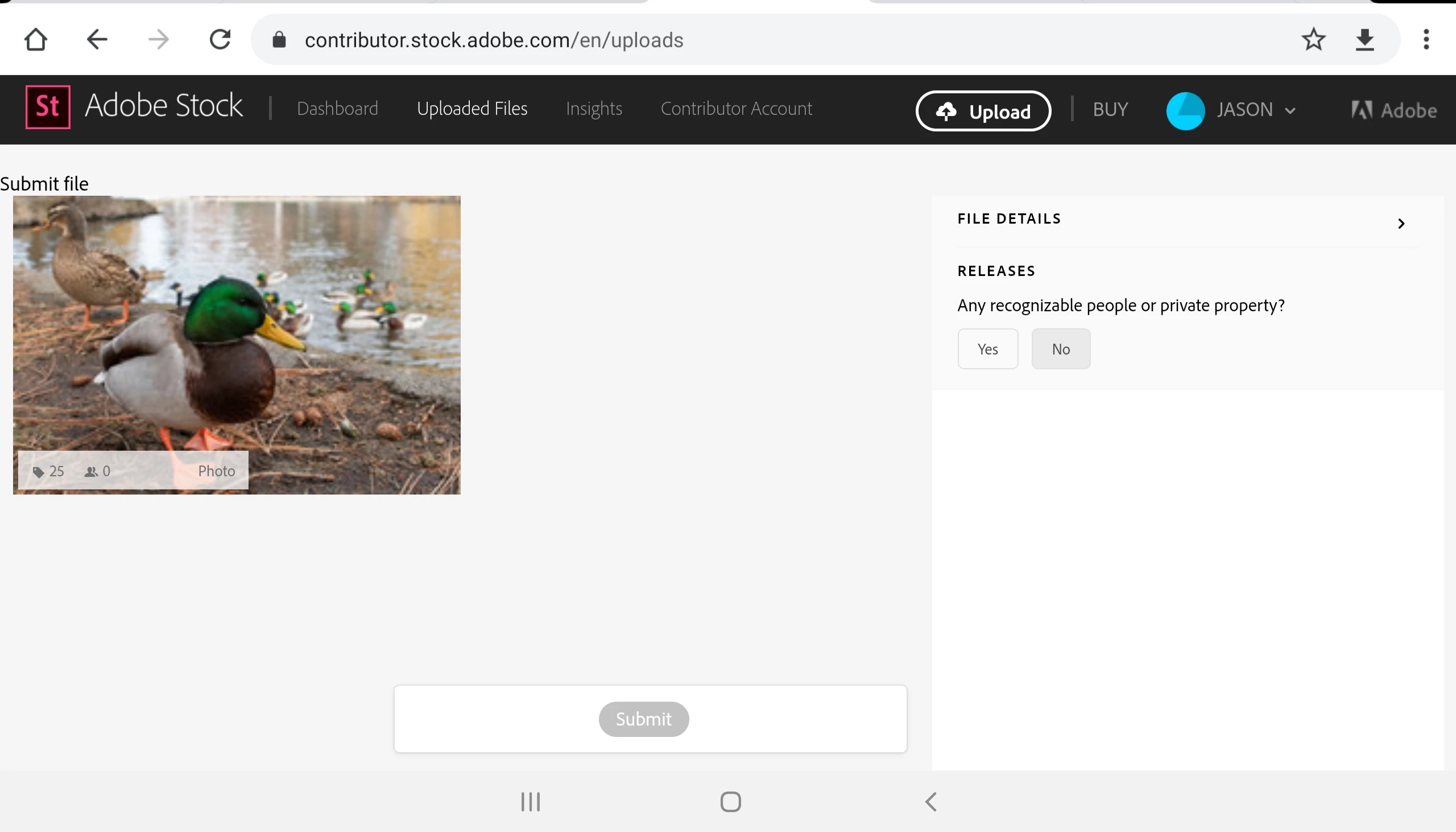
Hi! I am a new contributor as well and am using a new Android tablet. When I go to Uploaded Files as you describe, there are no options to view "New", "Rejected", etc. It just shows an image I've already uploaded and makes me think I need to add the keywords and submit again. I've done this in error a couple times (because the page is confusing) and it has created duplicated uploads. Does anyone else have this issue? Any suggestions?
    This topic has been closed for replies.
    Correct answer MatHayward

    The contributor portal experience is a work in progress on mobile devices. If possible, I recommend you use a computer with a different browser to get around this.


    Kind regards,


    Mat Hayward 

    2 replies

    Abambo
    Community Expert
    Community Expert
    March 27, 2020

    Ask for the desktop view. I can tell my browser on my iPad to deliver the desktop view.

    ABAMBO | Hard- and Software Engineer | Photographer
    MatHayward
    MatHaywardCorrect answer
    Legend
    March 26, 2020

    The contributor portal experience is a work in progress on mobile devices. If possible, I recommend you use a computer with a different browser to get around this.


    Kind regards,


    Mat Hayward