


Participating Frequently
March 19, 2025
Answered

Remove AI from Adobe Stock - Disappeared from filters now

  • March 19, 2025
  • 2 replies
  • 200 views

I've been meaning to ask for the "exlude ai from search results" to be set as default for some time now... Loging in today that has now been removed all together.

Adobe, Please remove AI from Adobe Stock or at least put back the filter. I'm a Graphic Designer and we do not want AI Now I have to wade through loads of useless results to fine anything I can use in my job.

Correct answer Abambo

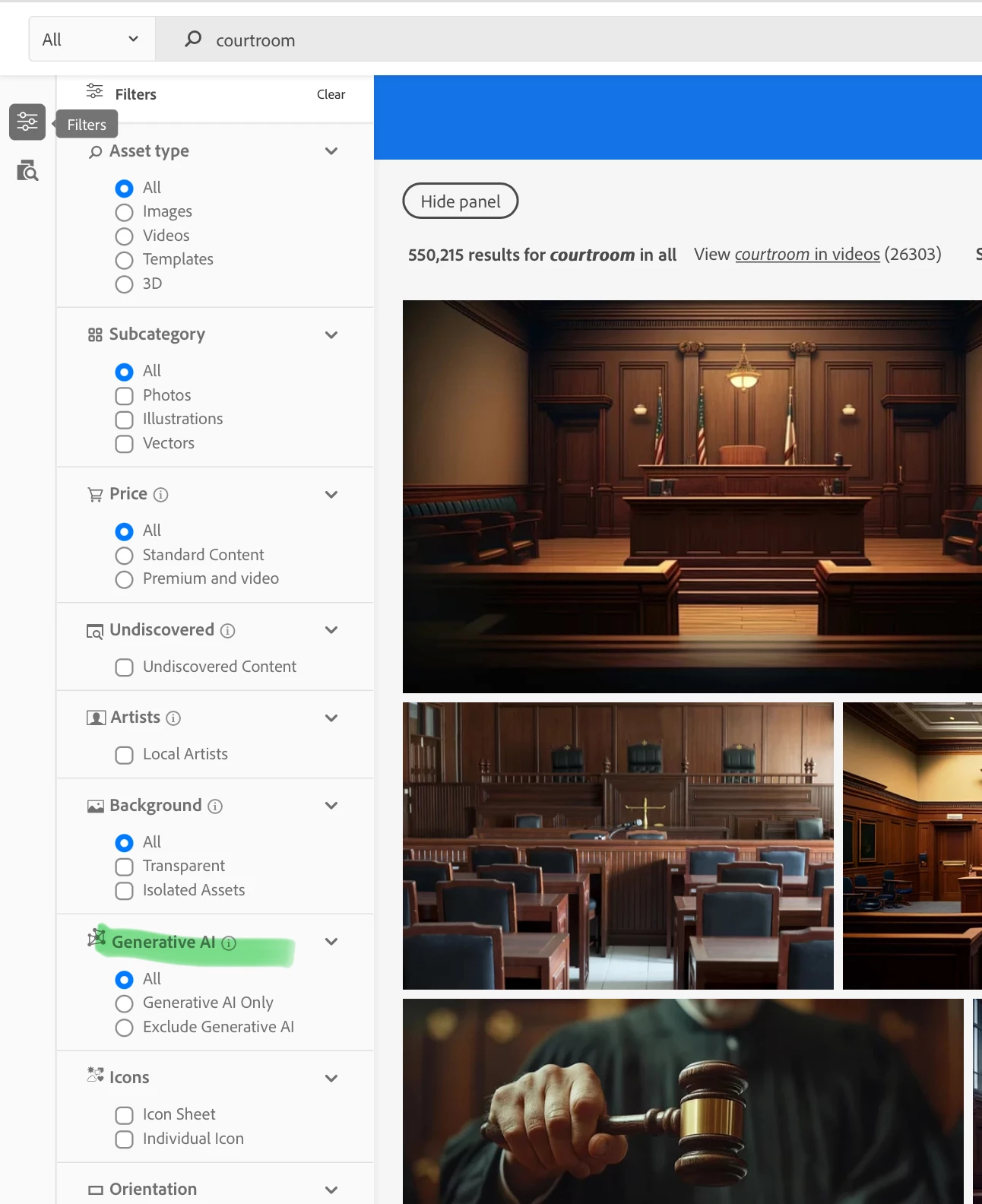
The filter option is still there: 

2 replies

daniellei4510
Community Expert
Community Expert
March 19, 2025

It is still there. A few contributors in the past have complained of it disappearing and then magically showing up again. Maybe some kind of bug.

Adobe Community Expert | If you can't fix it, hide it; if you can't hide it, delete it.
Abambo
Community Expert
Community Expert
March 19, 2025

The standard problem solvers may also help here:

  • Delete cache and cookies.
  • Check if JavaScript is enabled.
  • Disable any add-ons.
  • Change the browser.
  • Change the computer.
  • Change the network.

They can be tried in any order.

ABAMBO | Hard- and Software Engineer | Photographer
Abambo
Community Expert
AbamboCommunity ExpertCorrect answer
Community Expert
March 19, 2025

The filter option is still there: 

ABAMBO | Hard- and Software Engineer | Photographer