


Participant
June 14, 2024
Question

Selection from license with multiple object

  • June 14, 2024
  • 2 replies
  • 140 views

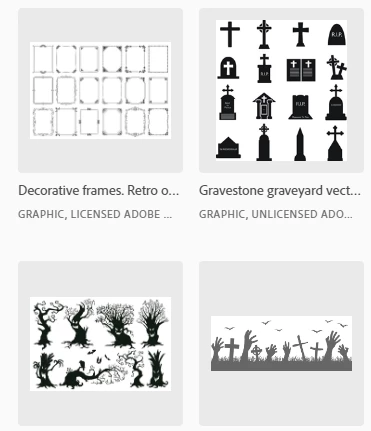
I have several licenses where there are multiple images in one. How do I select single images to use in my project? Screen shot of examples, I want to choose one image, not a whole sheet with all of them. Any help would be much appreciated.
 

This topic has been closed for replies.

2 replies

Abambo
Community Expert
Community Expert
June 17, 2024

Please post the asset ID of the licensed item. This is less a stock question and more a program question. Do you have a Creative Cloud all apps or Illustrator subscription?

ABAMBO | Hard- and Software Engineer | Photographer
daniellei4510
Community Expert
Community Expert
June 14, 2024

I assume these are vectors, so you have a couple of options: open them in Illustrator if you have it, select the asset that you want, and save it to a new file in Illustrator. Or, open the entire file in Photoshop at whatever DPI you want, select and copy the asset you want, and paste it into another Photoshop file. In this case, with luck, the files are on a transparent background.

Adobe Community Expert | If you can't fix it, hide it; if you can't hide it, delete it.