
Participant
June 27, 2021
Question

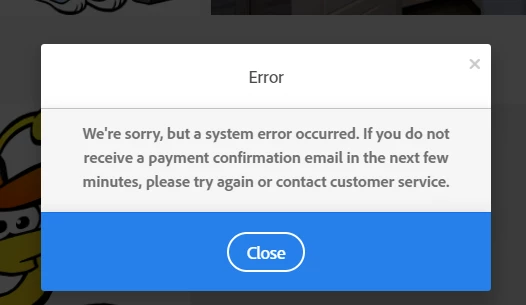
System error message when trying to license image

  • June 27, 2021
  • 1 reply
  • 360 views

I getting an error message back when I try to license (standared license) and image. Error message states that a system error has occured. Has anyone else experienced this and how was it resolved? I've tried the usual - logging out, clearing cache, different browser etc. but no joy. Thanks in advance.


This topic has been closed for replies.

1 reply

Abambo
Community Expert
Community Expert
June 28, 2021

Contact customer care on this. Adobe customer care can be contacted by beginning a secure chat session at https://helpx.adobe.com/contact.html?rghtup=autoOpen. If the chat window fails to open, or is non-responsive, use a different device to start the interaction.

(see also here: https://community.adobe.com/t5/creative-cloud-services/how-to-contact-adobe-support/td-p/11875703 or here
https://community.adobe.com/t5/account-payment-plan/how-to-contact-adobe-support/td-p/11843852)

ABAMBO | Hard- and Software Engineer | Photographer
Participant
June 28, 2021

Thanks, I tried contacting support but the person I spoke to had no idea what was wrong. They said maybe it was a technical glitch and to wait 2 to 4 hours. I've been having this problem for days, so I don't think it's just a glitch.


WendellaBee
Adobe Employee
Adobe Employee
June 28, 2021

@default781gs3vsy5wq  According to your case notes customer care has arranged to have someone call you back to help troubleshoot the issue. You should have received an email with the subject: We’ve Scheduled a Call for Your Adobe Customer Care and an approximate time of when you'll be contacted.