
Participating Frequently
July 25, 2017
Answered

Unable to download Adobe stock document for InDesign

  • July 25, 2017
  • 3 replies
  • 5021 views

I would like to use a stock file template from Adobe.

First attempt:

In ID, asked to create new file, clicked on Print, selected document I want, selected preview, selected download....and nothing.

Restarted, tried again, still nothing.

Second attempt:

Logged into my Adobe account, found file, synced with account and clicked on the button to open in ID.
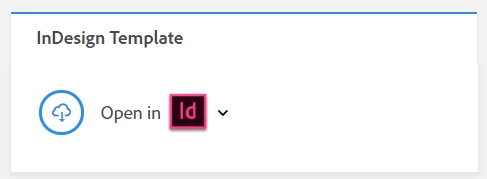
this opens a dialog box
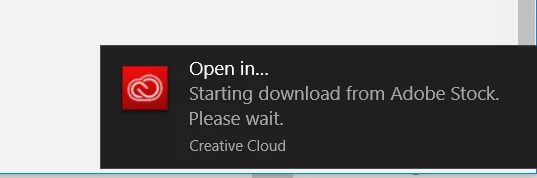
back in ID I see this in the CC Libraries window:
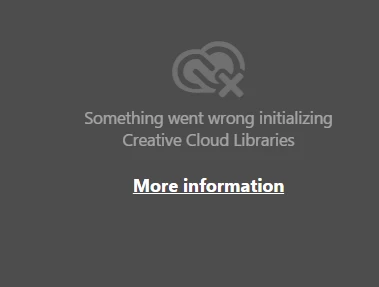
I look this up and find this page:

Solution to the issue: Adobe Creative Cloud Libraries panel doesn't load in desktop products

Workarounds:

1 - relaunch CCLibrary process
no change

2- Firewall

I don't see "Not Implemented" or "This page is not available" I see this: Upgrade Required
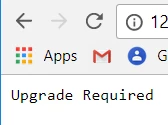
What does this mean?

3- host file setup

All good, as described

4-proxy on Windows 10

My Proxy server is not set up, it's off

Do I need to turn it on and select "Don't use" or do I leave it OFF?

THOUGHTS?

Side note: trying to download this file:
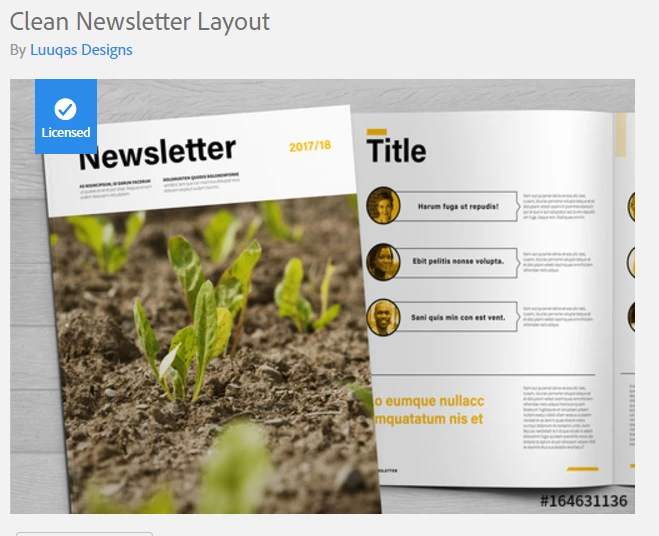
This topic has been closed for replies.
Correct answer Sheena Kaul

This is the same message I get.  Do I have to purchase Adobe Stock?


Hi Brenda,

As informed by Twarita, since you haven't subscribed to any Adobe Stock plans as of now, you can download only the free templates that are available.

Rest for other standard assets, you will require a Stock subscription plan.

Let me know if I've misunderstood you.

Regards,

Sheena

3 replies

David__B
Adobe Employee
Adobe Employee
July 26, 2017

Hi Chris and Barb,

I did some testing with the Sunday Lookbook Layout and unfortunately didn't encounter any issues. Initially I licensed and downloaded the template through the New Document workflow within InDesign.

after that I did some testing from the stock website, that also seemed to work okay for me. I downloaded a different template, Whimsical Cookbook Layout

Some of the troubleshooting I would suggest (you might have tried some of these already)

  • Test the browser based workflow from a couple different browsers - Firefox, Chrome, Edge
  • See if the Libraries panel doesn't load in a few different products - Photoshop CC2017, Illustrator CC2017, InDesign CC2017
  • Restart the computer and then keep any apps that aren't required closed
  • Temporarily turn off any anti-virus software which might be running
  • Change internet connections, if the computer is portable, take it to another location with different internet connectivity
  • Try downloading other free ID templates to see if they all fail, both the online and in product workflows
  • If it is HOST file related, this article has more details about that https://helpx.adobe.com/x-productkb/policy-pricing/activation-network-issues.html

Please let us know if you continue to face difficulties.

Best,

- Dave

Participating Frequently
July 26, 2017

I've restarted the computer and checked out other CC apps. Turns out they all have the same CCLibraries error.

Checked the virus software. Not that.

Seems I need to remove everything and reinstall to see if that fixes the issue with the library.

David__B
Adobe Employee
Adobe Employee
July 26, 2017

Thanks for testing those Chris, let us know if the issue persists after the reinstall.

Barb Binder
Community Expert
Community Expert
July 26, 2017

I just stumbled across it on the Stock site.

Like you, I was unable to download the template to my Stock Templates folder in the Library panel, but was successful Saving to Computer and opening (using Safari). The other InDesign templates I have downloaded are all in my CC Library in that Stock Template folder—there's something odd about this one. I'm happy to move this question to the Stock forum—we are all InDesign users here, but I don't know how knowledgeable we are about the new templates.

~Barb at Rocky Mountain Training
Participating Frequently
July 26, 2017

BarbBinder,

If you feel opening this up to discussion in the Stock forum will help, go for it. I'd love to know what is going on and hoping this is a document, not a personal computer issue.

Barb Binder
Community Expert
Community Expert
July 26, 2017

I'm happy to move it now. We are both having issues—I'm Mac, you are Win 10. I'm Safari, you are Chrome.

~Barb at Rocky Mountain Training
Participating Frequently
July 25, 2017

Additional:

Browser: Chrome

I used Creative Cloud app to remove and reinstall InDesign. Tried again and same failure.

I am able to download the file to my computer and open.

However, this does not solve the issue regarding my CCLibraries.

Barb Binder
Community Expert
Community Expert
July 26, 2017

I'm trying to walk though this process, and I'm stopped in InDesign with a different message than you.

I can't find the same template through the Stock website—how did you find it? Luuqas and Clean Newsletter Template aren't working as search queries.

~Barb at Rocky Mountain Training
Participating Frequently
July 26, 2017

Hmmm. I wonder if there is something strange going on with the template versus the software.

As to finding the file online: something strange is going on.

When I searched earlier I could narrow down options to find the file by selecting Print and ID in the filter options.

Now I don't see either option in the filters.