Participant
Sep 26, 2017 11:00 AM UTC
Answered

Vector licensed has unremovable checkered box - although licensed as transparent background

Hello everyone,

I recently purchased https://as1.ftcdn.net/jpg/01/27/67/66/500_F_127676686_zP8wVsGawvEtpqXjGqcMWEnjrry86www.jpg  and I cannot seem to be able to remove the checkered box from it to use the light effect only. I figured it would come in a file with multiple layers and I would just have to remove them, but I was wrong. I think this file is faulty.

thanks for the time,
hope

    This topic is closed to new replies. Start a new post to keep the conversation going.
    twaritar3263062
    twaritar3263062Correct answer
    Participating Frequently
    Sep 26, 2017 9:45 PM UTC


    Hi Hope,

    Please follow the steps below in order to avoid the black outline:

    • Select the image with the selection tool
    • Go to object and select ungroup
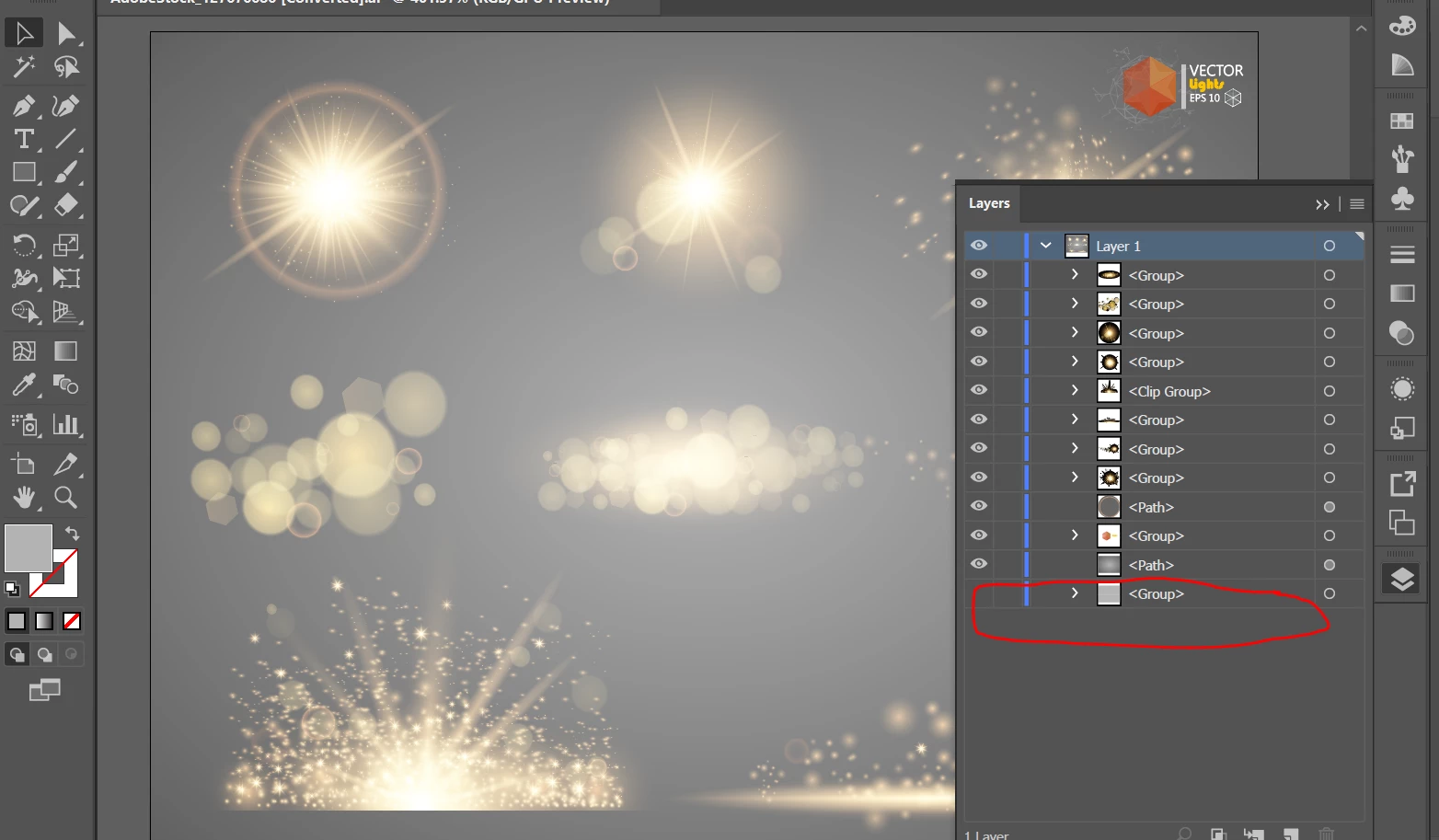
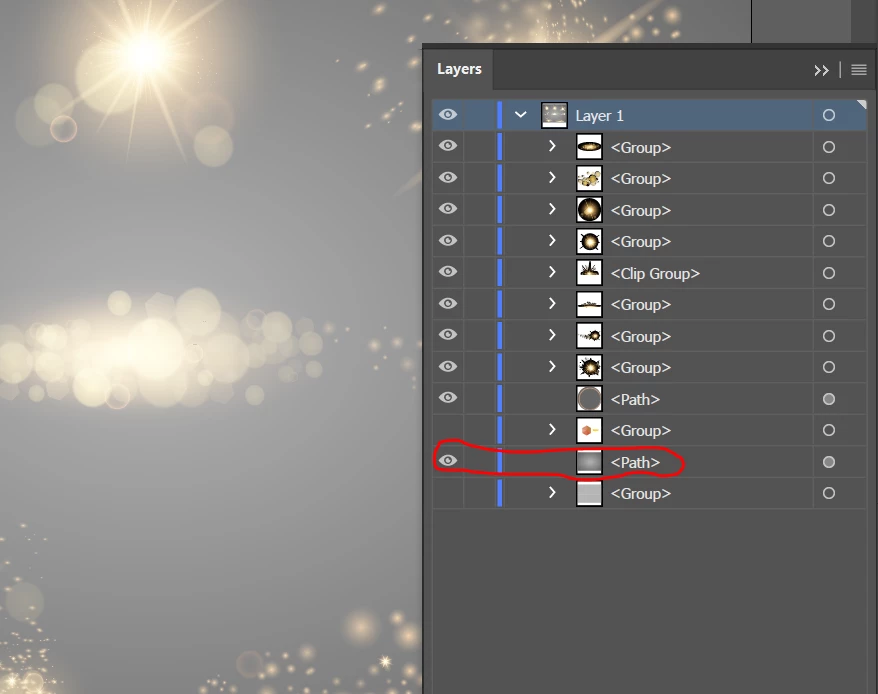
    • Then go to the layers panel and hide/delete the <group> layer( in order to get rid of the checkerboard)

    • Do not hide/ delete the <path> in the layers panel (to get rid of the black outline)

    Let me know if this solves your query!

    Feel free to update this thread in case of any additional query.

    Regards,

    Twarita

    6 replies

    Brad Lawryk
    Legend
    Sep 26, 2017 4:57 PM UTC

    The file works just fine.

    Are you opening the file in Illustrator? The file is an .ai file which you need Illustrator to use. To get rid of the checkered background hide the bottom layer. Each of the different sparkle effects are on a different layer in the layers panel.

    Translate
    Participant
    Sep 26, 2017 6:19 PM UTC

    Hi Brad,

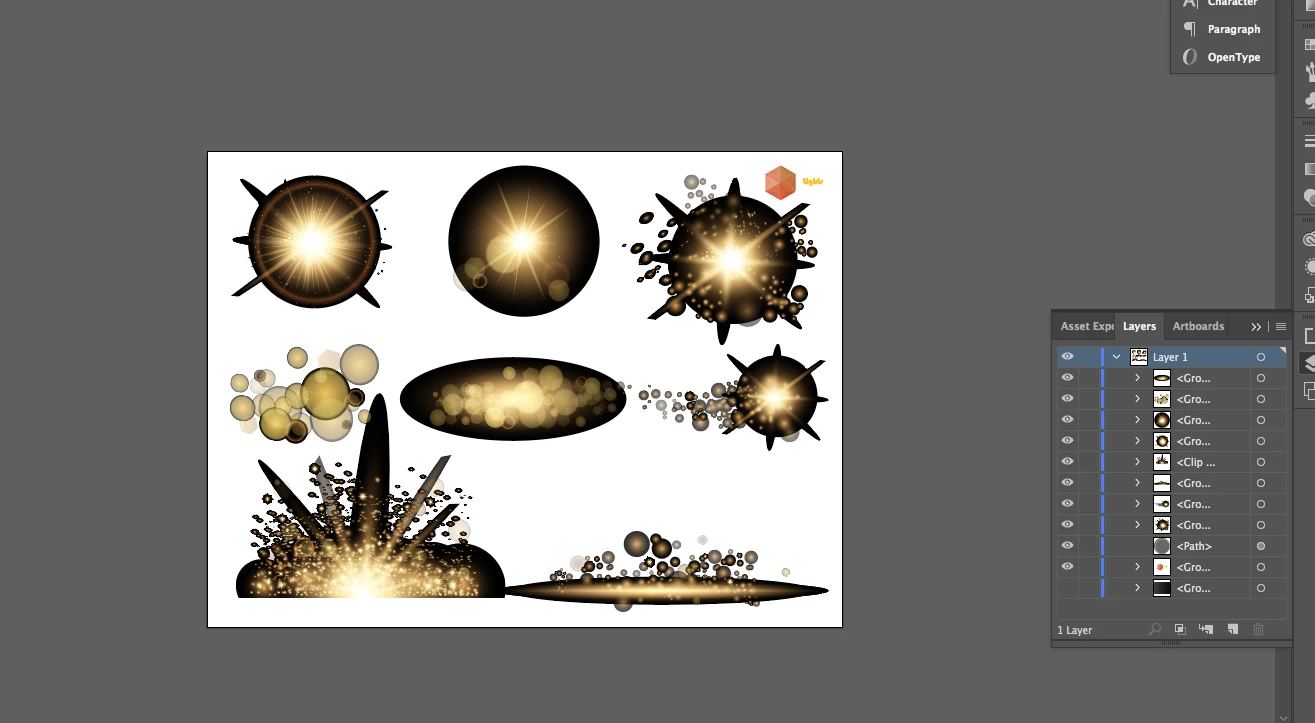
    It still has a black outline around it!

    Translate
    twaritar3263062
    Participating Frequently
    Sep 26, 2017 6:59 PM UTC

    Hi Hope,

    I would request you to share the screenshot of the black outline you are referring to?

    Regards,

    Twarita

    Translate