catharinap64522737
Participant
January 31, 2018
Answered

Where can I find the IPTC field / image credit info?

  • January 31, 2018
  • 1 reply
  • 8128 views

Hello,

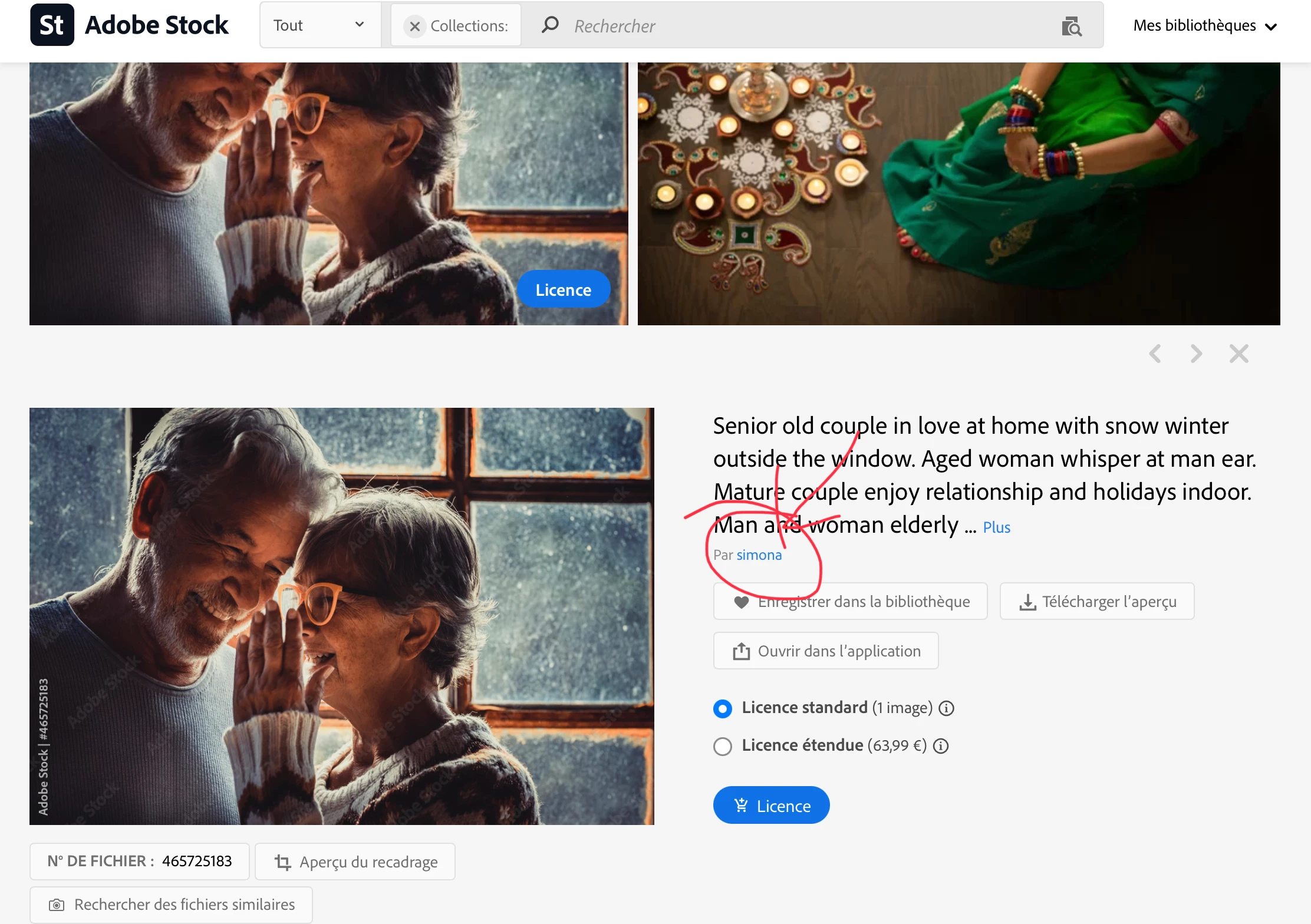
I want to use an image in a social post and add the correct image credits. In the FAQs, you say that the image credits are provided in the IPTC field. On https://stock.adobe.com/de​​, I cannot see the IPTC field.

Can you please indicate where to find it?

Thank you

Correct answer Abambo

Yep, and they still didn't worked on it. 3.5 Years gone since your compliant. And I had the exactly same thought when I was searching for that.

How about to invest in some community care @Adobe?


You find the data in the IPTC metadata which is a standard. It is well described in the licence. The information about the author, however, is also be found on the stock asset page for the asset in question. You can't claim it to be hidden away. 

1 reply

twaritar3263062
Participating Frequently
January 31, 2018

Hi Catharina,

Thanks for reaching out to the Adobe Stock team. As per your query, please see the correct image credits to be given in a social post below:

"© [Photographer's name] / Adobe Stock”

Please see Common Questions, Adobe Stock for more details.

Feel free to update this thread in case of any additional questions.

Regards

Twarita

catharinap64522737
Participant
January 31, 2018

Hello Twarita,

Thanks.

My problem is that I don't know where I can find the name of the photographer or designer, and if next to that name also the name of an agency must be added.

Based on your FAQs, the credit info should be mentioned in the IPTC field. Online, I could not find the IPTC field. Can you please tell me where I can find it?

For example:

Thank you!

Catharina

twaritar3263062
Participating Frequently
January 31, 2018

Hi Catharina,

You must include the credit on the image when posting on the social site. Please see the screenshot below:

So if you are using this image, for example, the credit line which you should mention on the image should be "© [rudall30] /Adobe Stock"

Hope this information helps.

Please let me know if you have any further questions.

Regards

Twarita