
had18337922
Participant
July 25, 2017
Answered

Why can't I cancel Adobe Stock?

  • July 25, 2017
  • 1 reply
  • 422 views

I've been sat trying to figure this out for too long... I have a student creative cloud membership and at some point i ended up paying for adobe stock which don't want to be doing because I never use it and when I try to cancel it I don't even get the option to. I don't think I'm being stupid but if I am missing something please tell me what it is... I cant for the life of me figure out how to cancel it, the help system has been less than useless and I'd rather adobe stopped trying to steal my money.

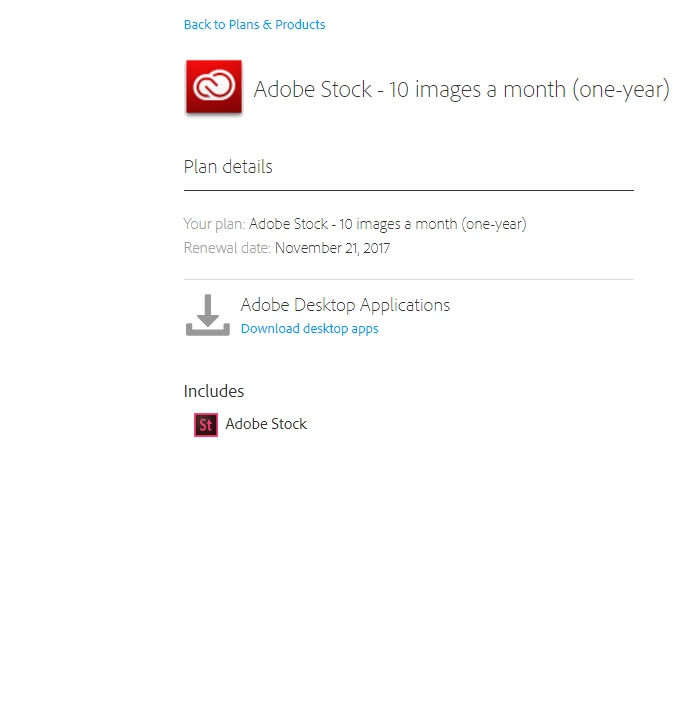
I've included a screenshot.
This topic has been closed for replies.
Correct answer twaritar3263062

Hi,

Since I have noticed that the 'switch plan' button is missing in the screenshot attached I have shared the Customer support link above so that they can help you further with the issue.

In case you are unable to reach support through the contact us link, please refer Contact Support FAQ: Unable to reach support through the "Contact US" link

Regards,

Twarita

1 reply

twaritar3263062
Participating Frequently
July 26, 2017

Hi Hadouken,

Please Contact Customer Care for cancellation requests

**Be sure to remain signed in with your Adobe ID before accessing the link above**

Also, you may refer to the help document below:

https://helpx.adobe.com/stock/kb/cancel-membership-subscription-stock.html

Kindly go through the Adobe - Subscription Terms as well.

Feel free to update this thread in case of any additional query.

Regards,

Twarita

had18337922
Participant
July 27, 2017

I'm sorry Twarita but there is still a problem.

As the screenshot I provided showed I do not have access to a 'switch plan button'. I can click 'manage plan' but i get no further options after that. This renders every link you have sent me useless as far as I can tell. It would be appreciated if you could help me out more.

Thank you.

twaritar3263062
twaritar3263062Correct answer
Participating Frequently
July 27, 2017

Hi,

Since I have noticed that the 'switch plan' button is missing in the screenshot attached I have shared the Customer support link above so that they can help you further with the issue.

In case you are unable to reach support through the contact us link, please refer Contact Support FAQ: Unable to reach support through the "Contact US" link

Regards,

Twarita