



Why is Adobe Stock not getting fixed?
Hey there - This question is from 8 years ago. Why has none of this been addressed… ever?
------
Adobe Stock Photo Needs Improvement!!!
- 3 replies
- 959 views
-
Translate
-
Participant - 8 years ago
Dear Adobe,
I've always enjoyed working with Adobe products in every creative work project I've completed over the years...
...but ever since Adobe acquired Dollar Photo Club, the UX just sux ass!
Here are a few of the problems I've noticed!
And fellow users, feel free to add to my list so we can get Adobe to address our concerns and get Adobe Stock working as well as it used to when it was Dollar Photo club!!
- Adobe Stock is Slow.
- It takes a long time for searches to procure lists of photos.
- It's sluggish and clunky when scrolling through images.
- And some times, searches have produced the wrong results for the above keyword criteria. This often happens if I make a last-minute change while waiting for results to procure--then I'll get a completely random result that does not match the above criteria.
- "Going Back" take you our of a search instead of to a previous page.
- I've made this mistake a couple times before catching on. Thing is--sometimes it works correctly and sometimes it doesn't. On days when Adobe Stock is more sluggish than normal, the back button in the browser will remove me from a search completely. SUPER irritating if I'm on page 37 of skimming through photos. Good luck finding where I left off because when I click the "forward button" on the browser, it takes me back to the FIRST page of the search instead of where I left off--but that's if I'm lucky for it to give me my original search again. Sometimes I have to start over from scratch!
- "See More" option for a photo takes me to a completely new and random display of photos, which ARE NOT related to the original photo I was viewing.
- And then I click "back" on the browser and get taken out of my search completely. (See complaint #2 above).
- "Right-Click, open-in-new-tab." works 50-50.
- To avoid the above mentioned problems, I always "work in tabs" as good practice for work flow. But sometimes I can't even do that.
- I'll right-click an image in a search but won't be given the option to put it in a new tab. It's like the right-click doesn't work. VERY IRRITATING.
Dear Adobe,
No, these issues are not related to my computer or browser updates. I'm currently updated with the latest v OS Sierra on a 2016 Mac and latest version of Google Chrome. These problems are local ONLY to when I use Adobe Stock and no other websites.
Please get these issues addressed. It's caused a lot of loss productive time for projects where I need a lot of stock photos.
Thank you for your anticipated and immediate assistance!!
-Stu (and now Steve)
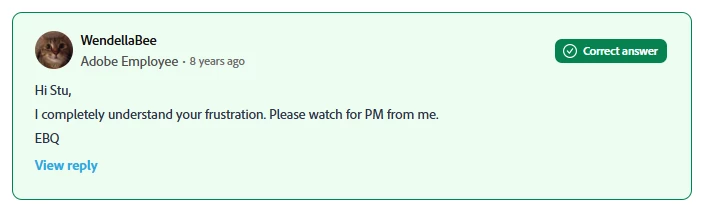
HOW IS THIS THE “CORRECT ANSWER”?
 AdChoices