


Known Participant
October 16, 2024
Answered

Wrong file submitted

  • October 16, 2024
  • 1 reply
  • 869 views

Hello friends!
I made a mistake and submitted a wrong file. It was not published yet. It's under revision. Probably the issue in the file will not be noticed and it will be post, Is there a way to replace it by the correct file. I so, how?
Or maybe even after they post it? I still cannot find a way to exclude or replace files.
Thanks.

This topic has been closed for replies.
Correct answer daniellei4510

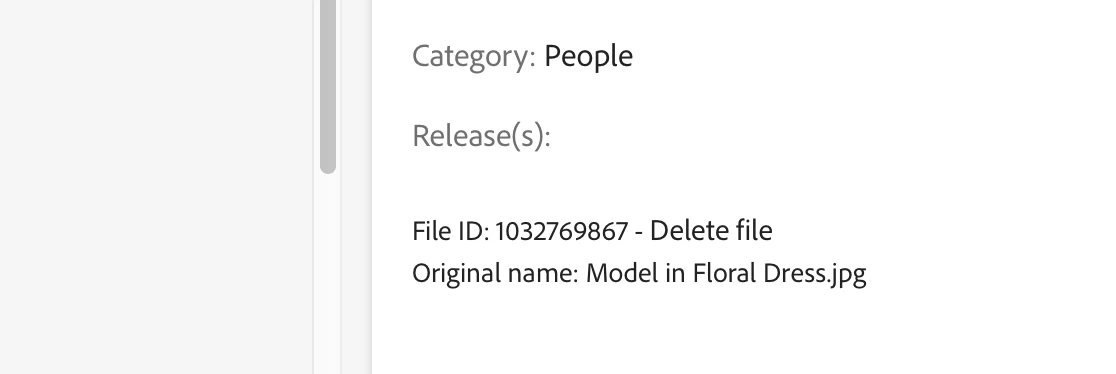
Hi! You mean I can delete the image before the approvement?  I cannot see a delete button anywhere.


It's right here.


1 reply

daniellei4510
Community Expert
Community Expert
October 16, 2024

You can delete it and re-upload it. There is a Delete file link at the bottom of the right-hand side next to the File ID. If you don't see it, reduce the size of your browser window.

Adobe Community Expert | If you can't fix it, hide it; if you can't hide it, delete it.
Known Participant
October 16, 2024

Thanks my friend. As you said, I had to resize the window to see the option, Strange! Although I didn't find an option to replace or delete the file when it's subbed but still under revision. Have a nice day.

Jill_C
Community Expert
Community Expert
October 16, 2024

Click on the image in the "in review" tab, then look at the far right lower edge of the screen where you'll see the delete option.

Jill C., Forum Volunteer