


Participating Frequently
October 8, 2026
Question

Stock photos for free nonprofit Adobe Express Premium

My nonprofit is approved for the free Adobe Express Premium for nonprofits.

A selection of stock photos and videos is included in free Adobe Express Premium for nonprofits. Almost all of them have the little crown icon on them.

One of my members (for whom I have just managed to get one of our free Adobe Express Premium for nonprofits accounts) is stymied by Adobe’s license terms  https://stock.adobe.com/license-terms , particularly the asterisked paragraph at the bottom:
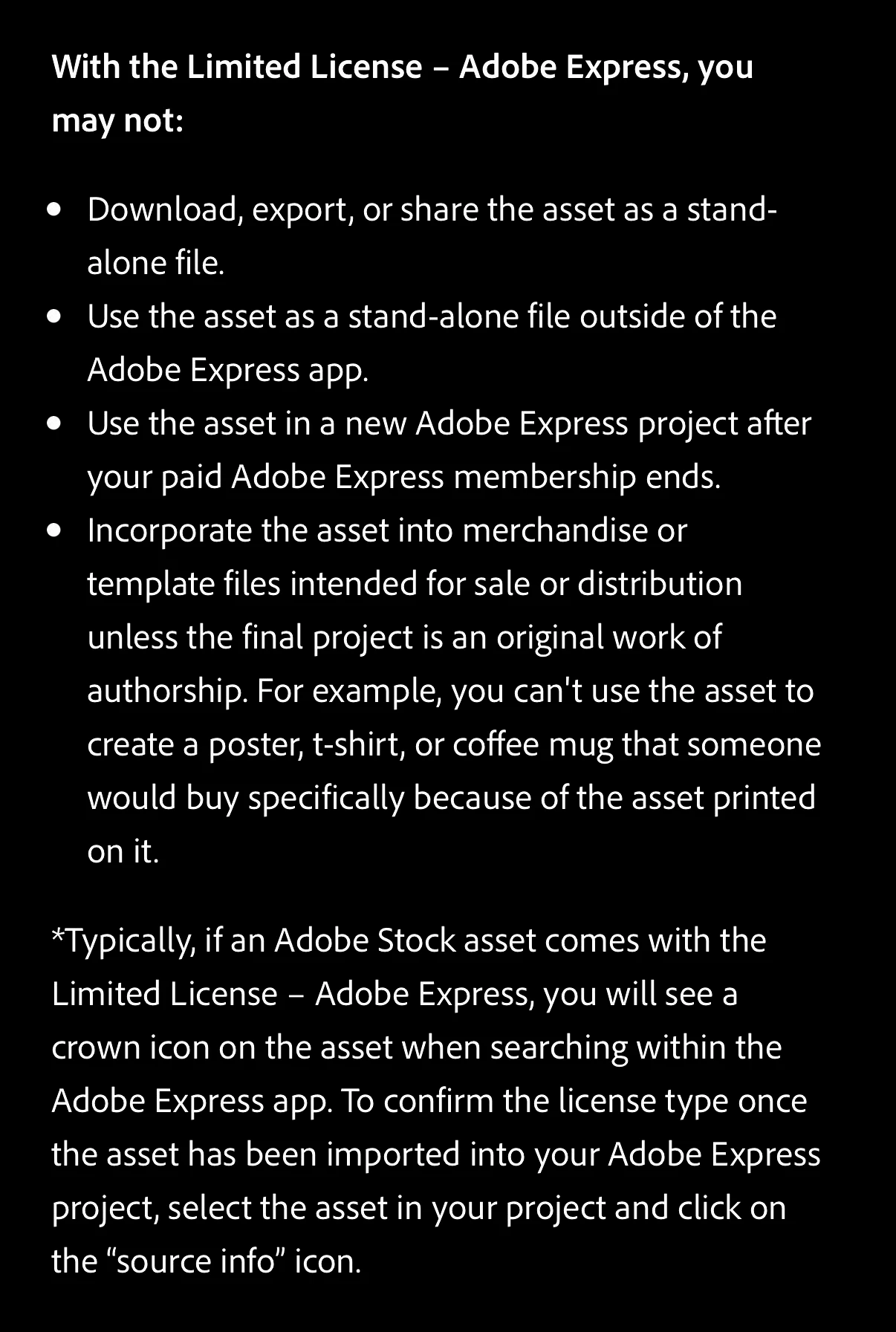
 

According to her interpretation of this asterisked paragraph, the bulleted “you may not” points apply to our Adobe Express Premium plan.

According to her interpretation, we cannot use ANY of the stock assets marked with the crown on our nonprofit website or our outreach materials because they would be “standalone”. 

She quotes this that she found in Adobe’s terms of service somewhere:

Important Rules for Using and Downloading Photos

  • In-App Use: You are free to use built-in stock photos, your own images, or AI-generated graphics inside any design or project you create within Adobe Express. [1]
  • Standalone Downloads: You cannot simply download or export an original stock photo as a standalone file to use outside the app. [1]
  • Modified Downloads: To use a stock photo outside of Adobe Express, you must incorporate it into a design project, modify it, and then download the finished project. [1]
  • Third-Party Uploads: If you upload your own external photos into Adobe Express, you are responsible for making sure you own the rights or have the proper licenses to use them. [1]

You can review complete details on commercial rights and guidelines through the Adobe Stock License Terms. [1]

Can you use a photo from Adobe Express in a design, then crop the design out, to just use the photo?

No, you cannot do that. Doing this violates the Adobe licensing terms. [1]

According to the Adobe Limited License – Adobe Express, built-in stock assets must be significantly altered or integrated into a larger creative work. [1]

The Specific Legal and Technical Boundaries

  • The "Stand-Alone File" Rule: Adobe explicitly states that you are prohibited from exporting or using Adobe Stock images as stand-alone files outside the app. If you just crop the canvas or the image down to extract the stock photo by itself, you are still creating a standalone stock file. [1]
  • What Counts as a Valid Design Modification: To legally download and use the asset, it must be part of a real project. This means you must layer it with other elements like text, shapes, or branding. [1]
  • If it's your own photo: This restriction only applies to Adobe's built-in stock photos. If you uploaded a photo that you personally took, you own the full rights and can crop and export it however you like. [1]


How exactly may a nonprofit use the stock photos within a free nonprofit Adobe Express Premium plan? Can we use the stock photos and videos on our website and in our outreach materials?

    6 replies

    Participating Frequently
    October 9, 2026

    Rose, thanks for your patience. Suggestion: For each plan, Adobe should make its restrictions very clear. The current documentation is confusing, as evidenced by the many, many threads about photo rights in these forums, on Reddit, etc. Adobe could save money on support simply by making its documentation intelligible. This also would benefit customers immensely.

    Translate
    Participating Frequently
    October 9, 2026

    Rose, are you guessing about the free nonprofit Adobe Express PREMIUM rights?

     ALL of the stock photos within my Adobe Express PREMIUM plan have little crowns on them. Am I to understand that we cannot use any of them? Why are they there?

    Why would anyone buy an  Adobe Express PREMIUM plan?

    To what type of license do these rights pertain 

    https://stock.adobe.com/license-terms#standardLicenses

    Standard licenses

    Most Adobe Stock photos, vectors, and illustrations come with a Standard license. With a Standard license, you may:

    • Reproduce up to 500,000 copies of the asset in all media, including product packaging, printed marketing materials, digital documents, or software.
    • Include the asset in email marketing, mobile advertising, or a broadcast or digital program if the expected number of viewers is fewer than 500,000.
    • Post the asset to a website or social media site with no limitation on views.
    • Include the asset in some types of products, such as inside a textbook, as long as the primary value of the product is not the asset itself, and the product is not reproduced more than 500,000 times.
    • Share the unmodified asset with your employees and contractors who have contractually agreed to abide by the license terms.
    Translate
    Rose DV
    Community Manager
    Community Manager
    October 9, 2026

    You can use the assets with the crown - that is what your Premium license covers. The only restriction is that you cannot use them unmodified/standalone, as mentioned before. 

    Rose

    Translate
    Rose DV
    Community Manager
    Community Manager
    October 8, 2026

    Hi there,

    Your member's interpretation is a bit more restrictive than the actual rule.

    The "standalone" restriction means you can't export a stock photo by itself as a raw image file to use outside Express. But that's not what you'd normally be doing anyway! If you create a flyer, social media graphic, or banner in Adobe Express that includes a stock photo, with text, branding, or other design elements, and then export that finished design, you're completely fine to use it on your website or in outreach materials. That's exactly what Express is designed for.

    So the workflow your nonprofit members should follow:

    • Use the stock photo as part of a design in Adobe Express

    • Export the finished design (not the photo on its own)

    • Use that design wherever you need it: website, printed materials, email, etc.

    The crown icon just means the asset requires a Premium plan to access, which your nonprofit license covers.

    Hope that clears it up!

    Rose

    Translate
    Participating Frequently
    October 8, 2026

    Can we crop the photo and use the photo as an illustration on our website or social media? She is particularly confused about what “part of a design” means.

    Further, as I understand it, the free nonprofit Adobe Express Premium license is a Standard license, not a Limited license.


    Translate
    Rose DV
    Community Manager
    Community Manager
    October 8, 2026

    You cannot use the image cropped on its own from Express. It needs to be modified in some way, whether that means it's part of a flyer, has some text on it as part of a logo, but you cannot use the image without any kind of modification.


    For example, if I took a Stock asset of photo of a person going apple-picking, and I put it on a flyer about an event, you're good to go. If I download the file, crop it so it's just the photo, that means it is a stand-alone and cannot be used in this way.

    On the license type: it depends on which assets you’re using. Free collection assets (available to all Express users, no crown icon) do use a Standard license with broader rights. However, the crown-icon assets, which are the ones your Premium plan unlocks, use the Limited License – Adobe Express, which is what restricts standalone use. So the restriction applies to the assets you’re most likely using.


    Rose

    Translate