Inspiring
October 16, 2025
Answered

전자 서명이 완료된 문서를 클라우드 내에서 삭제하는 방법을 알고 싶습니다.

  • October 16, 2025
  • 1 reply
  • 92 views

어도비 사인 프로그램을 통해서 전자 서명이 완료된 문서들은  아래 사진과 같이 클라우드에 보관되는것을 알고있습니다. 
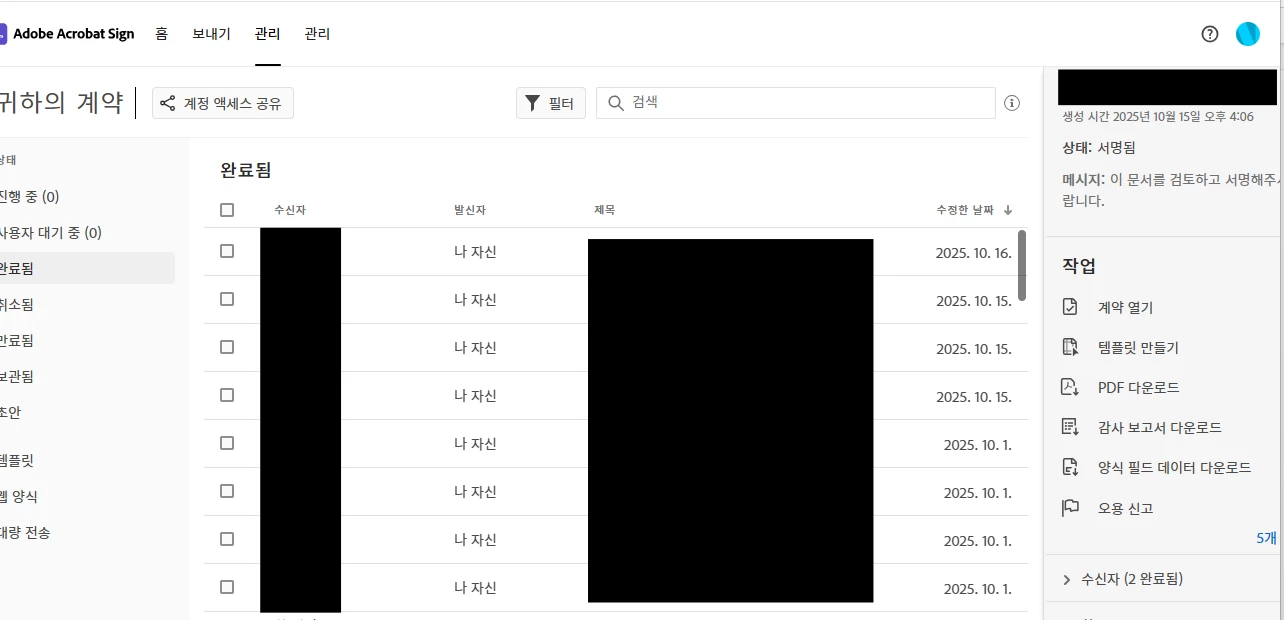
서명이 완료된 내용 자체를 삭제 하고 싶은데 그 방법이 궁금합니다. 

Correct answer Meenakshi Negi

Hi Exquisite_Panther2322,


Thank you for reaching out.


We see that you have an Acrobat Sign Team account. Please check the Data Governance setting under Account settings in your Acrobat Sign document. If you do not have admin access, please check with the account administrator. 

For more information, refer to the information in the following help document: https://adobe.ly/4hdLil7


Let us know how it goes.


Thanks,

Meenakshi


1 reply

creative explorer
Community Expert
Community Expert
October 16, 2025

@Exquisite_Panther2322 Users cannot permanently delete signed agreements themselves. Regular users can only hide agreements from their view, which removes them from searches and reports but does not delete them from the system—only and authorized by an account-level administrator through admin-level tools. 

How to delete an agreement from your Acrobat Sign account 

How to delete an agreement 

m
Meenakshi Negi
Community Manager
Meenakshi NegiCommunity ManagerCorrect answer
Community Manager
October 17, 2025

Hi Exquisite_Panther2322,


Thank you for reaching out.


We see that you have an Acrobat Sign Team account. Please check the Data Governance setting under Account settings in your Acrobat Sign document. If you do not have admin access, please check with the account administrator. 

For more information, refer to the information in the following help document: https://adobe.ly/4hdLil7


Let us know how it goes.


Thanks,

Meenakshi
