
Participant
January 23, 2023
Question

acrobat sign send settings liquid mode

  • January 23, 2023
  • 1 reply
  • 661 views

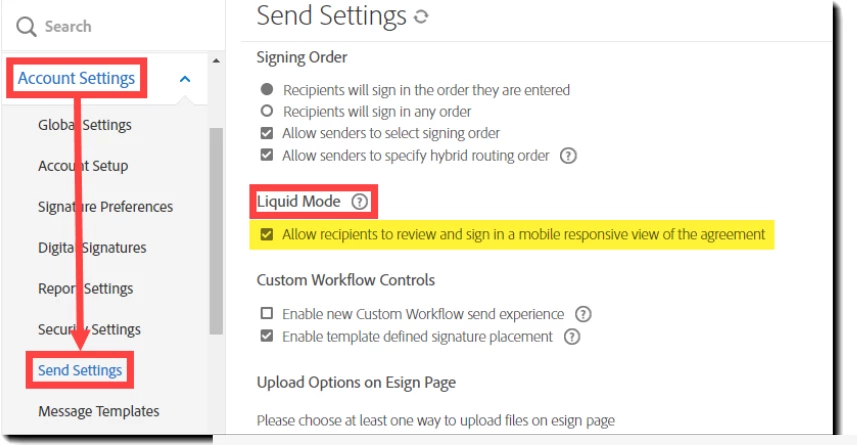
I am using a developer account and I'm trying to follow the documentation for liquid mode here: https://helpx.adobe.com/sign/using/adobe-sign-liquid-mode.html. My account settings do not include liquid mode like in the screenshot, and documents do not reflow. Is it not possible to use liquid mode with a developer account? What am I doing wrong?
This topic has been closed for replies.

1 reply

Meenakshi Negi
Community Manager
Community Manager
February 1, 2023

Hi Mark280702555qmi,


Thank you for reaching out.


Please let us know the option you get at your end.

Share the screenshot of the same window at your end.

Also, confirm if you use the same email address used to sign in here on the community page. Just reply as yes or no. We will check the account information using that email.

We will get this checked with the team.


Thanks,

Meenakshi

Participant
February 1, 2023


Hi Meenakshi,


I don't have that setting on my developer account. It is completely missing. I pasted the screenshot below.


In the meantime, I was able to get the administrator of our corporate account to share her screen. She does have this setting. I did not have much time to experiment with it in production, but it seems that the setting simply scales the form to match the width of the device screen. Is that the expected behavior? I was expecting it to reflow the content, but maybe I was expecting too much.