
krolickrolick
Participant
November 28, 2022
Question

Adobe Acrobat Sign Consumer Disclosure

  • November 28, 2022
  • 1 reply
  • 1848 views
 
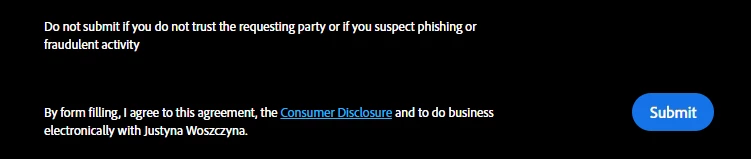
Hi, I've got a problem with "Adobe Acrobat Sign" form tool. I created a form and there is a dark gray popup / statement - It says that the user filling my form agrees to a Consumer Disclosure. And there is my name (my company name?) there. I created a form for my client and I want to send it to her so that she sends it to her clients to gather data. It is not personal data - just company name and some questions in a survey. Anyway - this is a form that I designed and created for a client and it is hers (she wants to use it in he marketing process) so I would like to hide or change the information below.
How can I change or remove this statement / popup?
 
Screenshot attatched:
This topic has been closed for replies.

1 reply

Meenakshi_Negi
Legend
November 29, 2022

Hi krolickrolick,


Thank you for reaching out.


It is the designed behavior when you send the document for signature to a recipient.

Please confirm if you are sending the form so it can be forwarded for signature or if you need to share the template so that another person can use it for his/ her requirement.


If you send her the form, she will have only delegate option to send it further or fill in the form.

It would be helpful if you could share more information. 


Let us know if you have any questions.


Thanks,

Meenakshi

krolickrolick
Participant
November 29, 2022

I just want to use this from for collecting data. It is a questionaire. It is not an agreement or any other business contract so I do not want the people who will be filling it to be forced to "sign an agreement".


I'm not sure if I understand correctly your reply:
Should I be able to send this form "for distribution" and then it becomes avaliable without any consent text?
But will it still be a form or just a pdf document?