

Gideon5FF5
Participant
October 13, 2021
Answered

Adobe Sign API Applications

  • October 13, 2021
  • 1 reply
  • 1402 views

Hi!
I am trying to connect the Oracle tool Unifier to Adobe sign, however I keep getting an error. 


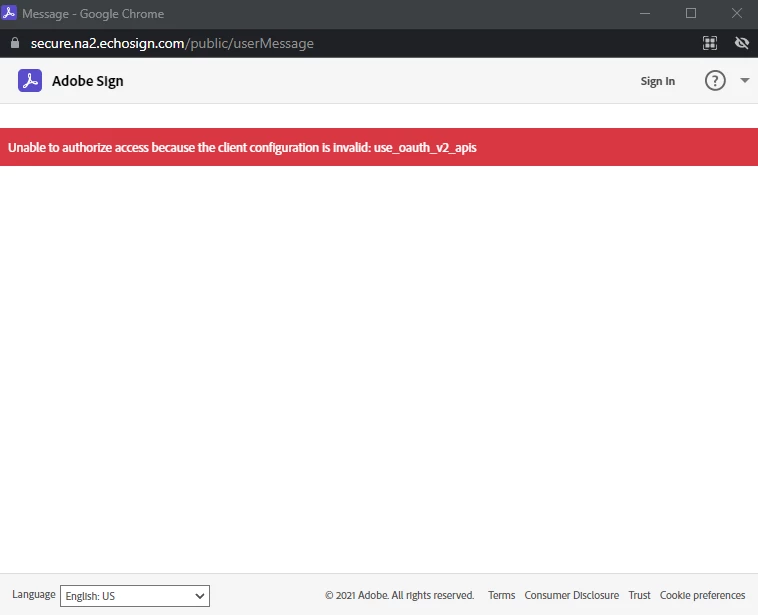
"Unable to authorize access because the client configuration is invalid: use_oauth_v2_apis"


Oracle currently is hardcoded to only to use an Oauth url:

https://secure.[Shard].echosign.com/public/oauth?redirect_uri=[UnifierWebsite]&response_type=code&client_id=[ClientID]&scope=user_login:self+agreement_send:account+agreement_read:account+agreement_write:account 


Is Oauth V2 a new requirement? or has someone seen this issue before?


Below is a screenshot of the error. 


Thanks!

Gideon
 

This topic has been closed for replies.
Correct answer Gideon5FF5

Hi Meenakshi, 


Thank you for the reply. I did reach out to support and get the answers I needed. Unfortunalty the issue I am running into is on Oracle's side. Here is some information that others may find useful. 

  • Back in June 2021 the standard Oauth v2 became required for all new Adobe sign connections. Existing connections will continue to work for the time being, but will need to be updated in the near future.
  • The Oauth v2 Standard uses a slightly different url:
    Example:(https://secure.na2.echosign.com/public/oauth) vs (https://secure.na2.echosign.com/public/oauth/v2
  • As of now Oracle has not yet built the Oauth v2 standard into their Adobe sign config tool. However they are aware of the issue and are working on it.  


I will update this when a work around is found or if Oracle fixes the issue on their side.


Thanks again, 
Gideon

1 reply

Meenakshi_Negi
Legend
October 14, 2021

Hi Gideon,


Thank you for reaching out.


As you receive the error message, please ensure that you are using the Shard as NA2 in your Oauth url.

If you were using the same shard and still receive the error, then I would suggest you get in touch with the Adobe Sign support team.

You may refer to the steps suggested in the following help document: https://helpx.adobe.com/sign/using/adobesign-support-resources.html.


Let us know if you need any help.


Thanks,

Meenakshi

Gideon5FF5
Gideon5FF5AuthorCorrect answer
Participant
October 21, 2021

Hi Meenakshi, 


Thank you for the reply. I did reach out to support and get the answers I needed. Unfortunalty the issue I am running into is on Oracle's side. Here is some information that others may find useful. 

  • Back in June 2021 the standard Oauth v2 became required for all new Adobe sign connections. Existing connections will continue to work for the time being, but will need to be updated in the near future.
  • The Oauth v2 Standard uses a slightly different url:
    Example:(https://secure.na2.echosign.com/public/oauth) vs (https://secure.na2.echosign.com/public/oauth/v2
  • As of now Oracle has not yet built the Oauth v2 standard into their Adobe sign config tool. However they are aware of the issue and are working on it.  


I will update this when a work around is found or if Oracle fixes the issue on their side.


Thanks again, 
Gideon