aaronrppas
Participant
January 31, 2018
Answered

Adobe Sign "get others to sign" timing out error?

  • January 31, 2018
  • 1 reply
  • 3906 views

I have Adobe Sign on my PC at home and it automatically uploads the document and has more tools in the right column vs on my laptop running windows 10. Not sure what the difference is or if I'm missing some download but the major problem is not being able to "get others to sign". I receive an error message every time for the past couple of months that my session has timed out and to close the window and try again after the document is uploaded. Please help, this has me literally questioning whether to keep my subscription to a useless product...

This topic has been closed for replies.
Correct answer Meenakshi_Negi

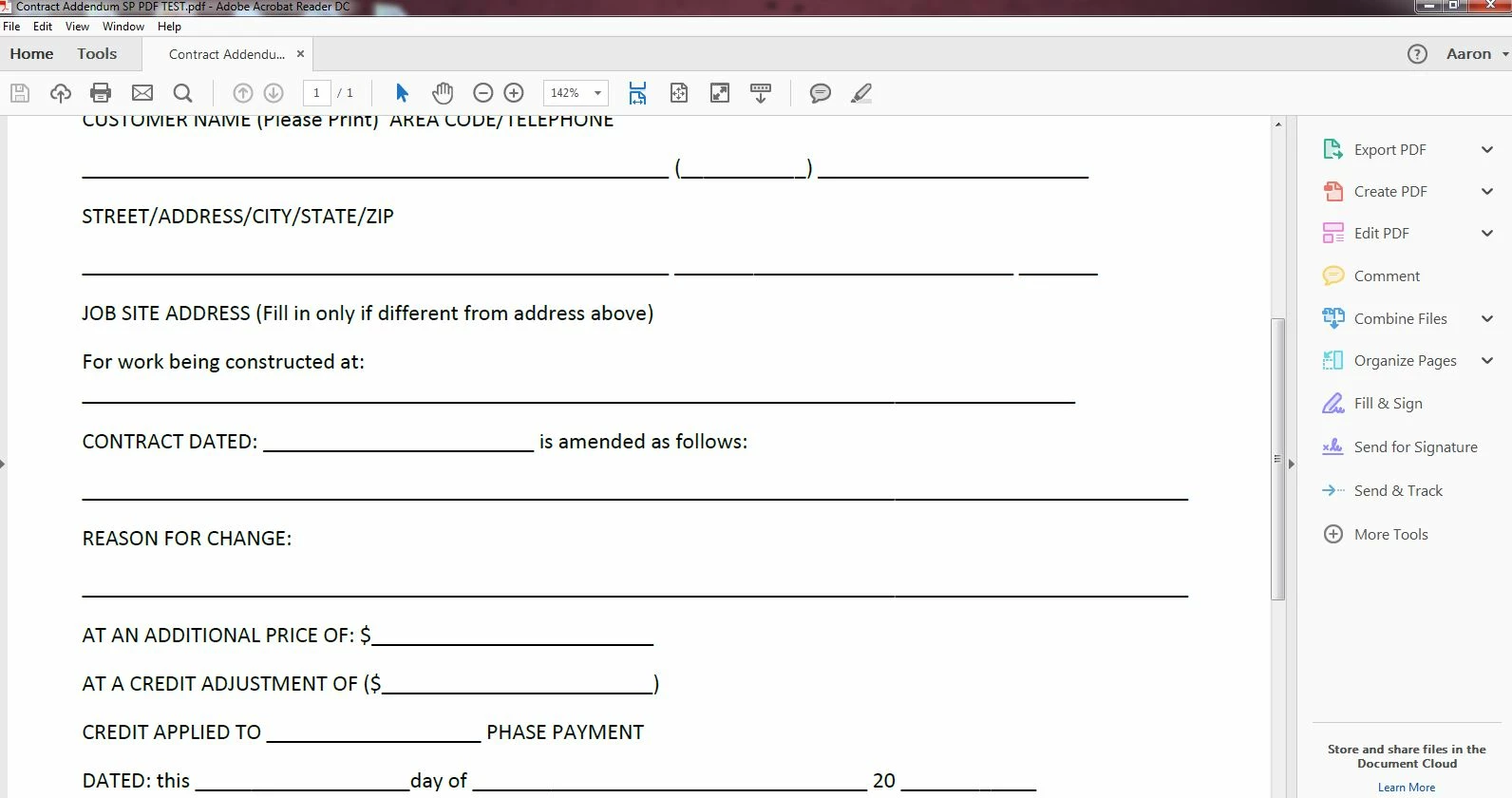
This is what I use on my PC at home which is not windows 10. But this is streamlined and somehow always logged in. This format as you can see on the right side of the screen has all my options easily accessible and never times out, ever. It seamlessly allows me to fill and sign with my signature which it saves, and get others to sign easily as well. The other platform above makes me literally save the pdf as a signed copy. Then upload the signed copy into "sign" and get others to sign if I do it manually. If I try doing the seamless path using the tool bar on the right from the picture above that timed out, each time after I fill & sign, and move to "get others to sign" it uploads the document and then times out?!

Hi Aaron,

Sorry for the delay in response.

The first screenshot you have shared shows that you have opened the PDF in an older version of Adobe Acrobat.

It seems to be the Adobe Acrobat XI version. It is an old and unsupported version of Acrobat.

In the second screenshot, you are opening the PDF in Adobe Acrobat Reader DC.

It is a free service, where you can Fill & Sign the document.

As you have the Adobe Sign subscription, it redirects you to the Adobe sign page as you are signed in with the same Adobe ID under which you have purchased the subscription.

I see that you have the Adobe Sign subscription.

If you need to send the document to others for signature, you can directly sign-in to your Adobe Sign account for this.

Please use this link Sign In — e-signature and e-sign Software Solution — Adobe Sign to sign-in to your Adobe Sign account.

You may also install the Adobe Acrobat Reader DC on your laptop from here Adobe - Adobe Acrobat Reader DC Distribution

Once the application is installed, sign-in with the same Adobe ID and you will be able to send the documents from there as well.

However, it is suggested to use the Adobe Sign account for signing and sending documents for signature.

You may refer this help document Adobe Sign Help | Adobe Sign Help.

Let us know if you have any question or need any help.

Regards,

Meenakshi

1 reply

Meenakshi_Negi
Legend
February 1, 2018

Hi Aaronr,

As you have mentioned above you get the different options when you sign in to your Adobe Sign account on PC and Windows.

If you are using the same email address to sign in to the account, then the options should be the same.

Could you please share the screenshot of both the screens where you get the different options.

To add the screenshot here, please use the insert icon provided in the reply window as shown below:

Once you click on this icon, you get a small window.

Click on Insert Image and then browse the location where you have saved the screenshot file.

Select the file and click on Open > Insert Image.

As you get the timeout error message, please try clearing the cache and cookies of the browser.

Then use this link Sign In — e-signature and e-sign Software Solution — Adobe Sign to sign in to your account.

You may also try using the alternate browser or use the new incognito window in Chrom to log in to your Adobe Sing account.

Check if that helps.

Let us know if you need any help.

Regards,

Meenakshi

aaronrppas
Participant
March 12, 2018

aaronrppas
Participant
March 14, 2018

This is what I use on my PC at home which is not windows 10. But this is streamlined and somehow always logged in. This format as you can see on the right side of the screen has all my options easily accessible and never times out, ever. It seamlessly allows me to fill and sign with my signature which it saves, and get others to sign easily as well. The other platform above makes me literally save the pdf as a signed copy. Then upload the signed copy into "sign" and get others to sign if I do it manually. If I try doing the seamless path using the tool bar on the right from the picture above that timed out, each time after I fill & sign, and move to "get others to sign" it uploads the document and then times out?!


