
Question
Adobe Sign, Sharepoint & Power Automate
- I've got the integration between Sharepoint/Power Automate up and running.
- I can generate documents and then automatically send for signature using Power Automate.
- In Adobe Sign I've created templates that have the signture box sitting in within the appropriate cell of signature area within the document.
What I can't figure is how to export the Adobe Sign template or gain access to the Adobe Sign Template from within a Sharepoint list / so that the Adobe signature fields that have been laid out on the template are automatically recognised. I want it such that when the template used in a Sharepoint Library, then automatically sent for signature using Power Automate the signature feilds are presented as when the template was built in Adobe Sign ? Is this possible?
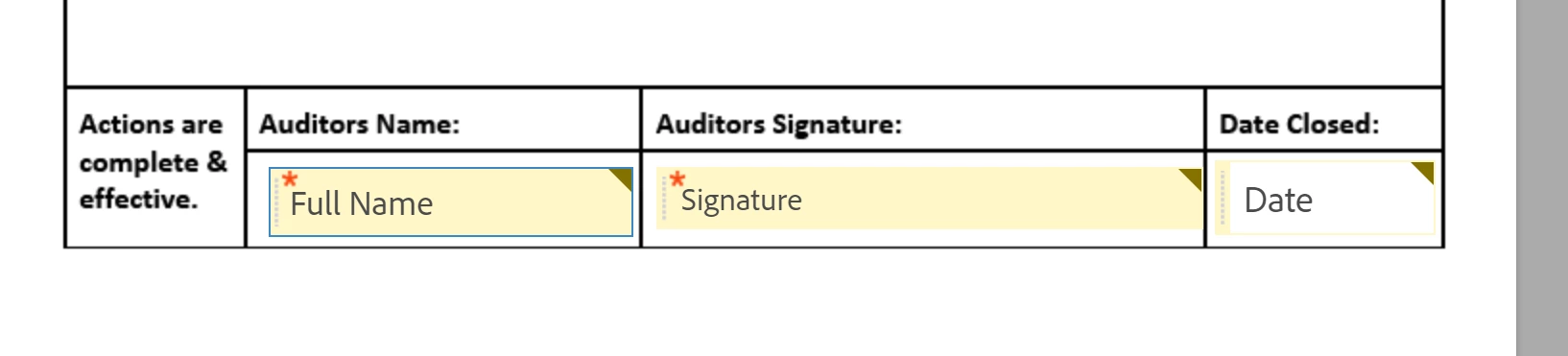
What is happening is that within the workflow Adobe Sign is adding signature fields to the bottom of the document rather than making use of the fields that already in place.
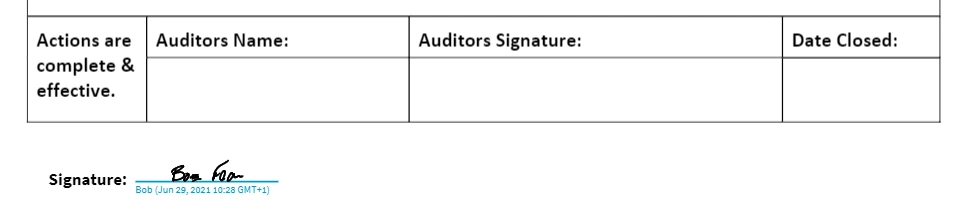
Anyone managed to acheive this?


 AdChoices