
Participant
September 29, 2021
Question

Adobe Sign w Salesforce Merge Fields Not Filling

  • September 29, 2021
  • 2 replies
  • 665 views

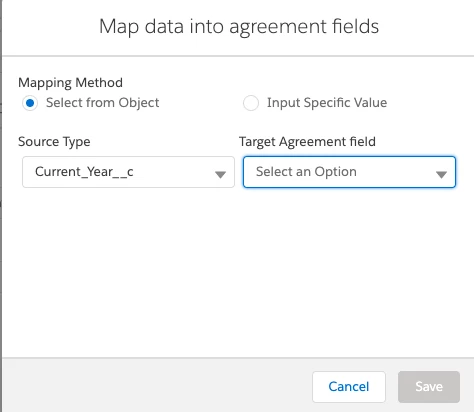
I have a template, mapped merge and data fields from my opportunity, and my template's merge fields are not pulling in data. I do use a button from my opportunity page to start the agreement process; the button takes me to the Adobe Sign Agreements page. Do I need to also map from this screen? 


This topic has been closed for replies.

2 replies

Meenakshi_Negi
Legend
September 30, 2021

Hi Stewart,


Thank you for reaching out.


Adding to the above suggestion.


We have checked your account with the email address used to sign in here in the community. It shows your account as a free account.

Could you please confirm if you are using the same email address to access your Adobe Sign account?

If not, I would suggest you to get in touch with the Adobe Sign support team. As you have query related to Adobe Sign Salesforce, it can be best answered by the experts.

Please refer to the steps suggested to get in touch with the Adobe Sign support team in the following help document: https://helpx.adobe.com/sign/using/adobesign-support-resources.html.


Let us know if you need any help.


Thanks,

Meenakshi 

Adobe Employee
September 30, 2021

have a read through this tutorial

https://community.adobe.com/t5/adobe-sign-discussions/sending-adobe-sign-agreements-from-custom-objects-in-salesforce/m-p/5885031

mapping needs to be set in the agreement template recors.