
Participant
April 8, 2024
Question

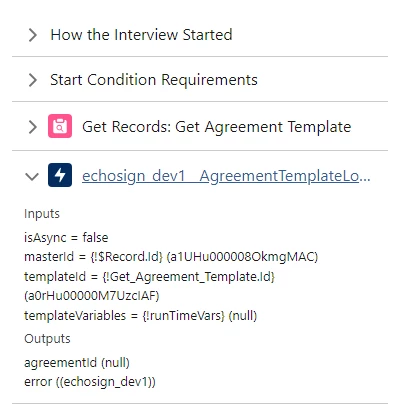
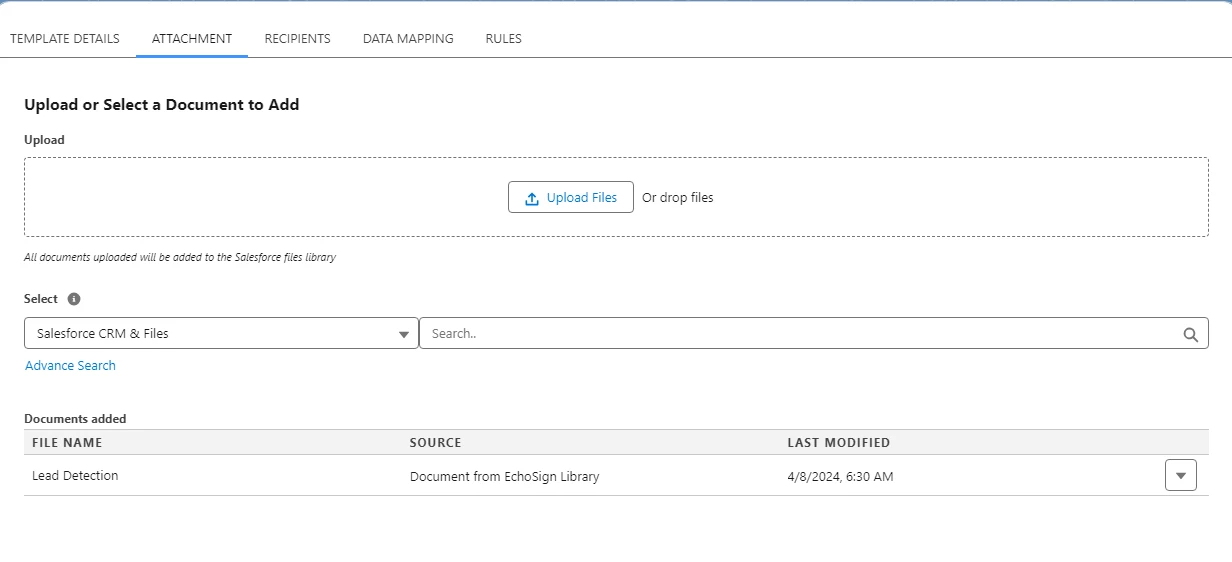
Agreement Not Generated From Template Library in Salesforce

  • April 8, 2024
  • 1 reply
  • 501 views

Hi all,

I have created an agreement template in Salesforce, for the attachments I pulled in docs from echosign library in Adobe, but the agreement is not getting generated from the flow. If an attchment is used in place of the echosign library asset, it is working fine. Am I missing any additional config or permission to use Adobe Library Assets in Salesforce?


This topic has been closed for replies.

1 reply

Meenakshi_Negi
Legend
April 8, 2024

Hi Raaghul365966053yp6,


Thank you for reaching out.


We have checked your account with the email address used to sign in here on the community page. It shows you have a free account.


If you have an Acrobat Sign Enterprise account with an alternate email address and have an integration-related question, the experts can best answer it. Please contact our Adobe Sign Enterprise support team for the correct information. You may contact them using the steps in the following help document: https://adobe.ly/3U82puJ.


If you have the developer account, you may contact the pre-sales team. They will be able to provide you the pre-sales technical assistance and share the correct information. Please refer to the following link to contact them: https://adobe.ly/3vB4yWC. You may use the Contact Us button for Adobe Sign Solutions under the team tab.


For information on Acrobat Sign Integration refer to the following help document: https://adobe.ly/3VNFq9C.


Thanks,

Meenakshi

Participant
July 18, 2024

I am experiencing the same issue when adding a Form Field Template to an agreement template. Has this been resolved further?

Meenakshi_Negi
Legend
July 30, 2024

Hi Tondro372469941lkt,


We have checked that you are using the Adobe Sign Enterprise plan. If you have an integration-related question, the experts can best answer it. Please contact our Adobe Sign Enterprise support team for the correct information. You may contact them using the steps in the following help document: https://adobe.ly/3WHwVgu.

Refer to the following help document for more information on Acrobat Sign Integration: https://adobe.ly/3Sr735S.


Thanks,

Meenakshi