
An approver in the line of recipients is prompted to sign when used the adobe sign text tags for specific scenarios
We are integrating adobe sign to one of our clients who has an enterprise license. In this integration, we are using adobe sign text tags for signing positions of the signers involved. Followed the https://helpx.adobe.com/sign/web/form-field-authors/create-forms-with-text-tags/text-tag.html for that.
This works totally fine if all the line of recipients are signers. But, for a specific scenario when approvers come into the line, it fails. For example, the below are the recipients we have configured. Now in this example, there are only two signers, and the middle one is the approver.
| Signing order | Recipient | Role |
|---|---|---|
| 1 | User 1 | SIGNER |
| 2 | User 2 | APPROVER |
| 3 | User 3 | SIGNER |
In this scenario, our client positions signing positions two signers with the following text tags considering that there are two signers in the list since the second one is an approver and not expected to sign the document.
- {{Sig_es_:signer1:signature}}
- {{Sig_es_:signer2:signature}}
The agreement is sent with this configuration.
The recipient 1 receives the agreement and has no issues with signing. The user is prompted to sign in the expected position where the text tag for signer 1 is placed.
Here is the issue when it is the turn for recipient 2. Recipient 2 receives the email to approve the document but on opening it, recipient 2 is prompted to sign the agreement where {{Sig_es_:signer2:signature}} is placed. The system does not consider the role of the recipient and assigns the text tag to the position of the user in the signing order.
This specific scenario works when the document is configured with signer 1 text tag and signer 3 text tag consciously by the client.
- {{Sig_es_:signer1:signature}}
- {{Sig_es_:signer3:signature}}
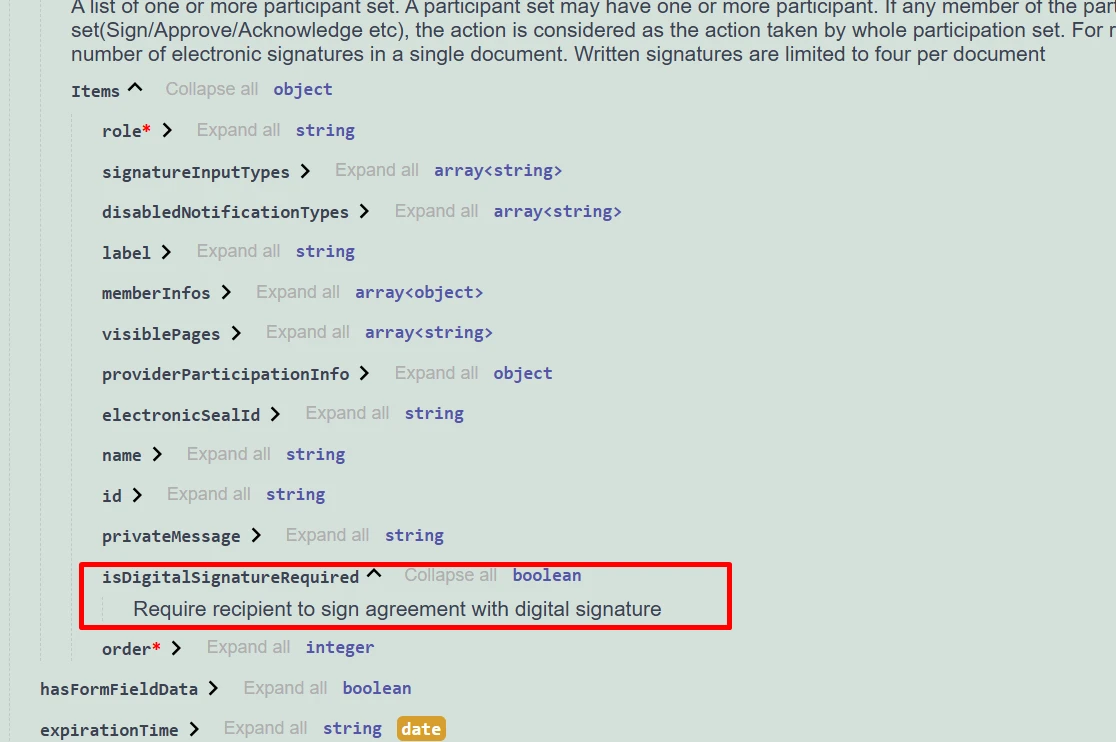
I want to understand whether this is an expected behavior from adobe sign API in this scenario or Am I going wrong somewhere. I am attaching the sample of API request used for a post call of agreement. Also there was a parameter in API documentation “isDigitalSignatureRequired” to false and that did not work either.
I followed the API documentation in this link https://secure.na3.adobesign.com/public/docs/restapi/v6#/agreements/post_agreements for agreement post call.
Sample API quest for agreement post call:{"ccs":null,"participantSetsInfo":[{"role":"SIGNER","name":"Signers","memberInfos":[{"name":"John","email":"mail1@gmail.com"}],"order":1},{"role":"APPROVER","name":"Signers","memberInfos":[{"name":"John 2","email":"mail2@gmail.com"}],"order":2},{"role":"SIGNER","name":"Signers","memberInfos":[{"name":"John 3","email":"mail3@gmail.com"}],"order":3}],"name":"USMF-01928","signatureType":"ESIGN","fileInfos":[{"transientDocumentId":"CBSCTBABDUAAABACAABAAx4UzYXvgt4pLTn1XkxdW181k7UNalC4-9ATo86Y8RYIkyiQhg-7WHbuXoE3EnCB6fCst7l4OZoHczTaEK5H8gXitq_NAUv66t-wqEWqp8GFmptiPAaeZkApAct5Ofmrhqs418GZLMKaJ0jtQEXwq0KrvGAvxmKimXpisZtQ3kIOdZJ9iPy4c1uA8mtRObPv7IW58B7i5t0vMy51OkE2Sr6_YFN7gXdGI4vBZW2C8i-NV0fKSGM15psEcFu7p_70K-ZpaZo2MqjbNMHfih39wIvk36v8JfGCcsTPwrB1LRaFm4aCHBMWTT-dj3Q0w1NKaDDS2KaVgKzdxX5JPCqCpkUTqKtimISfFbdgQlVtzu4bEbmFwes3n0PYpXTlxZwov"}],"state":"IN_PROCESS"}
 AdChoices