Answered
Can I delete a document that has been signed with Adobe Sign?
어도비 사인 솔루션으로 서명을 완료하게 되면(계약이 완료되면)
원본 문서는 자동으로 첨부된 사진 처럼 스토리지 클라우드에 저장이 되는걸로 알고있습니다.
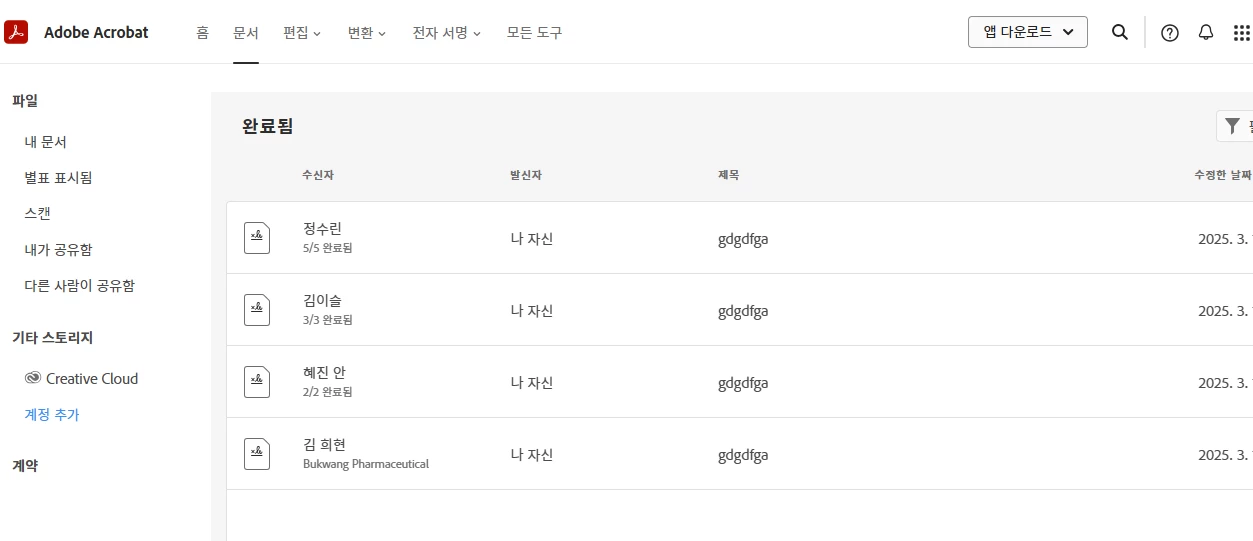
서명이 완료된(계약이완료된) 문서를 스토리지 클라우드에서 영구삭제를 하는 방법이 없나요?

어도비 사인 솔루션으로 서명을 완료하게 되면(계약이 완료되면)
원본 문서는 자동으로 첨부된 사진 처럼 스토리지 클라우드에 저장이 되는걸로 알고있습니다.
서명이 완료된(계약이완료된) 문서를 스토리지 클라우드에서 영구삭제를 하는 방법이 없나요?
Thank you for reaching out.
The Acrobat Sign document is saved on the Acrobat Sign server. You can view them under the Agreements in the Acrobat web application. You may delete the document even if it is completed.
To delete the document from the Acrobat Sign account, please use the steps suggested in the following help document:
1. Open the link: https://adobe.ly/4iQnvI7
2. Sign in using the Adobe ID and password.
3. Then click on the Profile icon and select Settings.
4. Go to E-Sign settings and click on Edit settings.
5. Go to the Privacy tab and search the document using the email address used in the transaction.
6. Select the document from the list and click on the trash icon next to it.
That will permanently remove the document from the Acrobat Sign server.
Let us know if you do not find any option or experience any issues.
Thanks,
Meenakshi
Already have an account? Login
No account yet? Create an account
Enter your E-mail address. We'll send you an e-mail with instructions to reset your password.


 AdChoices