
Excellent959
Participant
June 15, 2020
Question

Cannot delete webforms

  • June 15, 2020
  • 6 replies
  • 8598 views

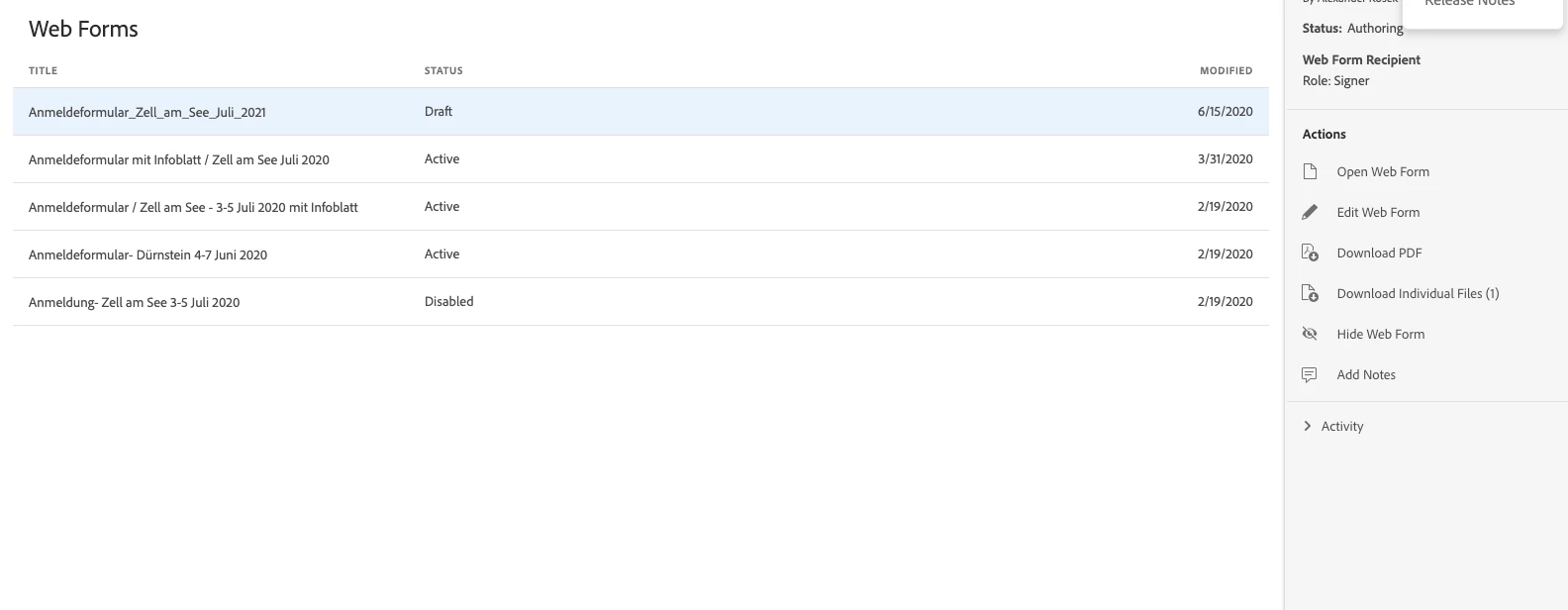
I'm unable to delete webforms, must have something to do with Admin permissions.... how do I change the permission settings ?

6 replies

Meenakshi_Negi
Legend
November 4, 2023

Hi All,


Thank you for reaching out, and sorry about the delay in response.


We will check with the team if there is any alternate way to remove the web format and update you. 

In the meantime, you may try editing the web form. Refer to the information provided in this help document: https://helpx.adobe.com/sign/adv-user/web-form/edit.html.

Check if that helps. 


Thanks,

Meenakshi

Avid-Day
Participating Frequently
November 6, 2023
In the cases of rapid mock up, editing can become much too cumbersome to get back to a clean starting point, especially if you have to modify the base (word) document upon which you are building the template.
Avid-Day
Participating Frequently
October 10, 2023

What they said, please enable delete on web forms so we can mock up, publish, send for testing, scrap (delete), iterate.

Participant
March 15, 2023

you seriously can't delete these?

Participant
March 2, 2023

Yes, please enable the delete fuction for webforms! It is very annoying to not be able to delete them


Participating Frequently
February 23, 2022

Please add the functionity to delete Web Forms. Yes I know we can hide them but it would have much more piece of mind to make sure they can't in some way be used when "hidden".

Participant
April 5, 2023

You can deactive a form and either direct folks who access the link to another link or provide a message.

Participating Frequently
April 6, 2023

True. But if I know I will never use the webform again (updated Recipients, updated base PDF, etc) and will never use it again because it outdated I would rather just delete it. Also I name the new webform the same thing as the old so in my "hidden" files I just have 100s of deactivied webforms called "Conflict of Interest Form" which wouldn't help narrow it down if I did need to look back at an old interation.  This is a whole other issue with AdobeSign editing - I would love to edit (add/remove PDFs, change Recipients) my webform and keep the same URL.

Participant
July 24, 2020

Just got off the phone with support. Can't delete webforms but you can hide them. Once hidden you can't unhide so sounds like delete but the name makes me wonder if they hang on to the form.

Participant
April 5, 2023

You can see hidden content by going to Filter and viewing hidden content. Anything you have hidden will be available to view or unhide.