
Participant
October 1, 2025
Answered

Cannot open in Chrome, can open incognito in Chrome or other browers

  • October 1, 2025
  • 1 reply
  • 396 views

Hello,


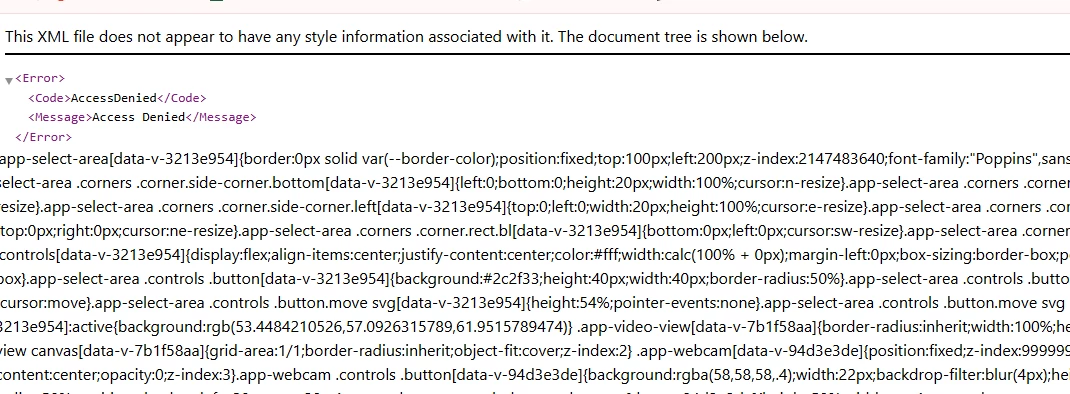
I cannot open my Adobe Sign account using my regular Chrome browser. 

I am able to open in incognito mode, or in another browser like Microsoft Edge.

I am able to log into all my other Adobe accounts.

I am using Enterprise for my school and I have reached out to our tech support but they are stumped.

They did mention how the just updated the licenses, but didn't find a connection to the issue.

They said my certificates and access is not limited and should be working as normal.

I have cleared all my cookies and cache a couple of times, logged out of all adobe products, restarted my laptop and tried to open Adobe Sign through different links.

This is the error I get.


Please help!

Thank you!


Correct answer jjgirl13

Hi jjgirl13,


Thank you for reaching out, and sorry about the trouble.


Please try to clear the cache and cookies for the browser. Check if that helps.

As mentioned, you have an Acrobat Sign Enterprise plan. If you are still experiencing the issue, please contact our Adobe Sign Enterprise support team for the correct information. You may contact them using the steps in the following help document: https://adobe.ly/4pVUq20.


Feel free to let us know if you need any help.


Thanks,

Meenakshi


Hi thank you for the follow up.

I found the culprit. 

It is AITOPIA sidebar - a chrome extension.

I disabled it and it works now.

I had a recent update, prior to that it didn't cause problems.

Thank you!


https://chromewebstore.google.com/detail/chat-with-all-ai-models-g/becfinhbfclcgokjlobojlnldbfillpf

1 reply

creative explorer
Community Expert
Community Expert
October 1, 2025

@jjgirl13 have you tried downloading the Chrome extension,


m
jjgirl13Author
Participant
October 1, 2025
For Adobe sign?

Caroline Park


Administrative Assistant 

Learning Resource Center - Building 3600

Foothill College
Meenakshi Negi
Community Manager
Community Manager
October 1, 2025

Hi jjgirl13,


Thank you for reaching out, and sorry about the trouble.


Please try to clear the cache and cookies for the browser. Check if that helps.

As mentioned, you have an Acrobat Sign Enterprise plan. If you are still experiencing the issue, please contact our Adobe Sign Enterprise support team for the correct information. You may contact them using the steps in the following help document: https://adobe.ly/4pVUq20.


Feel free to let us know if you need any help.


Thanks,

Meenakshi