
Question
Change certificate for documents signed in Workday or third party systems.
Hi All,
For one of our subsidiaries in Israel we have a requirement to digitally sign a customer invoice document that is coming from our Workday Financials system.
Based on the available documentation (https://helpx.adobe.com/sign/using/workday-trial-installation-guide.html) i was able to connect our system with Adobe Sign.
The results look quite promising so far as I'm able to e-sign the invoice documents already via Workday and AdobeSign.
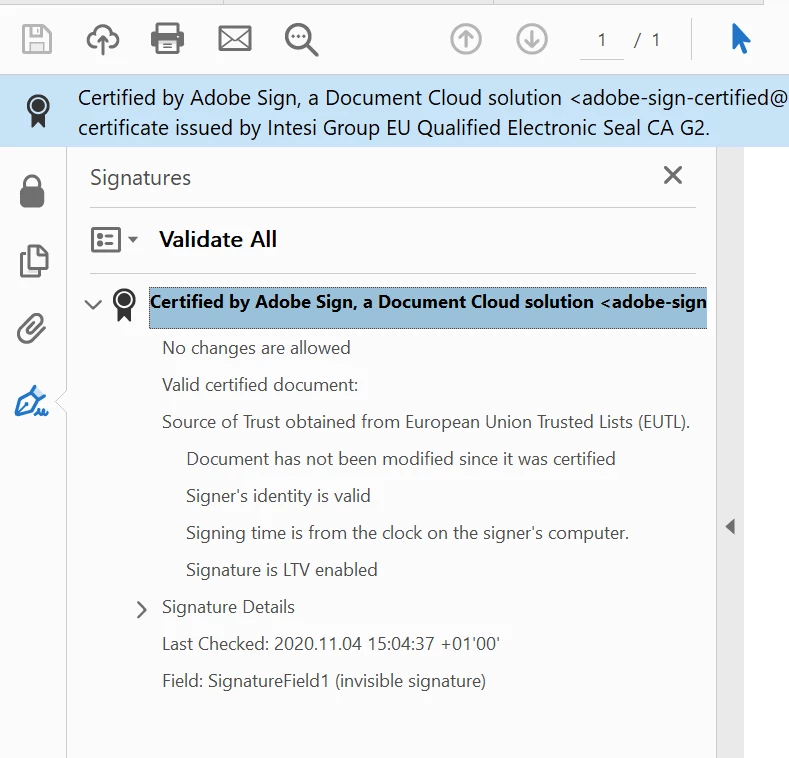
One question that i have is on the certificate after i download the signed PDF document and open it in Acrobat (see screenshot below).
Currently in the certificate it says 'Certified by Adobe Sign, a Document Cloud Solution'. My question is whether it's possible to have the wording changed into 'Signed by <user name>'?
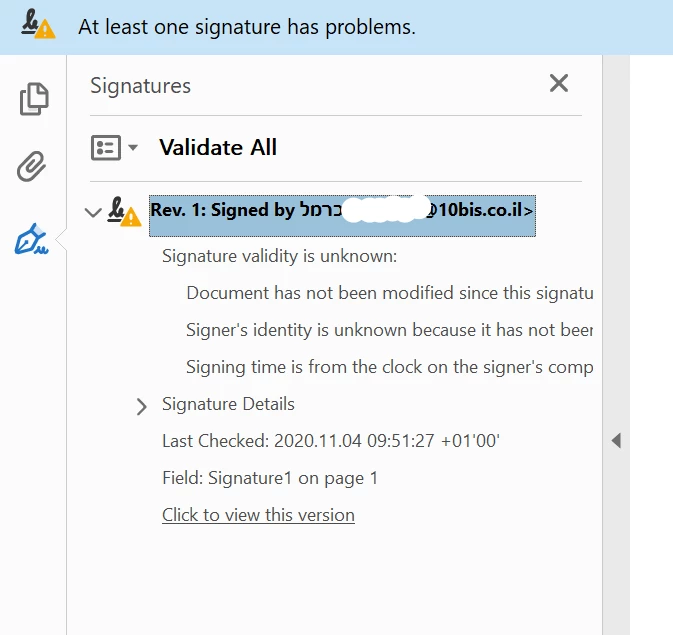
I've seen this in another document signed via a different application (see below) where the wording is 'Signed by <user name> '. I'm trying to replicate the same when signing via Workday, because this is a requirement for our business in Israel.
Regards,
Kien-Yap
Senior Financial Systems Analyst
Takeaway.com


 AdChoices