christianc90263590
December 19, 2025
Question

Completely different interface for forms

  • December 19, 2025
  • 1 reply
  • 97 views

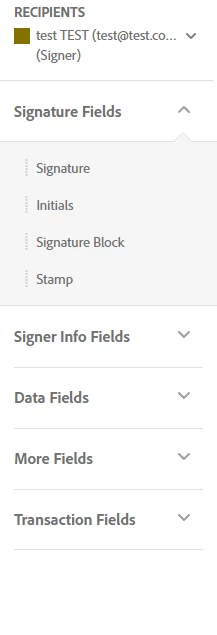
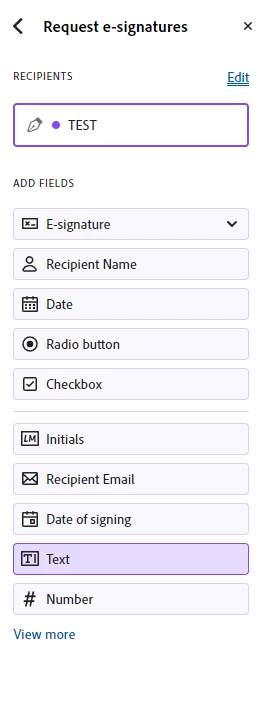
I regularly request signatures on fillable court forms, which I complete first and then share for signature. If I send the form for e-signature, Acrobat will enter me into a completely different Sign GUI which proceeds to assign all the form fields to 'Anyone.' Naturally, I do not want the client to modify any part of the form, so I have to flatten the form by printing to PDF to remove the form fields before using Acrobat Sign.

Is there a way to disable this "bad" GUI for forms shared for e-signature?


Good GUI:
christianc90263590_0-1766173986159.png


Bad GUI:

christianc90263590_1-1766174032286.png


1 reply

Souvik Sadhu
Community Manager
Community Manager
December 24, 2025

Hi @christianc90263590,


Hope you are doing well. Sorry for your experience with using Acrobat Sign.


When Acrobat detects that a PDF contains fillable form fields and you choose Request E-Signatures, it automatically launches the Prepare Form / Authoring Sign experience.

In that experience, Acrobat assumes the form is a collaborative document, all existing form fields are re-assigned to “Anyone” by default, which is by design, so recipients can complete unfilled fields.


That’s why your fields are reassigned and exposed to the signer.


When you flatten the form, all form fields are removed, the document becomes static content, Acrobat Sign no longer detects editable fields, and the Sign flow switches to the simple signature-only experience

That is exactly why flattening “fixes” the issue, as Acrobat no longer recognizes it as a form.


Also, please feel free to share your feedback here: https://adobe.ly/3LivlP9 to ensure it reaches the development team for review and future implementation.


Regards,
Souvik.