

defaulti8v5e04lmjhd
Participant
July 21, 2025
Question

Date field dropdown not working

  • July 21, 2025
  • 1 reply
  • 104 views

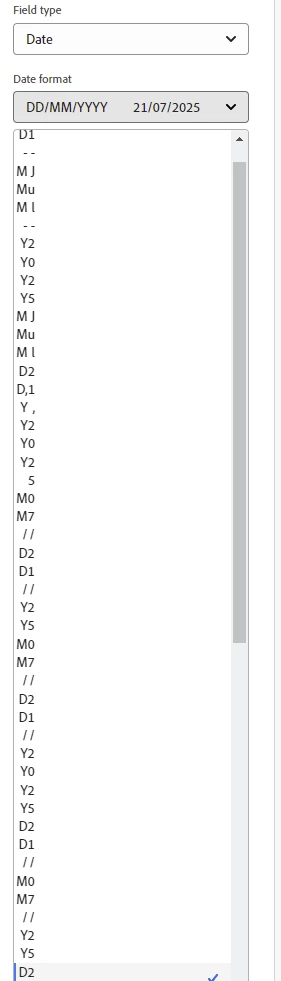
Because Adobe Sign's date fields default to DD-MM-YYYY, which is not standard for the US, I always need to change the format to the standard MM-DD-YYYY. While this is annoying, there is now a problem with the dropdown menu making it impossible to change the format. What is happening? This is how the dropdown menu looks now: 
 

1 reply

S_S
Community Manager
Community Manager
July 22, 2025

Hi @defaulti8v5e04lmjhd,


Hope you are doing well. Sorry for your experience with changing the date format with Acrobat Sign.


Do you see this every time you try to set up a form? Also, are you using the desktop application to create the forms?


If yes, you might want to try repairing the application and try again.

To do so, go to Menu > Help > Repair Installation.


If this does not work, please reset the application preferences and check again.

Steps can be found here: https://adobe.ly/44Wb5sj


Let us know how it goes.


Regards,
Souvik.