Participant
May 10, 2024
Question

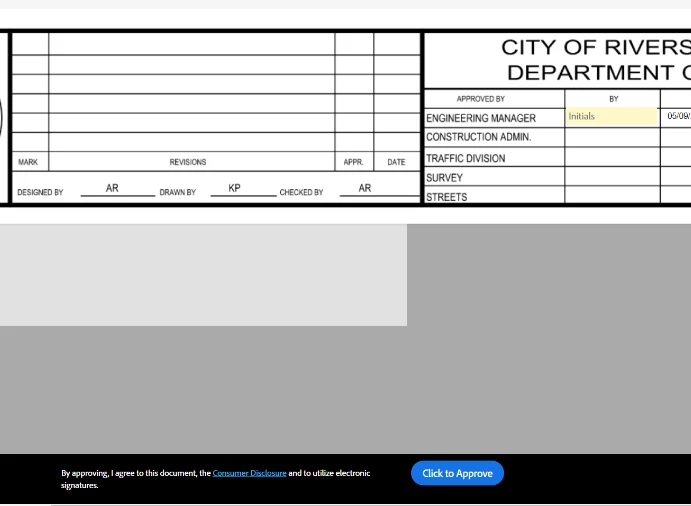
E-sig approvers are approving documents while bypassing the initials

  • May 10, 2024
  • 2 replies
  • 615 views

A glitch in the e-sig workflow allows approvers to "Click to Approve" even though they have not initialed the document. 
 

This topic has been closed for replies.

2 replies

Meenakshi_Negi
Legend
May 15, 2024

Hi Alex37315554ga8k,


Thank you for the screenshots. As Mariahweyne mentioned, please confirm if you have marked the field required. This may be the reason for this behavior. 

If that is not the case, I suggest sharing the screen recording of how you add form fields and then how you fill them out. 


Thanks,

Meenakshi


Participant
May 15, 2024

Thank you Meenakshi. That worked. It would be better if that box was checked by default. 


Thank you very much!

Meenakshi_Negi
Legend
May 13, 2024

Hi Alex37315554ga8k,


Thank you for reaching out.


Please confirm if this is happening with a particular document or all the documents you send for signature.

Try testing it once by sending a document to your alternate email address and marking yourself as an Approver. It would be helpful if you could share the screen recording of your steps and the results you get when testing. It will give us an idea about what is happening and causing the issue.


Let us know if you need any help.


Thanks,

Meenakshi

Participant
May 13, 2024

Hello Meenakshi,


Here are a few screen shots of the issue. This has happened multiple times, causing the documents to be finalized without the approvers initials.  I just tested again and it is still happening. 


Participant
May 13, 2024
