
Participating Frequently
December 19, 2023
Answered

e-signatures not working - file upload failure

  • December 19, 2023
  • 3 replies
  • 9814 views

Hi everyone,

I'm having a problem requesting e-signatures via Acrobat.

When I get to the very last stage of review then send I get a file upload failure message.

Here's a screenshot of the error message:
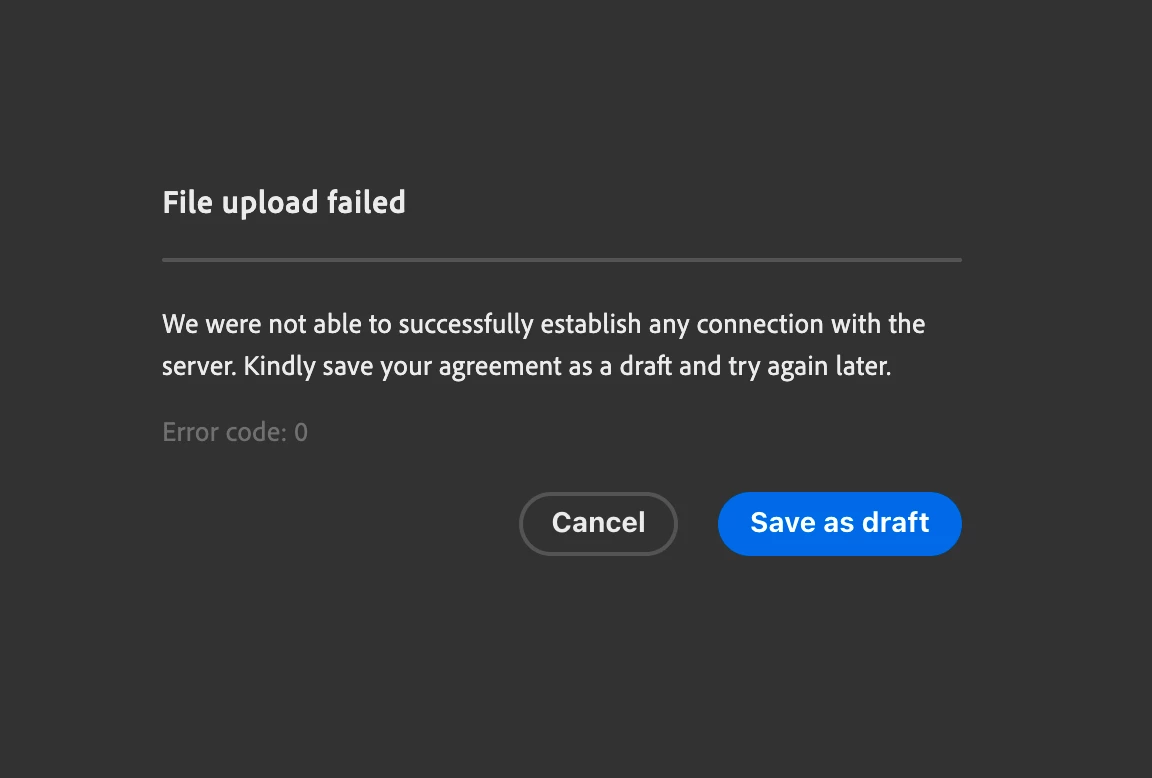
I'm on MAC OS ver 12.7.2

I'm on latest version of Acrobat

Tried uninstall and reinstall

Tried creating the document again

I've 'tried again later' for 2 days

Is this a central problem with Adobe or something I can fix?

Any suggestions?

Many thanks

Correct answer Amal.

Hi @Dan24967492sqan 

Hope you are doing well and sorry to hear that

Is this an issue with a particular PDF file or with all the PDFs? Please try with a different PDF file and check. If the file is stored on a shared network/drive please download it to your computer locally and then try again.

What is the version of the Acrobat DC you are using? To check the version go to Help > About Acrobat and make sure you have the recent version 23.08.2042X  installed. Go to Help > Check for updates and reboot the computer once.

Also, try to request the signature online via the link https://acrobat.adobe.com/link/home/ and see if that works.


~Amal

3 replies

Participant
April 28, 2025

I have the same error. This occurs sporadically where I reinstall Adobe and it works for a couple files. Then I have it pooter out and send this error message saying file upload failure. And then it never rectifies. As of April 2025 it seems they have still not fixed the issue in Adobe. I have to either reinstall, or switch to the "classic" experience which takes even longer. Could yall PLEASE fix the issue already?

Participant
March 25, 2024

Yes, I have the same issue this year of 2024.

Amal.
Community Manager
Community Manager
March 26, 2024

Hi there,


What is the version of the Acrobat DC you are using? To check the version go to Help > About Acrobat and make sure you have the recent version 24.01.20615 installed. Go to Help > Check for updates and reboot the computer once.


Also try to request signature online via the link https://acrobat.adobe.com/link/home/ and see if that helps.


~Amal

Participant
June 3, 2024

Hi Amal,  https://acrobat.adobe.com/link/home/  link also same issue means not uploading file its almost 30min but still uploading...


Amal.
Community Manager
Amal.Community ManagerCorrect answer
Community Manager
December 22, 2023

Hi @Dan24967492sqan 

Hope you are doing well and sorry to hear that

Is this an issue with a particular PDF file or with all the PDFs? Please try with a different PDF file and check. If the file is stored on a shared network/drive please download it to your computer locally and then try again.

What is the version of the Acrobat DC you are using? To check the version go to Help > About Acrobat and make sure you have the recent version 23.08.2042X  installed. Go to Help > Check for updates and reboot the computer once.

Also, try to request the signature online via the link https://acrobat.adobe.com/link/home/ and see if that works.


~Amal

Participating Frequently
December 22, 2023

Hi Amal,

Many thanks for the suggestions.

I contacted Adobe support and we managed to get the file to work via the online signature service.

Using the Acrobat DC on the MAC still doesn't work though.

This is happening with all PDFs. The files are already on the local computer and I have the latest version.

We also tried with an earlier version of Acrobat but encountered a different problem.

This isn't such an issue as I can use the the online signature service for the time being.

Thanks again for your help and it'll probably sort itself when a update comes out.