exotherm
Participating Frequently
January 18, 2018
Answered

End brackets won't go away

  • January 18, 2018
  • 1 reply
  • 754 views

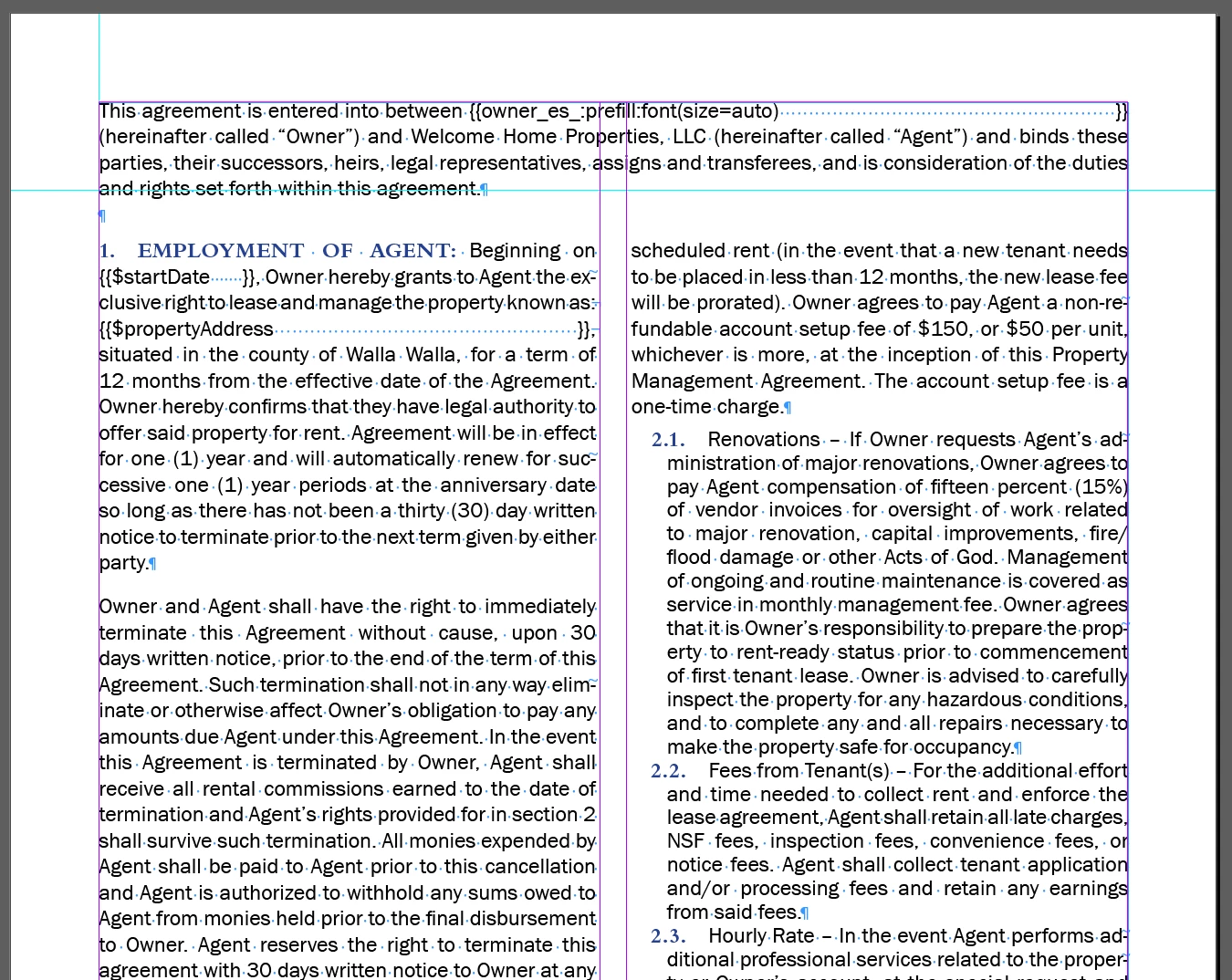
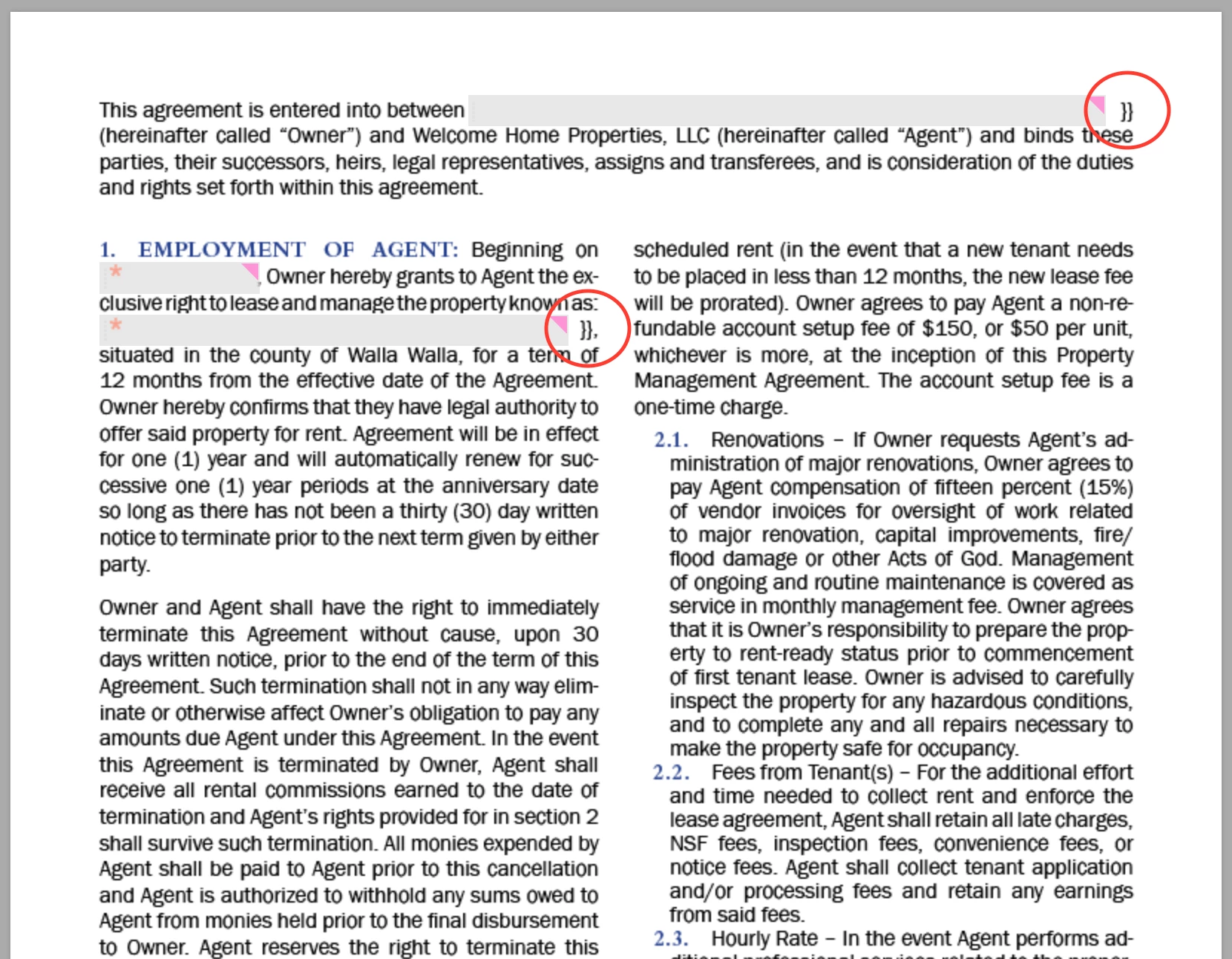
I have a lease document where the end brackets mysteriously stick around on one page and I can't figure out why. The tag works fine when uploaded to Adobe Sign but I'd like to get rid of the brackets! It all works fine in other parts of the document (even with the extra spaces at the end between the text and end brackets), so I'm not sure what might be wrong. Any ideas?

Here are the shortcut tags I used for the bottom two:

{{#propertyAddress=*propertyAddress_es_:prefill:font(size=auto)}}

{{#startDate=*startDate_es_:prefill:isdate}}

I also tried taking out "font(size=auto)" on both tags, but that didn't seem to help.
This topic has been closed for replies.
Correct answer ScottCarter

Greetings!

What you are displaying is an interesting problem, and should be submitted to the Adobe Sign Support team as a bug.

They will want a copy of the document so they can replicate the issue locally, and try to find the root cause.

Meanwhile, as a quick work-around for the problem, change the font color you use for your text tag to white.  The brackets will still be there, but wont be visible.

1 reply

ScottCarterCorrect answer
Participating Frequently
January 18, 2018

Greetings!

What you are displaying is an interesting problem, and should be submitted to the Adobe Sign Support team as a bug.

They will want a copy of the document so they can replicate the issue locally, and try to find the root cause.

Meanwhile, as a quick work-around for the problem, change the font color you use for your text tag to white.  The brackets will still be there, but wont be visible.

exotherm
exothermAuthor
Participating Frequently
January 22, 2018

OK I'll submit it - but do you happen to have a link where I could do that? I looked and can't seem to find the right place.

Thanks for the workaround! That should work fine for now.