
Error configuring Salesforce Integration
Error configuring Adobe Sign Integration with salesforce.
I am trying to install the Adobe Sign from salesforce app exchange amd configure it for a demo. Installation of the app in Salesforce was successful. I am getting an error when Configuring it using the steps mentioned in the Adobe installation steps. It would be great if someone can help me resolve this error. Following are the steps I followed.
- Installed the Adobe Sign from Salesforce app exchange. Salesforce is in the latest Spring 2020 version
- Created a Adobe Sign Trial Account ad ensured my account is a administrator. Email matched with the salesforce user's email
- Added the adobe permission sets to the salesforce user.
- Ensured that both the "Lock sessions to the IP address from which they originated" and the "Lock sessions to the domain in which they were first used" settings in Session Settings are unchecked in Salesforce
- I clicked on the Adobe Sign Admin tab in salesforce and launched the Adobe Sign for Salesforce Setup Wizard
- As Step 1 in Wizard, I signed into adobe using the trial account
- Clicked on "Allow Access" when prompted
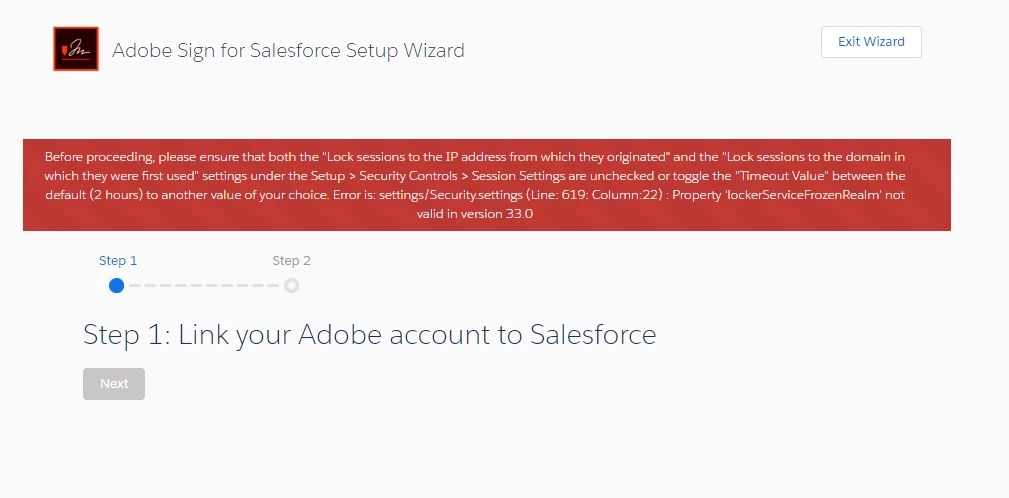
- Then logged in to salesforce again when prompted. After this step I am getting the below error.
Before proceeding, please ensure that both the "Lock sessions to the IP address from which they originated" and the "Lock sessions to the domain in which they were first used" settings under the Setup > Security Controls > Session Settings are unchecked or toggle the "Timeout Value" between the default (2 hours) to another value of your choice. Error is: settings/Security.settings (Line: 619: Column:22) : Property 'lockerServiceFrozenRealm' not valid in version 33.0


 AdChoices