
Participant
September 30, 2016
Answered

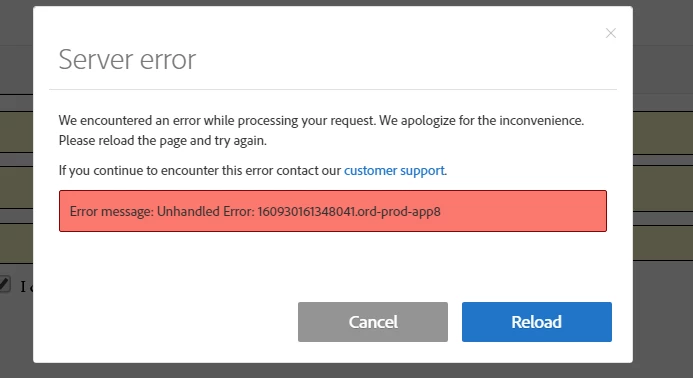
Error message: Unhandled Error: 160930160608351.ord-prod-app8

  • September 30, 2016
  • 2 replies
  • 5511 views

Can someone please help me figure out why I am unable to click submit during the final signature on a document I was sent to sign.

Thank you,

Brandon
Adobe Sign

Error message: Unhandled Error: 160930160608351.ord-prod-app8

Correct answer AadeshSingh

HI paigeb50106409

Try the below workaround:

  1. Log into Adobe Sign account
  2. Go to Account > Personal Preferences (Or My Profile > Personal Preferences)
  3. Click ‘My Signature’
  4. If you get the same error, then follow the below steps:
    • - Click ‘Cancel’ on error screen
    • - Clear the existing signature
    • - Re-upload signature image
    • - Log out of account and log back in

This should fix the issue.

Regards,

Aadesh

2 replies

sameer_puri
Adobe Employee
Adobe Employee
October 3, 2016

Hi Brandon,

There have been instances reported before too with a similar error. Please go through this thread and try the workaround mentioned: Server Error - Error message: Unhandled Error - HELP if the solution suggested by Aadesh doesnt work.

FYI, the issue will be fixed once and for all with an update later this week.

Thanks

Sameer Puri

Participant
April 18, 2021

This is happening when trying to REQUEST SIGNATURES too.   Contract need to go out today...  Whats the work around for requesting signatures?!  thanks 

AadeshSingh
Community Manager
Community Manager
October 3, 2016

Hi proskierforlife

Please clear Cache & Cookies from the web browser or try Google Chrome Incognito window to Sign the document.

Let me know if the issue persist.

Regards,

Aadesh

Participant
October 3, 2016

Error message: Unhandled Error: 161003061217578.ord-prod-app8

your remedy is not working.

Thanks!

AadeshSingh
Community Manager
AadeshSinghCommunity ManagerCorrect answer
Community Manager
October 3, 2016

HI paigeb50106409

Try the below workaround:

  1. Log into Adobe Sign account
  2. Go to Account > Personal Preferences (Or My Profile > Personal Preferences)
  3. Click ‘My Signature’
  4. If you get the same error, then follow the below steps:
    • - Click ‘Cancel’ on error screen
    • - Clear the existing signature
    • - Re-upload signature image
    • - Log out of account and log back in

This should fix the issue.

Regards,

Aadesh