NotSureAboutYou
Participant
June 25, 2018
Answered

Error Message When Signing Document - Error message: Unhandled Error: 180624211807244.app-a4

  • June 25, 2018
  • 1 reply
  • 3327 views

Adobe Sign is no longer working on my account.

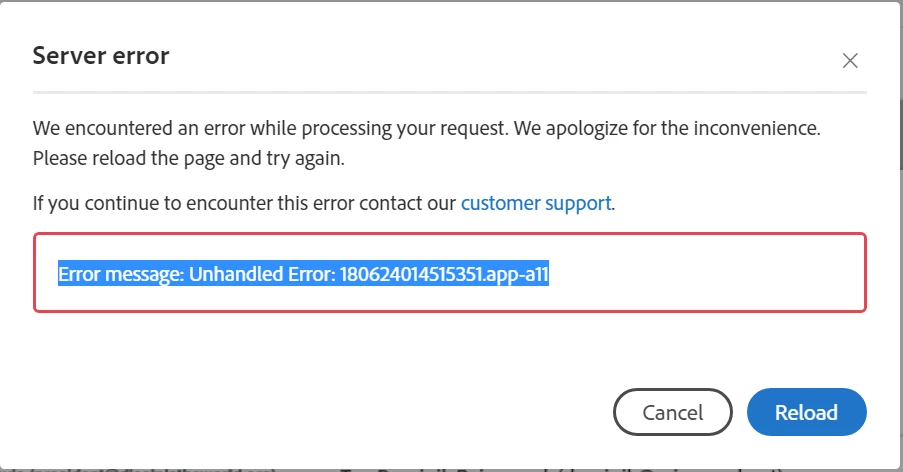
I get the following error when trying to sign a document - a similar document to one I have signed repeatedly in the past.

The error message:

Error message: Unhandled Error: 180624211807244.app-a4

You can also view the error message here:

Echosign Error June 24 2018

And here it is again:

The error number is a bit different each time, apparently.

But the end result is I cannot send this document to be signed.

This issue is time sensitive.

This topic has been closed for replies.
Correct answer Meenakshi Negi

Hi there,

Sorry for the delay in response.

As you have mentioned above, you get the error when you try to send the document after signing.

Please try the troubleshooting steps mentioned in this forum thread Error message: Unhandled Error: 160930160608351.ord-prod-app8 with the simialr query.

Check if that resolves the issue.

If the issue still persists, I would suggest contacting support to get this checked.

For the subscribed account, find below the steps to contact support:

• Login to your Adobe Sign account directly via https://secure.echosign.com/public/login

• Once logged in, check the upper right corner of the page and click the question mark icon.

• It will re-direct you to the page where you get the option to create the support case or to start a chat with the team.

• If you've never logged in this way, use the forgot password option on the login link to set your password.

Let us know if you need any help.

Regards,

Meenakshi

1 reply

cindyw50805754
Participant
July 2, 2018

Why doesn't my signature show up when I send my documents?

Meenakshi Negi
Meenakshi NegiCorrect answer
Legend
August 10, 2018

Hi there,

Sorry for the delay in response.

As you have mentioned above, you get the error when you try to send the document after signing.

Please try the troubleshooting steps mentioned in this forum thread Error message: Unhandled Error: 160930160608351.ord-prod-app8 with the simialr query.

Check if that resolves the issue.

If the issue still persists, I would suggest contacting support to get this checked.

For the subscribed account, find below the steps to contact support:

• Login to your Adobe Sign account directly via https://secure.echosign.com/public/login

• Once logged in, check the upper right corner of the page and click the question mark icon.

• It will re-direct you to the page where you get the option to create the support case or to start a chat with the team.

• If you've never logged in this way, use the forgot password option on the login link to set your password.

Let us know if you need any help.

Regards,

Meenakshi