Participant
September 7, 2018
Answered

Error when sending for signature

  • September 7, 2018
  • 2 replies
  • 7858 views

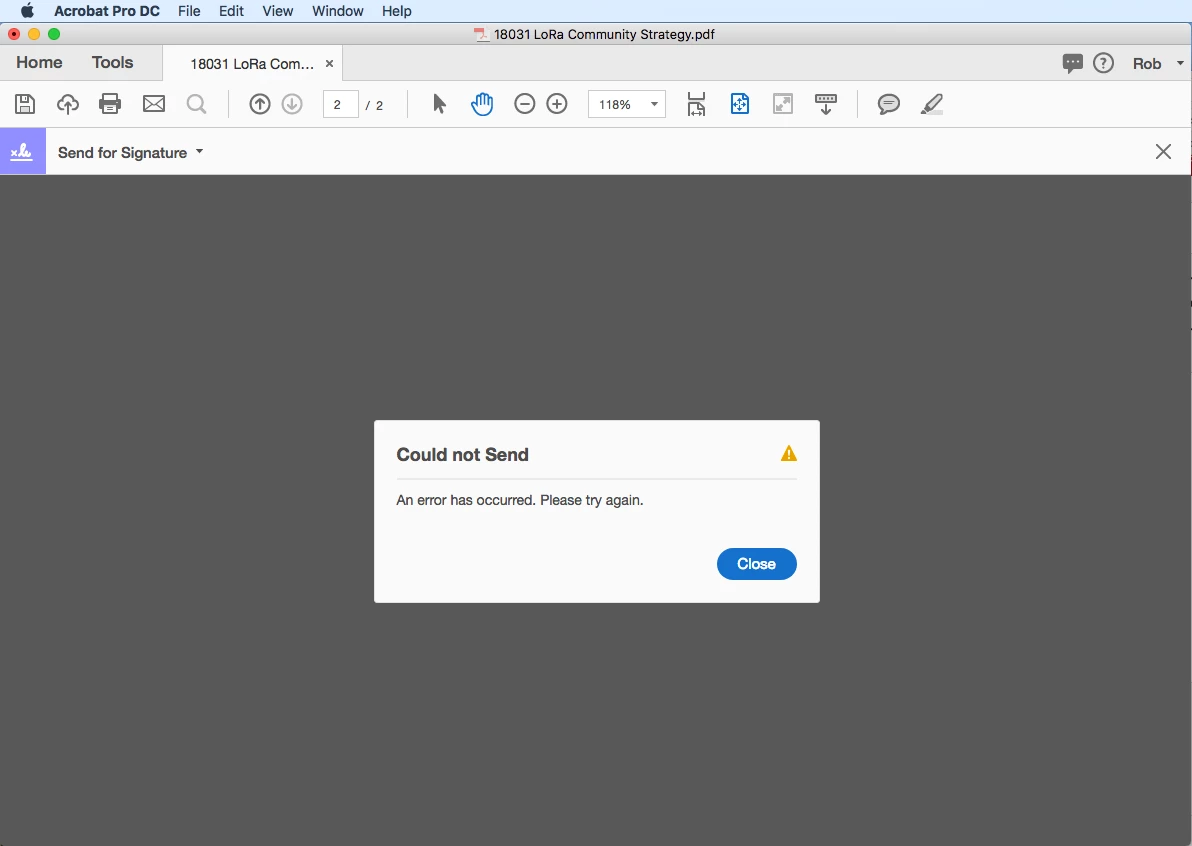
When using Acrobat Pro DC (continuous release) and trying to send for signature, I get the following error "Could not Send. An error has occurred. Please try again". When I try again, I get the same error. This is a consistent and ongoing error for me. Please advise.

    This topic has been closed for replies.
    Correct answer AkanchhaS8194121

    Hey Robb,

    We are sorry for the delay in response to your query.

    Looking at the error message shared above, i assume that you recently changed your Adobe ID to a different email address? If yes, then that's the cause of issue.

    "The issue arises when the Adobe ID is being changed but the E-Sign account is not automatically updated if there is already an E-Sign account with the new email address"

    Try to Signing In through the link shared below-

    1- You may refer to Sign In — e-signature and e-sign Software Solution — Adobe Sign  

    If it works here and you are able to Sign In that means your services are working fine, it just your email not able to sync. You may contact to support following the steps suggested below-

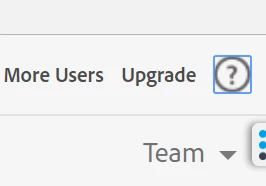
    Click on the ? icon at upper right corner, as shown in picture below.
    2- It would take you to your support option page.

    [You may check the private message where I have shared the contact number and the direct email for Adobe Sign support team.

    Adobe Sign contact support]

    Regards,

    Akanchha

    2 replies

    Participant
    February 12, 2021

    Hi Akancha,


    I'm able to sign in on the web as you mentioned on step 1 and able to send for signature

    but not when I use Adobe Reader or Acrobat to send for signature.

    Kept getting the error, "Could not Send. An error has occurred. Please try again"

    If you could please fix this issue as I've been having this issue for a few months now.


    AkanchhaS8194121
    AkanchhaS8194121Correct answer
    Legend
    September 14, 2018

    Hey Robb,

    We are sorry for the delay in response to your query.

    Looking at the error message shared above, i assume that you recently changed your Adobe ID to a different email address? If yes, then that's the cause of issue.

    "The issue arises when the Adobe ID is being changed but the E-Sign account is not automatically updated if there is already an E-Sign account with the new email address"

    Try to Signing In through the link shared below-

    1- You may refer to Sign In — e-signature and e-sign Software Solution — Adobe Sign  

    If it works here and you are able to Sign In that means your services are working fine, it just your email not able to sync. You may contact to support following the steps suggested below-

    Click on the ? icon at upper right corner, as shown in picture below.

    2- It would take you to your support option page.

    [You may check the private message where I have shared the contact number and the direct email for Adobe Sign support team.

    Adobe Sign contact support]

    Regards,

    Akanchha
    Participant
    May 22, 2020

    Hello,  I keep getting this error when im trying  to send for sign . 'You cannot send new agreements because you don't have sufficient transactions available in your account. Please contact your administrator."  what do you think i need to do? 

    Participant
    May 15, 2021

    Hi Judy, 

    I am actually having the same error myself. Is that because we would be on a free trial or non-paid account?