
Field Template Option Missing
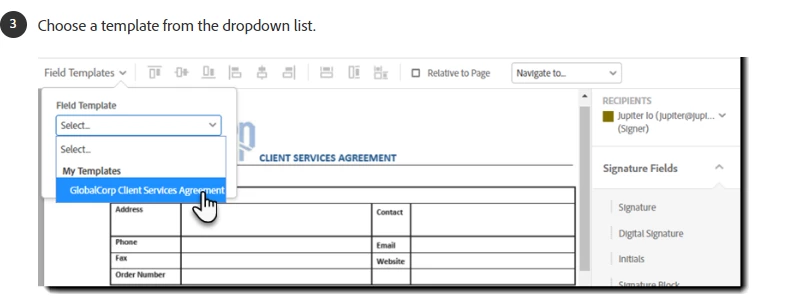
The adobe app has updated the Request e-signatures section and now I cannot find the option to use a template for form fields. The link below has a walkthrough on how to do it on the old version which shows the template option being in the top left corner (picture from link below as well). That's how I've done it so far for about 20 documents.
The new version of Request e-signatures looks like this.

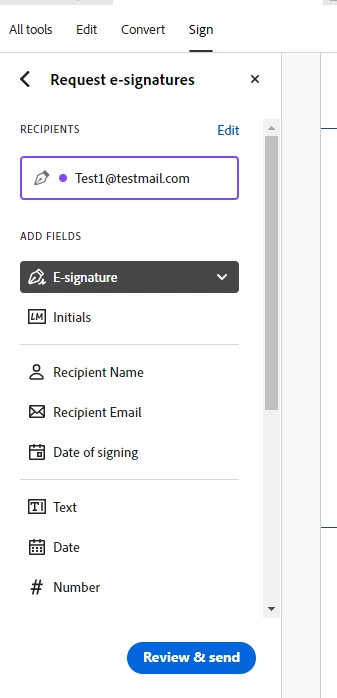
Where do I go in this new version to utilize the template I created? I have quite a lot of form fields that have to be added to each document and I've got about 400 documents to send out. It will add tens of hours worth of work to add each field manually on each document which I don't have the spare time for. I can't imagine that a feature/tool of that value would be removed, so I must be missing something. Please help!


 AdChoices