
Participant
June 6, 2024
Answered

Fixing image resolution for e-sign branding

  • June 6, 2024
  • 2 replies
  • 832 views

Hello,


What is the best way to get a feature fixed / enhanced for the e-sign branding in Acrobat Pro? 


The mage size they allow is 200 x 60 pixels. Regardless of what image type and pixel size you try to modify to, the image that displays in Adobe e-sign emails (to the receivers of the document) is very distorted and grainy. Here is a screenshot of where this is done on the admin side:
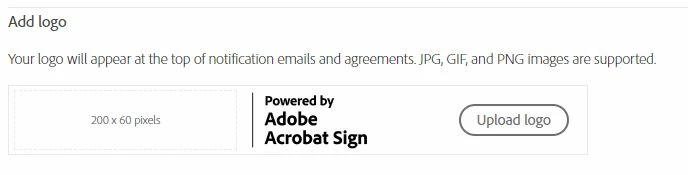
 

I beleive this could be a easy and quick fix for Adobe to modify so that we can attach a higher resolution image for our company logo / branding. 

Thoughts??

Correct answer Meenakshi Negi

Hi thomasn,


Thank you for reaching out, and sorry about the delay in response.


If you have any issues getting your image to appear correctly, ensure that the image you're using is exactly 60 pixels tall and up to 200 pixels wide. For more information, refer to the suggestion provided in the following help document: https://adobe.ly/3RMqZQk;


Let us know if you need any help.


Thanks,

Meenakshi


Got your issue resolved? Please label the response as 'Correct Answer' to help your fellow community members find a solution to similar problems.

2 replies

February 7, 2025

I am having the same problem today. I created a very clear 600 x 200 image, and uploaded it. Yet it appears very pixelated in the admin interface. This looks very unprofessional. I'll need to remove the branding, as it is better to have no branding rather than branding like this.


Participant
February 7, 2025

James D--
Thank you for posting. Good to know someone else has the same thoughts. 


Adobe Team --

Can you fix this? Maybe add the ability to upload .svg or larger file types? 

Participant
March 28, 2025

Quick note and observation ... I did notice that on the E-Sign branding that our company logo looks a little better in terms of resolution. Therefore, the Adobe Team could have addressed this??? 


It's still not great resolution, but definitely better than what it was when I originally posted this. 

Meenakshi Negi
Community Manager
Meenakshi NegiCommunity ManagerCorrect answer
Community Manager
July 1, 2024

Hi thomasn,


Thank you for reaching out, and sorry about the delay in response.


If you have any issues getting your image to appear correctly, ensure that the image you're using is exactly 60 pixels tall and up to 200 pixels wide. For more information, refer to the suggestion provided in the following help document: https://adobe.ly/3RMqZQk;


Let us know if you need any help.


Thanks,

Meenakshi


Got your issue resolved? Please label the response as 'Correct Answer' to help your fellow community members find a solution to similar problems.