


Participant
November 21, 2016
Answered

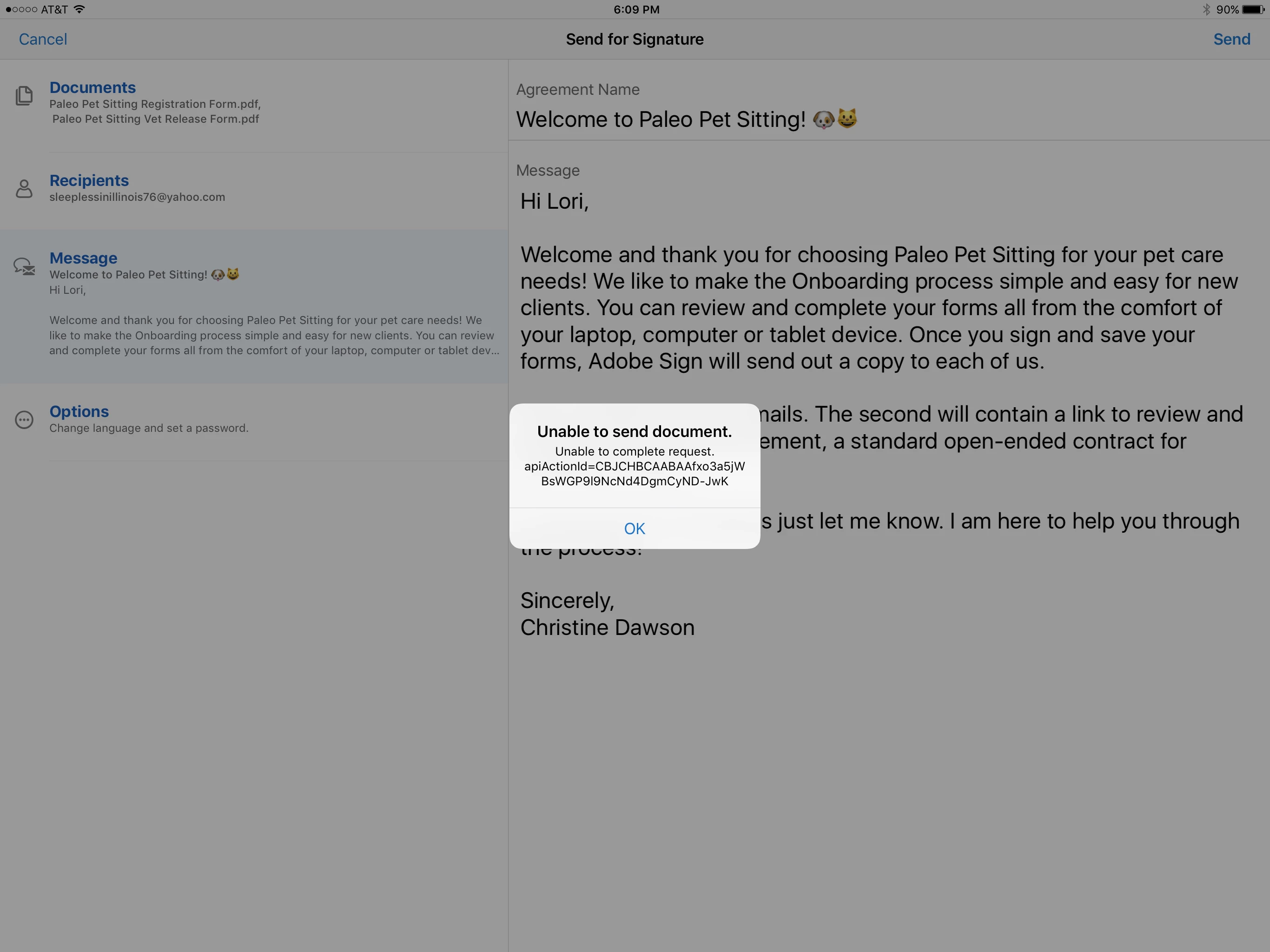
Help! Getting "Unable to send document" error in adobe sign on iPad.

  • November 21, 2016
  • 1 reply
  • 632 views

First, I am not very happy because i tried a using chat help for this and no one could help me after I waited for 45 minutes for an agent. The person just sent me here and I have no idea how this could possibly fix a technical issue. I am seriously considering cancelling my Adobe sign subscription and using some other product to meet my need for digital document handling. Below is the error I am getting. Could someone please tell me what the @$#% is causing this issue? Sorry to vent but it is very frustrating to have no access to real help. Instead I am being bounced around and given the run around in return for the hard earned money I am paying out on this every month. Thank you.
This topic has been closed for replies.
Correct answer anuragg75444724

Hi,

Please share your email address. We will check with the engineering team.

Can you try the same workflow on web https://acrobat.adobe.com/in/en/sign.html

It will help us narrowing down the issue whether it’s a Product issue or an id specific issue.

Regards,

Anurag

1 reply

Participant
November 21, 2016

I am also getting same error on my desktop computer so I know this is an Adobe issue and no one seems to know what to do about it. There is no communication for technical help except this forum. I am not impressed and will be cancelling subscription. I don't do business with companies who don't want to actually speak to their customers when they obviously need tech help.

anuragg75444724
Adobe Employee
anuragg75444724Correct answer
Adobe Employee
November 22, 2016

Hi,

Please share your email address. We will check with the engineering team.

Can you try the same workflow on web https://acrobat.adobe.com/in/en/sign.html

It will help us narrowing down the issue whether it’s a Product issue or an id specific issue.

Regards,

Anurag