
Participant
April 27, 2020
Question

Hide Get New DigitalID and Cloud Signature Provider

  • April 27, 2020
  • 1 reply
  • 765 views

Hi Team,

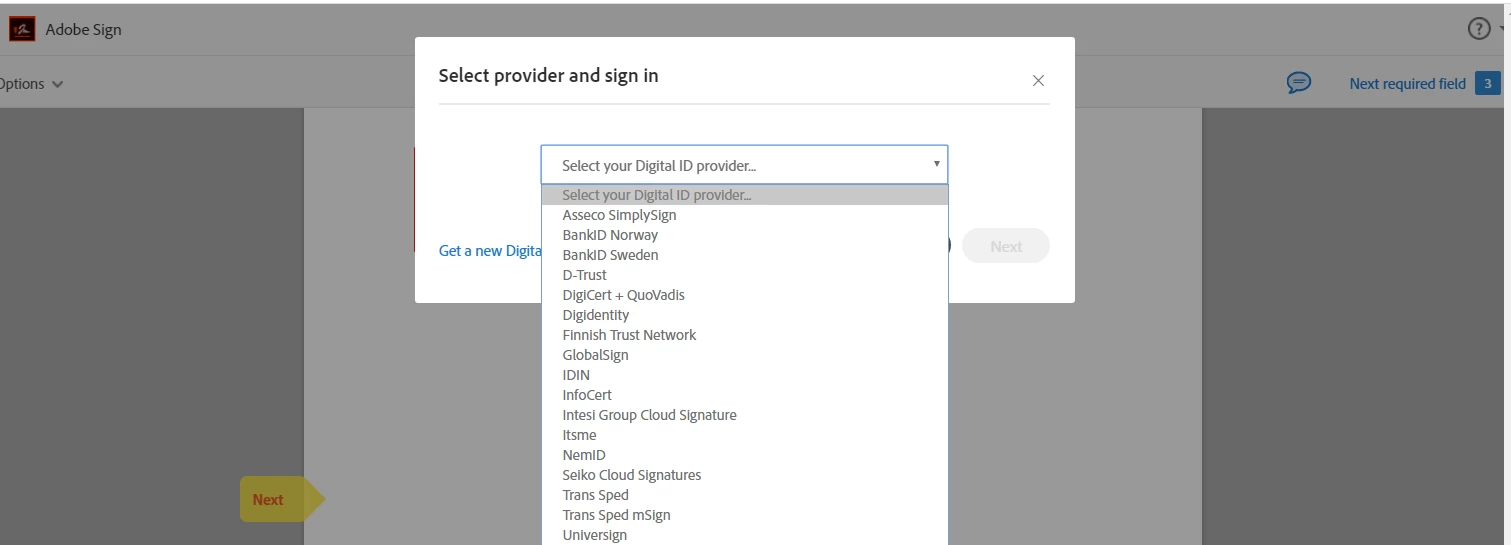
I need to skip this step because we are using only one cloud signature provider and it is annoying that every time a signer have to select the cloud signature from multiple options.


Please help me with below points.

  1. technical details to hide, CREATE new ID, client doesn't want this link to show to signer
  2. possibility to skip the step to select the Digital signature vendors.
  3.  


Regards,

Jignesh


This topic has been closed for replies.

1 reply

Adobe Employee
April 27, 2020

Hello Jignesh, 


As the Admin you can choose a single provider. Go the the Account Tab >>> Digital Signatures. Within this settings page you can choose which provider(s) your signers can use. Select the digital signature providers you will accept.  Only the options selected will be available to signers. You can define a preferred vendor, which sets that vendor as the default.

  • If only one vendor is allowed, the selection process is bypassed during the signature process. This provider will be pre-selecting when signing.

Here is more information about using Digital Signatures with Adobe Sign - https://helpx.adobe.com/sign/using/digital-signatures.html


I hope this was helpful; have a great day, 


Shannon 

Participant
April 28, 2020

Hi Shannon,

Thanks for the support.

Actually Client want to remove the Get New Digital ID HyperLink from the popup. is it feasible please let me know?

As per your reply. i have followed step.

step 1: Select prefereed cloud provider.

Step 2: Digital Signature Page - here we see the default selected preferred partner


Step 3:  We Get long list which client doesnt require.


Also can we remove get New id button as well as this cloud provider selection step?


Regards,

Jignesh

Adobe Employee
May 4, 2020

Hi Jignesh, 


I did a bit of testing - this is what my Digital Signature settings page looks like


Everything is off but the one provider. When I send it for a test and I choose Cloud Signature: 

It takes me straight to the service provider page (I don't have a certificate, so I can't sign digitally): 


I am not seeing the page where I choose my provider, etc. Can you please double check your settings page and ensure it looks just like mine does? 


I hope this helps, 


Shannon