
Participant
February 23, 2017
Answered

Hide/Show/Enable/DIable Condition not displaying

  • February 23, 2017
  • 1 reply
  • 1321 views

I am creating a new document with many fields and want one section to disable when a checkbox is checked.

I have done this before without any issues.  I can go into an older file and the option is there.

However, this time, the Condition option is not showing when I edit a field. 

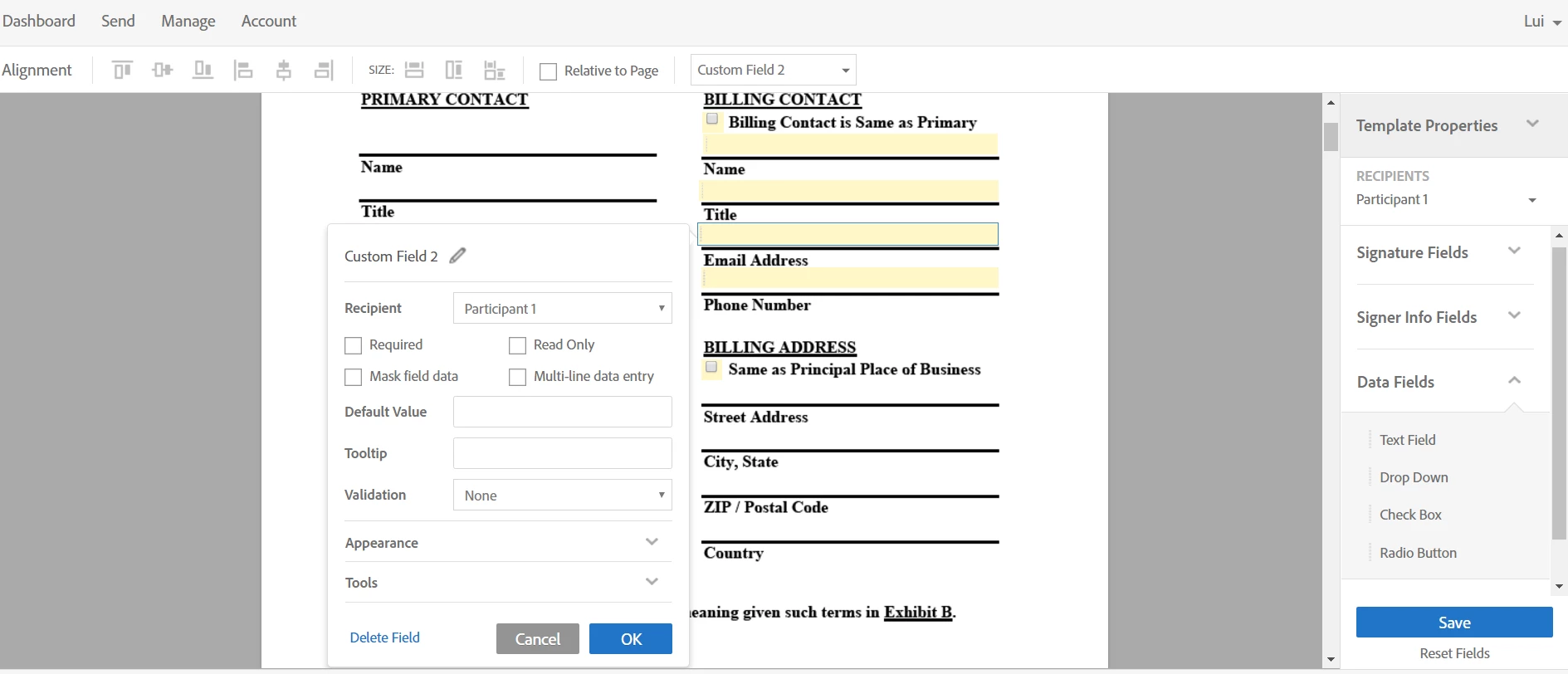
As I understand it, the Condition option should activate once there are more than two fields in the document.  The screenshot below shows the checkbox and fields.  In it, I am editing one of the fields, and Condition is not showing.

Does anyone see what I am doing wrong?  

Thanks!
This topic has been closed for replies.
Correct answer AadeshSingh

Hi luiking1

I see that you hold an Adobe Sign Individual account.  Please be informed conditions field is not available in Adobe Sign Individual account.

The feature is now part of Adobe Sign Business & Enterprise account, you can contact our Sales team on the number mentioned in the below link for the upgrade:

- Adobe Sign plans for individuals and businesses | Adobe Document Cloud

Regards,

Aadesh

1 reply

AadeshSingh
AadeshSinghCorrect answer
Participating Frequently
February 26, 2017

Hi luiking1

I see that you hold an Adobe Sign Individual account.  Please be informed conditions field is not available in Adobe Sign Individual account.

The feature is now part of Adobe Sign Business & Enterprise account, you can contact our Sales team on the number mentioned in the below link for the upgrade:

- Adobe Sign plans for individuals and businesses | Adobe Document Cloud

Regards,

Aadesh

luiking1Author
Participant
March 1, 2017

Thanks Aadesh.  I did not realize that had changed! It's not that obvious.

Lui